Beantwoord

ZYXEL T-54 Internet Installation


  • is een Master Poster

I recently moved to a new house and got an internet connection from Odido, but I’m having trouble setting it up. I’ve followed the instructions, but the internet light on the modem isn’t turning on.

Modem model: Zyxel T-54

Beste antwoord door Fahad
 

BTW you say you used the left port but that one doesn't seem to be connected (unless these are wired together in the connector). But first look if you have something like above in your utility closet.


Ah you are a savior, tried the right one and it started working. Thanks.

Bekijk origineel

15 reacties

rvk01
  • January 31, 2025

I take it this is a DSL connection (not fiber)?

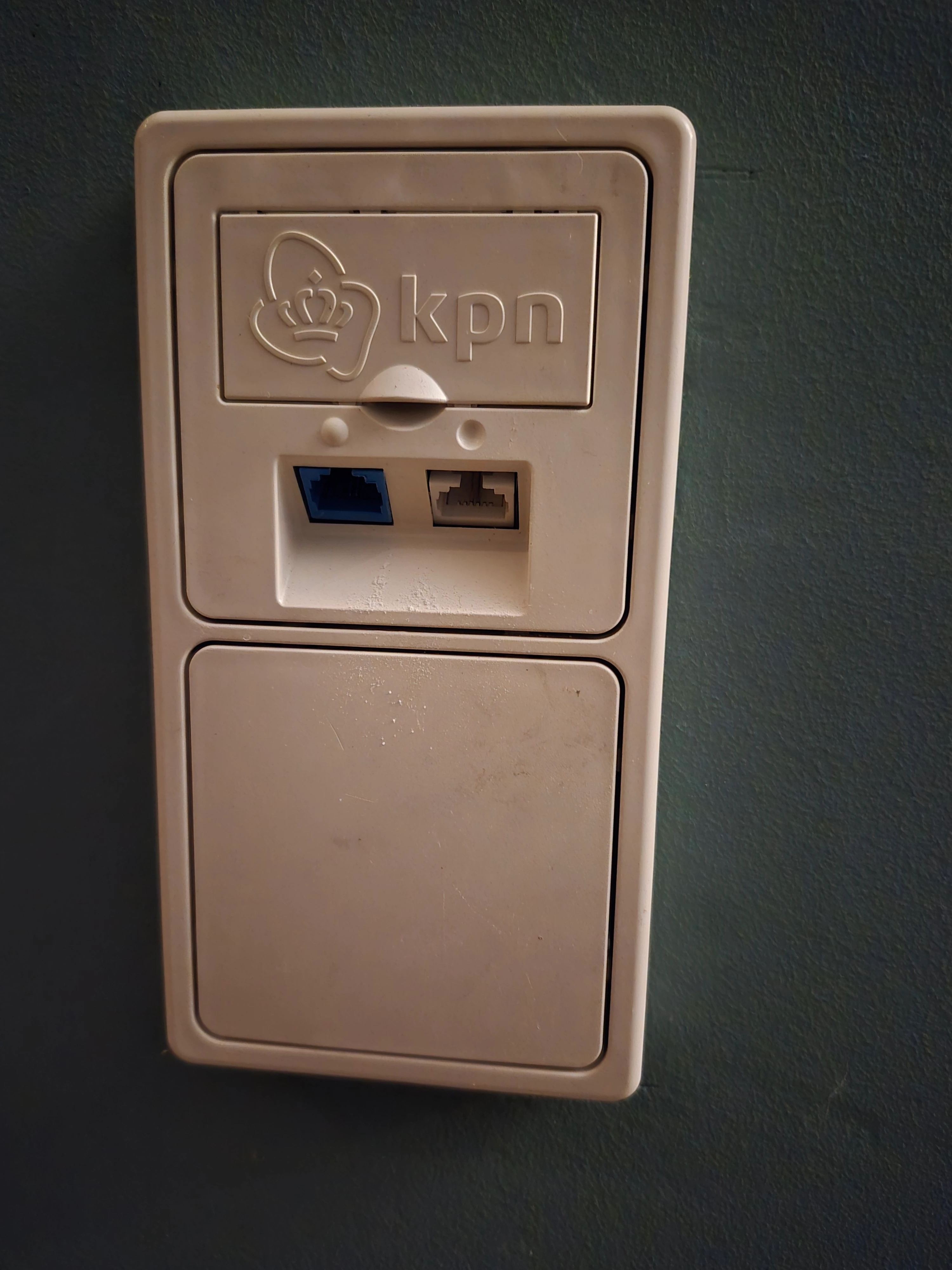
Can you take a picture of the connection/wall socket where you connect the modem to?

You need to connect the modem on the ISRA point where it comes into the home (usually in the utility closet). Not in an extended wall socket (because the signal needs to be the strongest and DSL degrades rapidly over normal telephone wire).


  • Auteur
  • is een Master Poster
  • January 31, 2025

Used the left port


  • Auteur
  • is een Master Poster
  • January 31, 2025


rvk01
  • January 31, 2025

That looks very much like a wall socket.

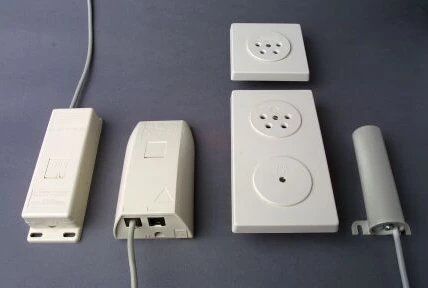
You need to locate the incoming DSL line (usually in the utility closet). It will look something like this (box 1,2 and 4).


rvk01
  • January 31, 2025

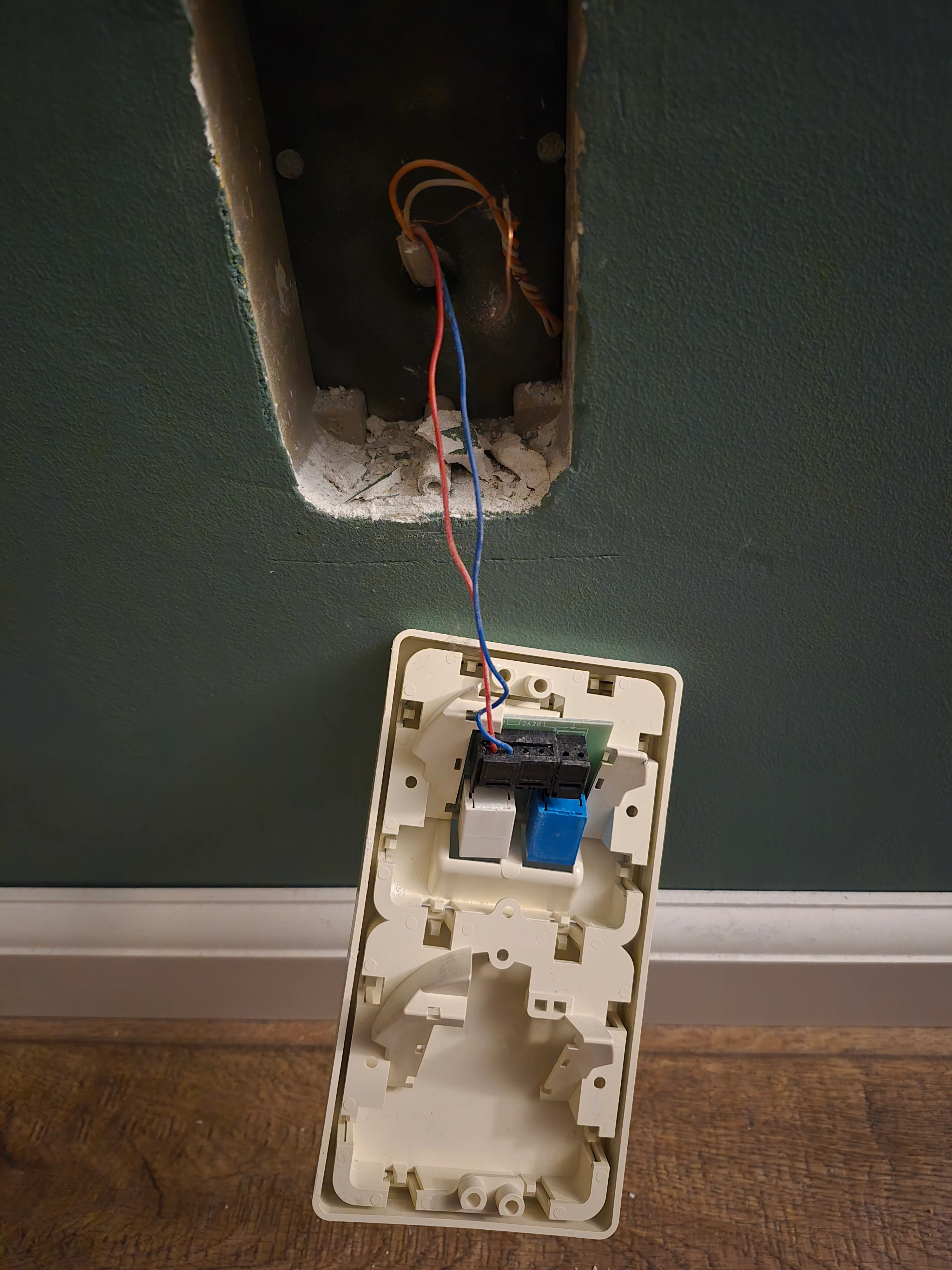
BTW you say you used the left port but that one doesn't seem to be connected (unless these are wired together in the connector). But first look if you have something like above in your utility closet.


  • Auteur
  • is een Master Poster
  • Antwoord
  • January 31, 2025


BTW you say you used the left port but that one doesn't seem to be connected (unless these are wired together in the connector). But first look if you have something like above in your utility closet.


Ah you are a savior, tried the right one and it started working. Thanks.


rvk01
  • January 31, 2025

Ah you are a savior, tried the right one and it started working. Thanks.

👍

It still looks like a strange entry point to me, but I'm glad you have a connection on it. It seems the signal is strong enough there. Hopefully the speed is also correct. 


  • Auteur
  • is een Master Poster
  • January 31, 2025

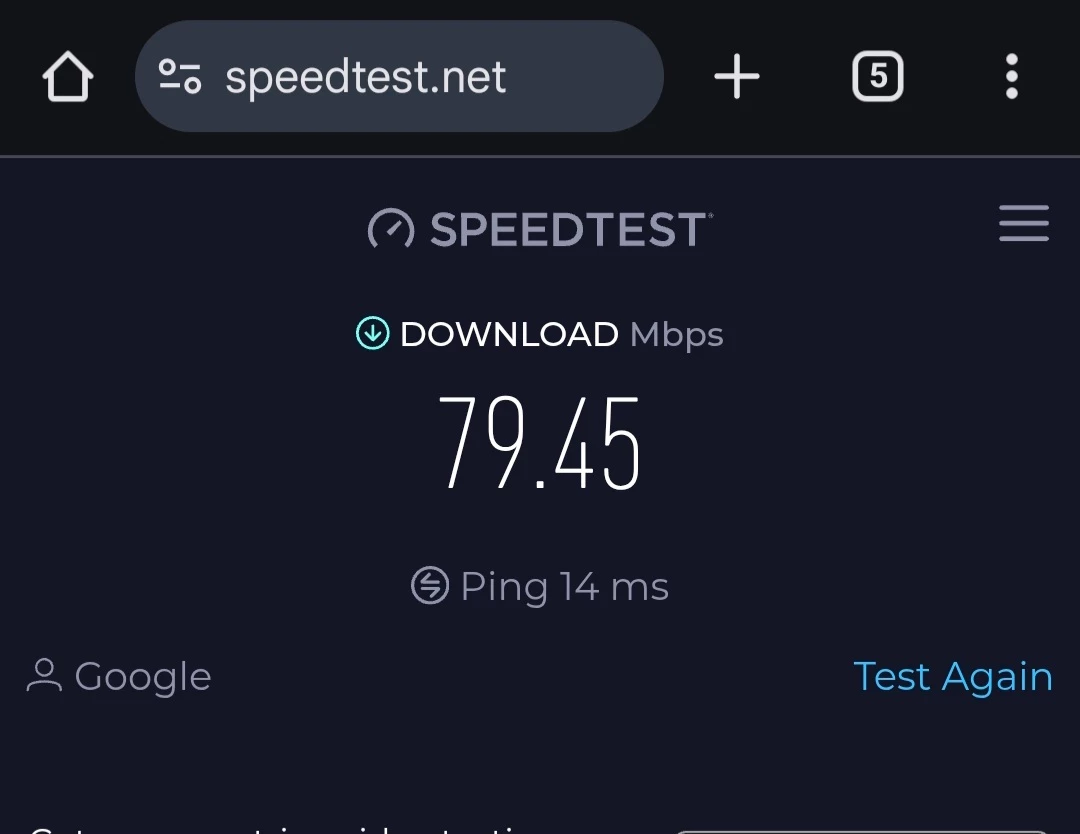
Is this normal?


rvk01
  • January 31, 2025

That depends on your subscription.

And if you use a computer wired (= best) or something (pc, tablet or phone) over wifi. Wifi is usually slower and prone to disturbances.

For normal smartphone/tablet use these speeds are no problem at all. You won't notice much difference between 75Mbps and 400Mbps if you are just browsing and mailing (or even using YouTube/Netflix and such). Only when downloading files speed becomes an issue.


Waqqas
Super User
Forum|alt.badge.img+15
  • Odido Superuser
  • January 31, 2025

Hello ​@Fahad 

If you do the postcodecheck on the Odido website than you can see the maximum speed for your address.

Can you also perform a wired test to see if you are getting around 90% of the maximum speed? You should be getting atleast 70%.


rvk01
  • January 31, 2025

If you do the postcodecheck on the Odido website than you can see the maximum speed for your address.

And maximum speed might not be the maximum for your address but the maximum of your chosen subscription (which could be lower) 😉


  • Auteur
  • is een Master Poster
  • January 31, 2025

The maximum speed in my subscription is 100 Mbit, so I guess that’s fine.

One interesting thing I noticed is that my apartment has a fiber connection in the utility closet, but when I check the Odido website to see if fiber is available, it says it’s not.


rvk01
  • January 31, 2025

Yes, if you have 100Mbps, the 70Mbps over wifi should be fine. Wired should be a bit higher.

BTW. Did you find any of those boxes in my image in the utility closet (for the ISRA/DSL point)?

Regarding fiber... It could be from a network over which Odido doesn't provide service. For example glaspoort (kpn). Sometimes you can see a sticker under the connection (which mentions who provides the network management).


Waqqas
Super User
Forum|alt.badge.img+15
  • Odido Superuser
  • January 31, 2025

Yes, if you have 100Mbps, the 70Mbps over wifi should be fine. Wired should be a bit higher.

BTW. Did you find any of those boxes in my image in the utility closet (for the ISRA/DSL point)?

Regarding fiber... It could be from a network over which Odido doesn't provide service. For example glaspoort (kpn). Sometimes you can see a sticker under the connection (which mentions who provides the network management).


Odido provides services over Glaspoort (KPN) network ​@rvk01.


rvk01
  • January 31, 2025

​@Waqqas oops, yes, you are correct. 

It could be a local smaller fiber initiative (like middenbrabantglas, onsnet Nuenen, hslnet and lots of others).

It's also possible it's one of the bigger ones and the connection isn't (yet) realised (although usually you see a message about that when entering it on the website).