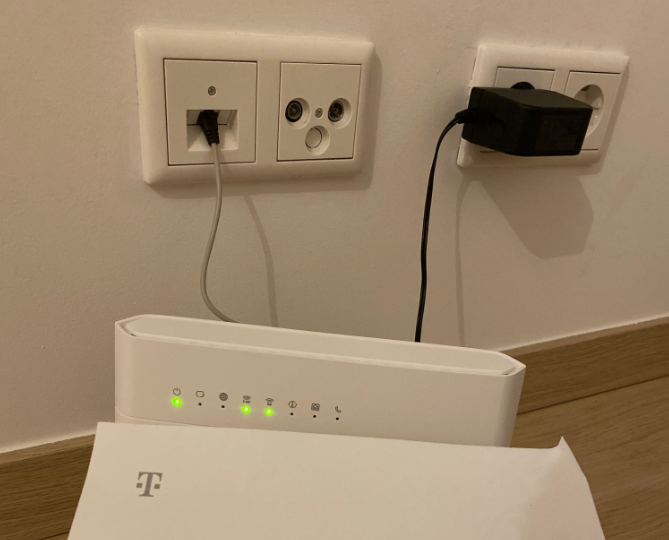
Beantwoord

No internet

  • September 27, 2022
  • 2 reacties
  • 38 Bekeken

Moderator edit: it’s not allowed to share private information publicly.

Beste antwoord door Lisa

Hi @Khaoula, welcome to the T-Mobile voor thuis Community! I want to help you right away so can you enjoy your connection as soon as possible. Are you using the wired connection or the wireless connection? Please let me know if you followed the steps down below: 

  1. Take the yellow ethernet cable.
  2. Snap the ends of the cable into LAN1 or LAN2 of the modem.
  3. Snap the other ends into the port of the computer or laptop. 

Thanks for taking the effort! 😊 If it doesn't work after these steps, I will send a request to our technical department to fix this for you. 

Bekijk origineel
Er kunnen geen reacties meer worden geplaatst op dit onderwerp.

2 reacties

Lisa
  • Oud-Moderator
  • Antwoord
  • September 28, 2022

Hi @Khaoula, welcome to the T-Mobile voor thuis Community! I want to help you right away so can you enjoy your connection as soon as possible. Are you using the wired connection or the wireless connection? Please let me know if you followed the steps down below: 

  1. Take the yellow ethernet cable.
  2. Snap the ends of the cable into LAN1 or LAN2 of the modem.
  3. Snap the other ends into the port of the computer or laptop. 

Thanks for taking the effort! 😊 If it doesn't work after these steps, I will send a request to our technical department to fix this for you. 


Lisa
  • Oud-Moderator
  • September 28, 2022

Hi @Khaoula, I'm very happy to see how well you've also been helped in the topic down below! I suggest to use only that topic:

Posting two topics about the same subject or with exactly the same content is not allowed: Hoe gaan wij binnen de Community met elkaar om? | T-Mobile Community. Try to keep it to a maximum of one topic next time, so the Community remains clear and we can help you even faster, thanks. 

This topic will be closed now.