Beantwoord

Zyxel VMG8825-T50 Port forwarding


hi all,

I have a remote PC that is on odido with a Zyxel VMG8825-T50 router,  I have tried to port forward http/https ports but am not getting anywhere with this.


I have on the “Firewall” page the following config:
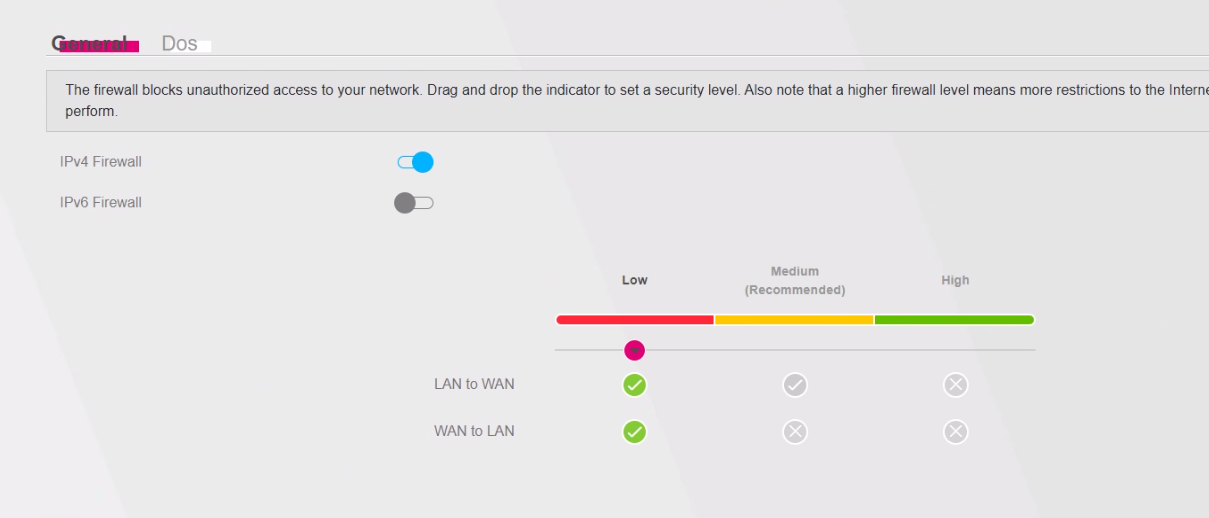
 

Plus the port forwardings as follows:
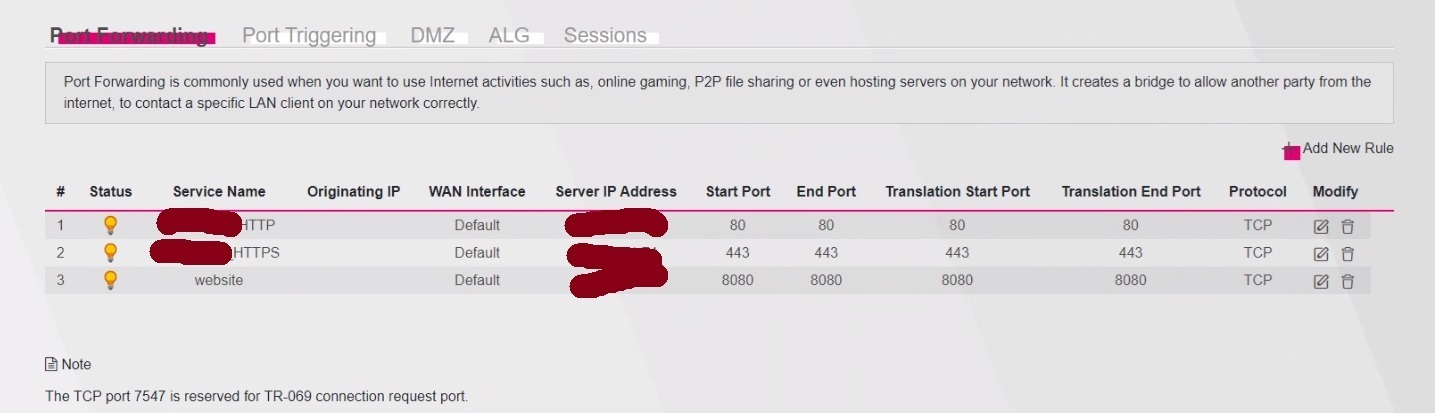


Does it make any difference if I change the WAN interface? Also is ICMP disabled a on WAN by default?

Beste antwoord door elementsxy

Resolved

Issue was because the “WAN Interface” under port forwarding needed to be changed to “VD_Internet”.

Topic closed.

Bekijk origineel

4 reacties

  • Auteur
  • heeft eerste post geplaatst
  • Antwoord
  • June 9, 2024

Resolved

Issue was because the “WAN Interface” under port forwarding needed to be changed to “VD_Internet”.

Topic closed.


Waqqas
Super User
Forum|alt.badge.img+15
  • Odido Superuser
  • June 9, 2024

Hello @elementsxy  

Choosing medium for your firewall is safer I guess and should not affect the portforwarding.


Pieter_B
Super User
Forum|alt.badge.img+4
  • Odido Superuser
  • June 9, 2024

Good that it is working now, but seeing you fell for the pit hole of leaving the WAN Interface on ‘DEFAULT’ like so many.

VD_internet => VDSL (old koperline)

ETH_internet => Fiber

Here is some more info on port forwarding and how it is done


  • Auteur
  • heeft eerste post geplaatst
  • June 9, 2024

Good that it is working now, but seeing you fell for the pit hole of leaving the WAN Interface on ‘DEFAULT’ like so many.

VD_internet => VDSL (old koperline)

ETH_internet => Fiber

Here is some more info on port forwarding and how it is done


Yes, I live in UK, and did not realise that, luckily I’ve managed to find the interfaces group where it showed which WAN Interface is active. First time troubleshooting a Zyxel router as well.
Cheers for the reply.