DNS-item bestaan niet in de DNS menu van de zyxel 5307


Hello,

in the Zyxel T50 there is a “DNS-item” page under the DNS menu, enabling to resolve a domain to a local IP address:
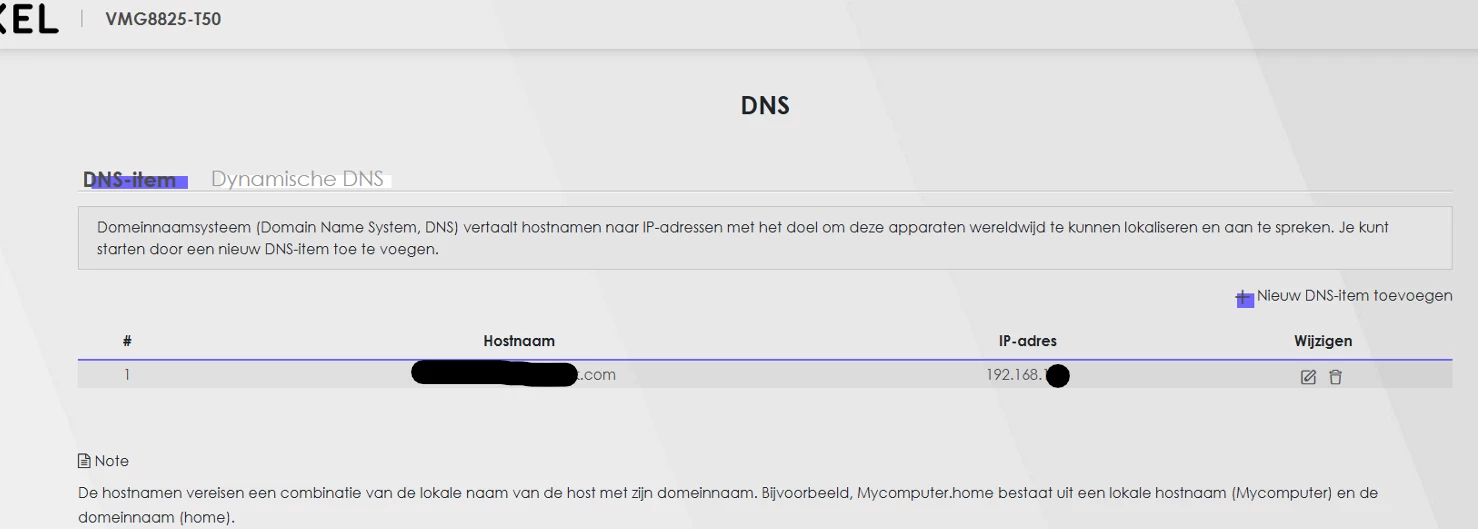
 

Such page does not exist in the Zyxel NR5307 that I recently received when I replaced the ADSL subscription with Klik&Klaar:
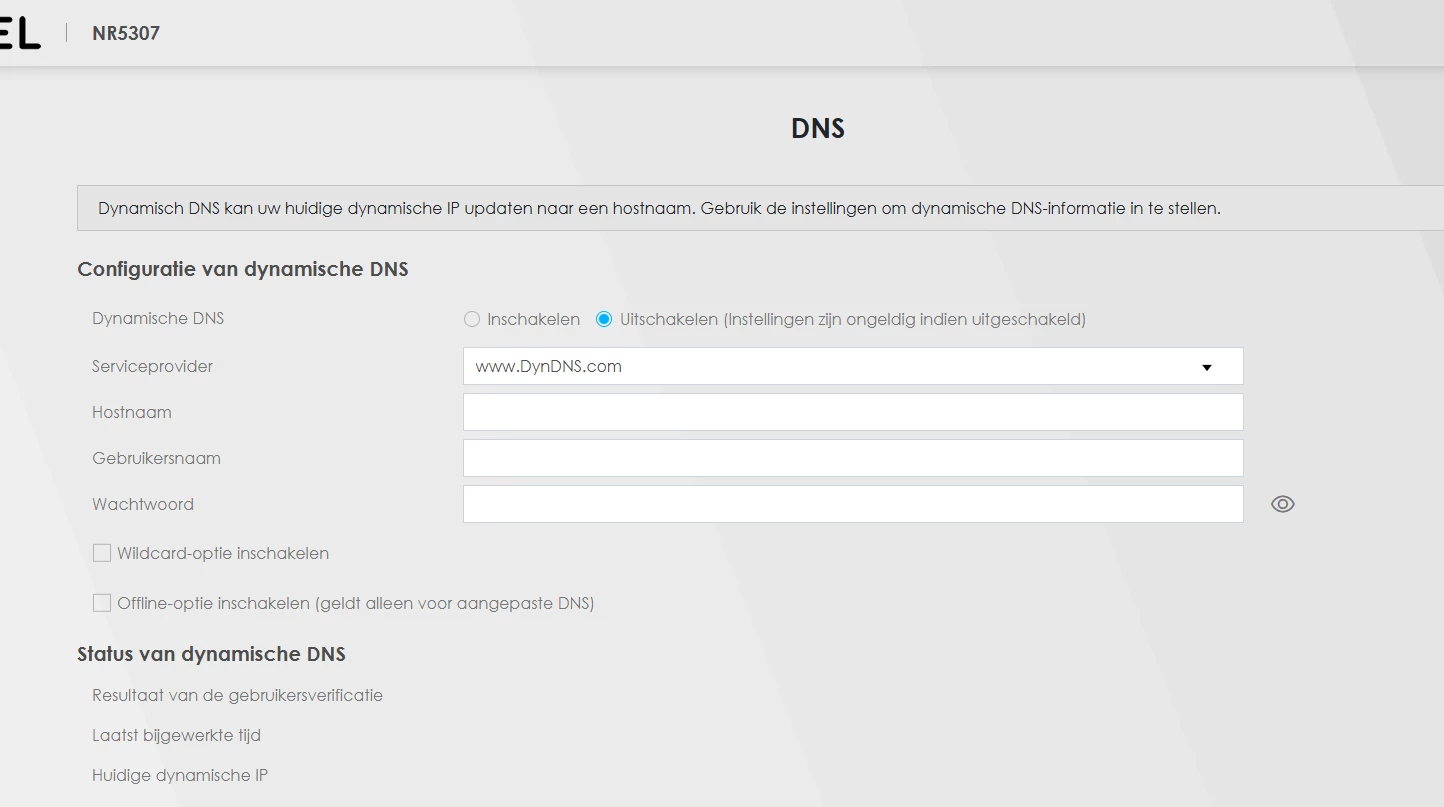
 

May I ask you please if the “DNS-item” menu is planned to be introduced for the NR5307 with a future update?

Alternatively, could you recommend an alternative way to achieve the same functionality I had in the T50?


Many thanks :-)

Roberto

August 6, 2025

As Klik&Klaar is a FWA service the IP-adress of the modem will be refreshed every 24 hrs (based on last reboot time of the modem). There is no fixed IP….

Therefore there is no DNS menu in this modem.

You have to use a DynDNS service to be able to connect to your server from outside your home network.

6 reacties

walter.v.l
Forum|alt.badge.img
  • is een legendarische user
  • August 6, 2025

As Klik&Klaar is a FWA service the IP-adress of the modem will be refreshed every 24 hrs (based on last reboot time of the modem). There is no fixed IP….

Therefore there is no DNS menu in this modem.

You have to use a DynDNS service to be able to connect to your server from outside your home network.


rvk01
  • August 6, 2025

As Klik&Klaar is a FWA service the IP-adress of the modem will be refreshed every 24 hrs (based on last reboot time of the modem). There is no fixed IP….

Therefore there is no DNS menu in this modem.

You have to use a DynDNS service to be able to connect to your server from outside your home network.

The DNS tab in the Zyxel isn't for defining external hostname or ip (unlike it says there on that page). It is to define internal hostnames for devices which are outside the dhcp range. For example... If you set a server at 192.168.1.5, you can give that ip a hostname server.home in the internal dns server of the router so the (internal) clients can use that. 

Apparently the k&k Zyxel doesn't have this option (and the new firmware only has the option for dyndns, which is something entirely different from adding your own custom internal hostnames).


walter.v.l
Forum|alt.badge.img
  • is een legendarische user
  • August 6, 2025

Ah, Ok, Thanks, indeed misunderstood this option.

Odido really wanted this Klik&Klaar proposition to be simpel Plug and Play with as less options as possible.


  • Auteur
  • heeft eerste post geplaatst
  • August 8, 2025

Thank you very much for your replies.

Indeed, the “DNS-item” page allowed to set hostnames to be resolved locally. While using the Zyxel T50, my setup was as follows:

  • my devices were set to connect to my home server using a hostname
  • when outside the local network: the hostname was resolved via a Cloudflare tunner (traffic via internet)
  • when inside the local network: the hostname was resolved locally by the Zyxel T50, thus avoiding the traffic from leavlng the local network and enabling much higher transfer speed

This used to work flawlessly. It would be really great if such functionally was added to the Zyxel 5307 :-)


walter.v.l
Forum|alt.badge.img
  • is een legendarische user
  • August 9, 2025

From discussions with Odido employees I learned that for Klik&Klaar no new functionality will be implemented.

The only new functionality that has been acknowledged after go-live last year is the recently added DynDNS function in firmware b11 (latest is b17).


They are thinking of adding a time setting for the 24h 5G connection reset that hampers your connection for a few minutes. So you want to have that on a quiet time.

https://community.odido.nl/ideas/restart-tijd-in-config-nr5307-375920


rvk01
  • August 9, 2025

when inside the local network: the hostname was resolved locally by the Zyxel T50, thus avoiding the traffic from leavlng the local network and enabling much higher transfer speed

Maybe I'm misunderstanding but traffic won't leave when devices communicate which eachother (only DNS traffic might but even that is doubtful and that won't interfere with speed, only with initial connection).

Can you explain what devices you want to assign hostname to? And what traffic you mean? 

(Because I think what you want can still be solved with the DDNS setting and dhcp for the internal devices)