Beantwoord

Internet premium 300mbps


Hello,


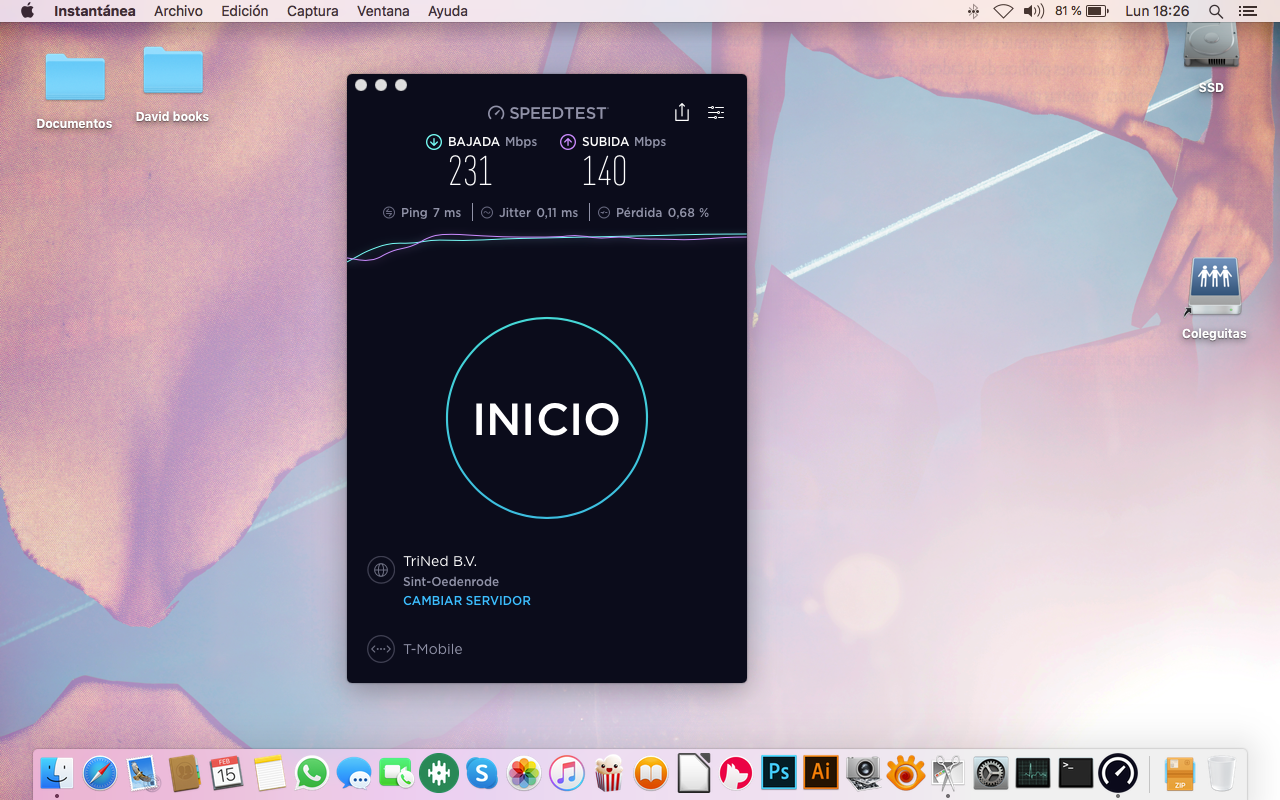
I have a 1.000 mbps internet premium at home but since some time ago I never get a speed close to it. I test it with a Mac and a Windows 10 pc having the wifi off. I have a MC220L gigabit media converter and a router linksys 9500 (with VLAN ids 300, 35 and 640). I also have tried to test the speed installing back the DrayTek Vigor2132F and the numbers are the same. What can it be?


Beste antwoord door Jason van Odido

Hi @jmceca, welcome to the Community!

It sounds like there's an issue regarding either the incoming signal or a singular device. Can you please perform a speedtest on the MAC or Windows desktop and try running it without anything else/any other programs running on the background? Also, try using the desktop app on speedtest.net. That'll definitely give you the clearest results, without interference from external sources. Please make screenshots of three separate speedtests and make sure the entire desktop (the screen) is visible. That way our technicians will process the info and offer a solid solution. Thanks in advance! 

Bekijk origineel

13 reacties

Jason van Odido
Moderator
Forum|alt.badge.img+17

Hi @jmceca, welcome to the Community!

It sounds like there's an issue regarding either the incoming signal or a singular device. Can you please perform a speedtest on the MAC or Windows desktop and try running it without anything else/any other programs running on the background? Also, try using the desktop app on speedtest.net. That'll definitely give you the clearest results, without interference from external sources. Please make screenshots of three separate speedtests and make sure the entire desktop (the screen) is visible. That way our technicians will process the info and offer a solid solution. Thanks in advance! 


  • Auteur
  • is een Top Poster
  • February 9, 2021

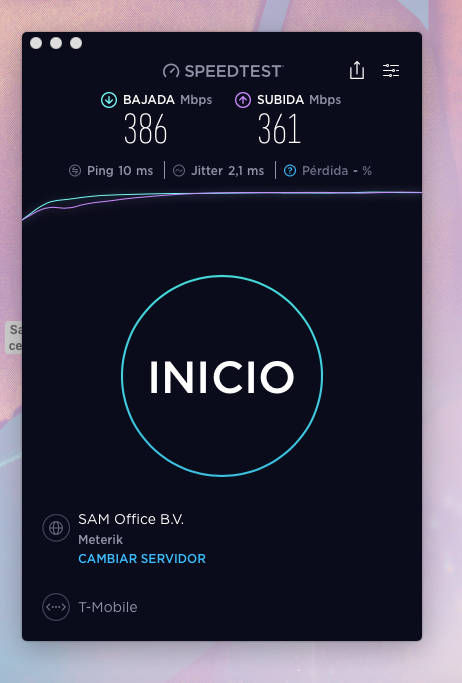
Hello, with everything close in my mac and no other devices connected to the router I get this speed using the desktop app:


Jason van Odido
Moderator
Forum|alt.badge.img+17

Hi @jmceca, thanks for the screenshot! Unfortunately, it doesn't show the entire screen/desktop. Can you please post three screenshots of separate speedtests performed via cable and with the entire screen visible? Once I have those three, I can hand it over to our experienced tech-guys! 😄


  • Auteur
  • is een Top Poster
  • February 11, 2021

Hi @Jason 

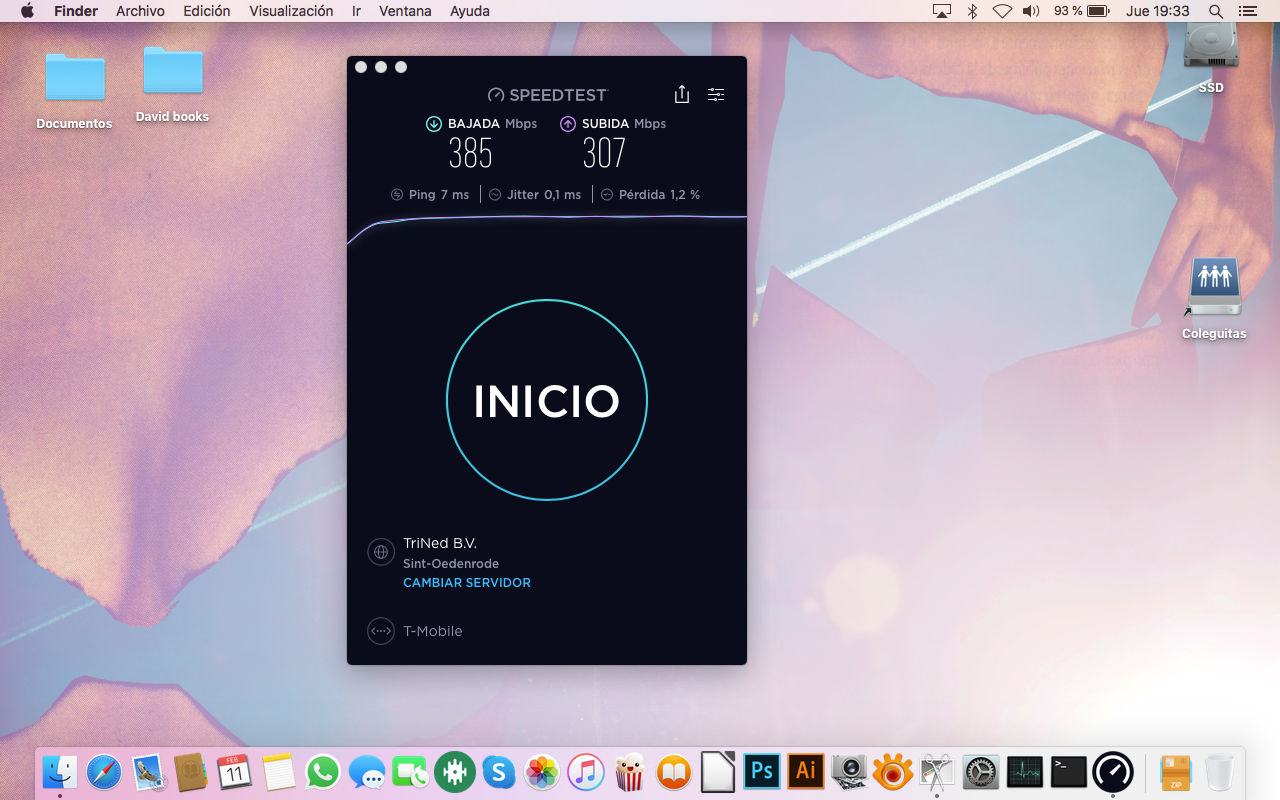
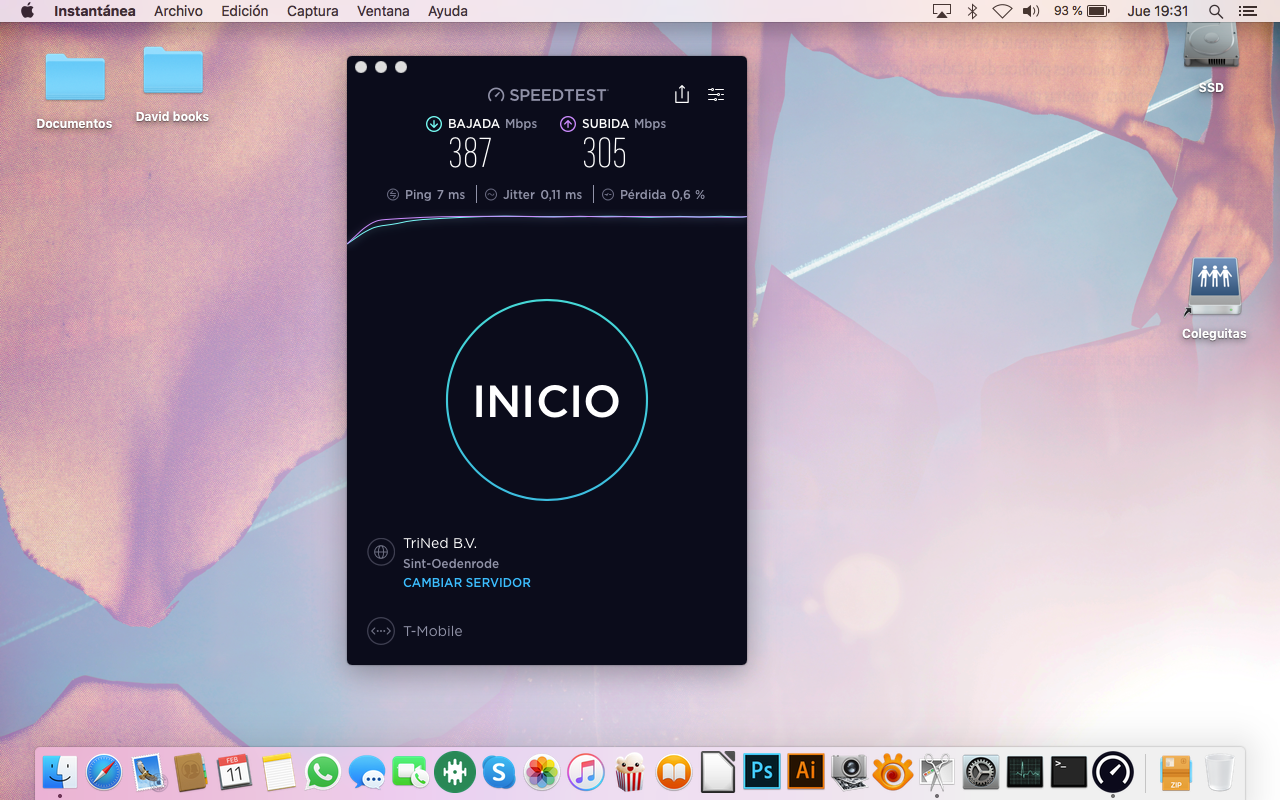
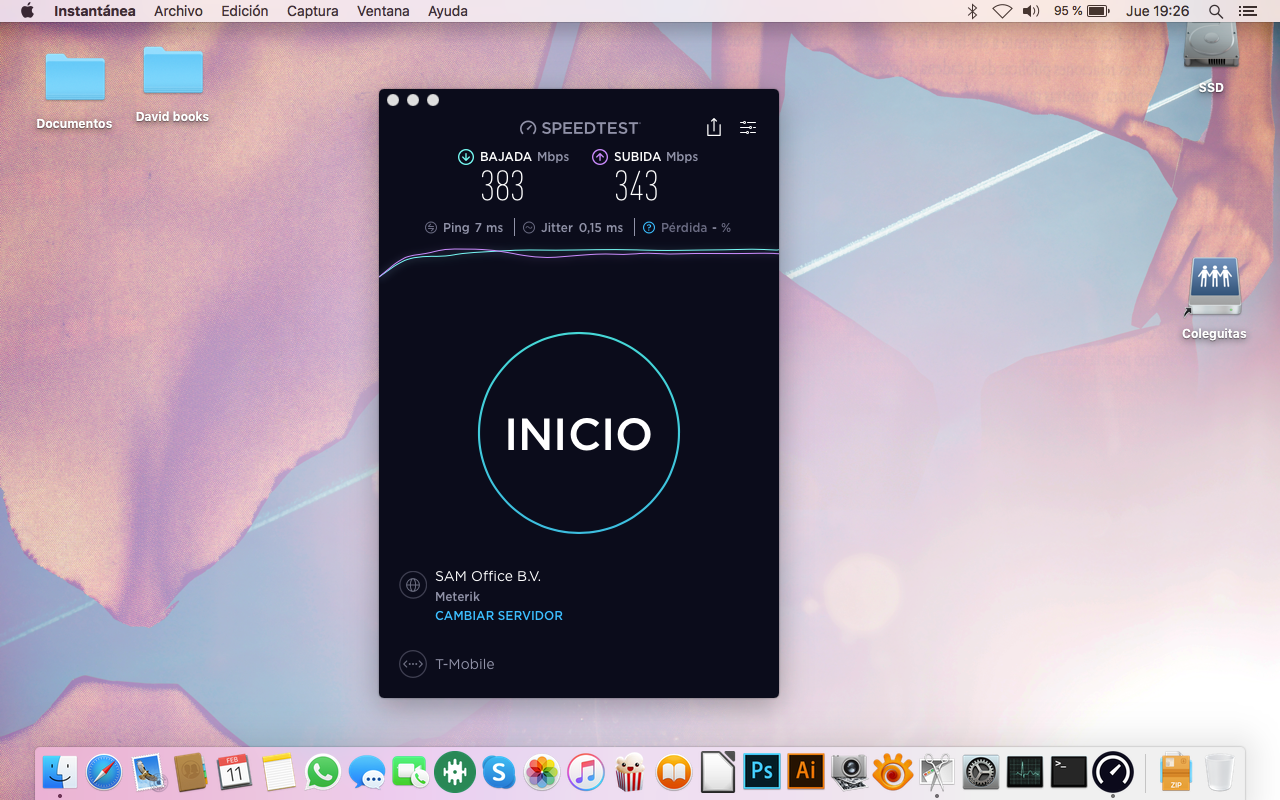
Here are 3 screenshot of 3 different speed tests with the hole desktop. Only my computer was connected to the router. It was by cable.


Cal van Odido
Forum|alt.badge.img+4

Hi @jmceca, we'll be able to continue our investigation with this information! I understand the situation correctly when I state you have also tested the speed directly on the Draytek modem right? In that case we certainly need to do something about this and I will try to provide you with more information in the coming days. We'll get to the bottom of this!


  • Auteur
  • is een Top Poster
  • February 15, 2021

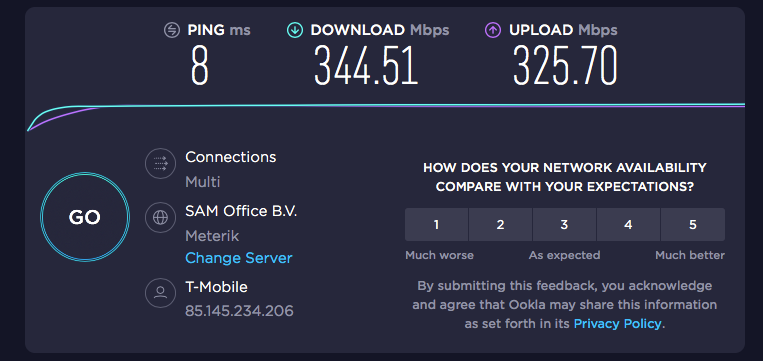
Hi @Cal, yes I did try with the Draytek directly. Anyway I did again for make an screenshot, just in case it is relevant because the speed is lower even. thank you


Cal van Odido
Forum|alt.badge.img+4

Good that you give me a heads-up @jmceca! Happy to see that the technician already came by and replaced a lot of the hardware. We'll continue our investigation and I am sure that we will soon be able to find the definite solution!


  • Auteur
  • is een Top Poster
  • February 16, 2021

Hi @Cal, yes the technician came, he had try all possibilities but the problem seems to be from the outside of the house. I’m waiting for confirm a new appointment for check it. Thanks.


  • Auteur
  • is een Top Poster
  • March 2, 2021

Today I got a new router and the speed is as expected. I can understand why the old router from tmobile can’t reach the speed but not really why my linksys 9500 as main router not. I need to have two routers plugs if I wanna have better wifi network :(


Jason van Odido
Moderator
Forum|alt.badge.img+17

Hi @jmceca, I've performed a line analysis to check the stability and nothing seems to be wrong with the connection. Are you referring to Wifi-speeds or ethernet-speeds? Can you please post screenshots of speedtests carried out by a desktop computer or laptop that's connected via an ethernet cable? We can't guarantee speeds when it comes to Wifi. Due to the excessive amount of external sources/causes conflicting with Wifi, it's impossible to lay out a lower limit speedwise. Hope this helps answering your questions, if not: please let me know and feel free to ask as much as you can. We're always here to help and finetune your connection!


  • Auteur
  • is een Top Poster
  • March 4, 2021

hi @Jason, thanks, Nothing is wrong with the speed using the new router (zyxtel) with my linksys 9500 as briedge. If I place my linksys 9500 (with VLAN ids 300, 35 and 640) as the only router is when I don’t get the =~ 1000mbps.

I would just like to have one router instead of 2 , to can take advantage of all the features of my own router, reduce the amount of machines in the living room and plugs on the wall.


Demi van Odido
Odido
Forum|alt.badge.img+9
  • Oud-Moderator | Internet + TV
  • March 6, 2021

Hi @jmceca Great that the speed is perfect! I can imagine you want to use one router instead of two. For the best possible speed I would suggest to keep using the Zyxel. For what features do you want to use your own router? Maybe there is another solution for it.


  • Auteur
  • is een Top Poster
  • March 12, 2021

hi @Demi, powerfull triband router which i can also control from outside home. I also like how Ican prioritise the traffic in this router.