Beantwoord

Help installing FRITZ! FRITZ!Box 5690 Pro


Hello there. 🖐

I bought a FRITZ! FRITZ!Box 5690 Pro and I would like to use it instead of my current Zyxel T-54.

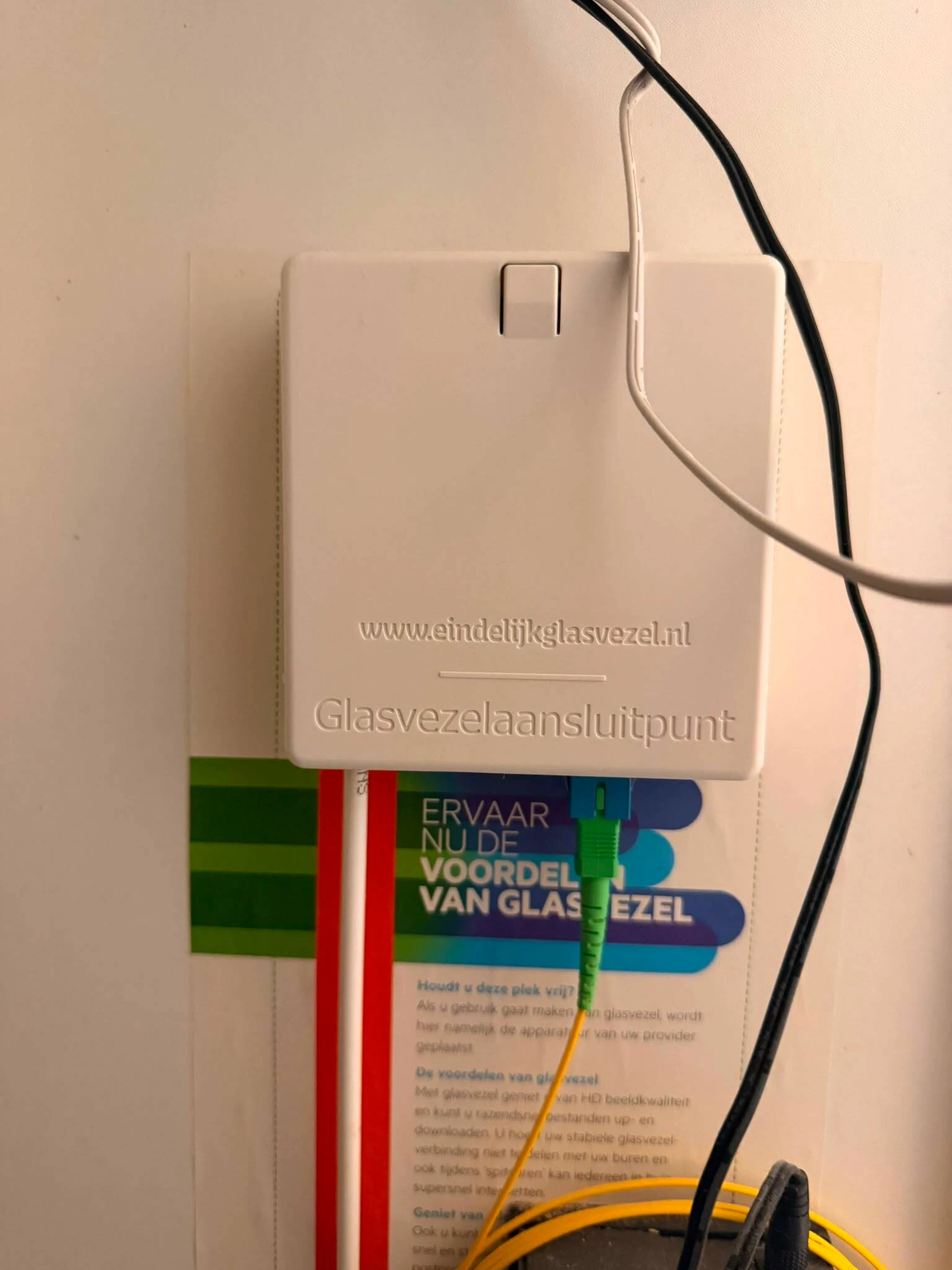
I have the following ONT:
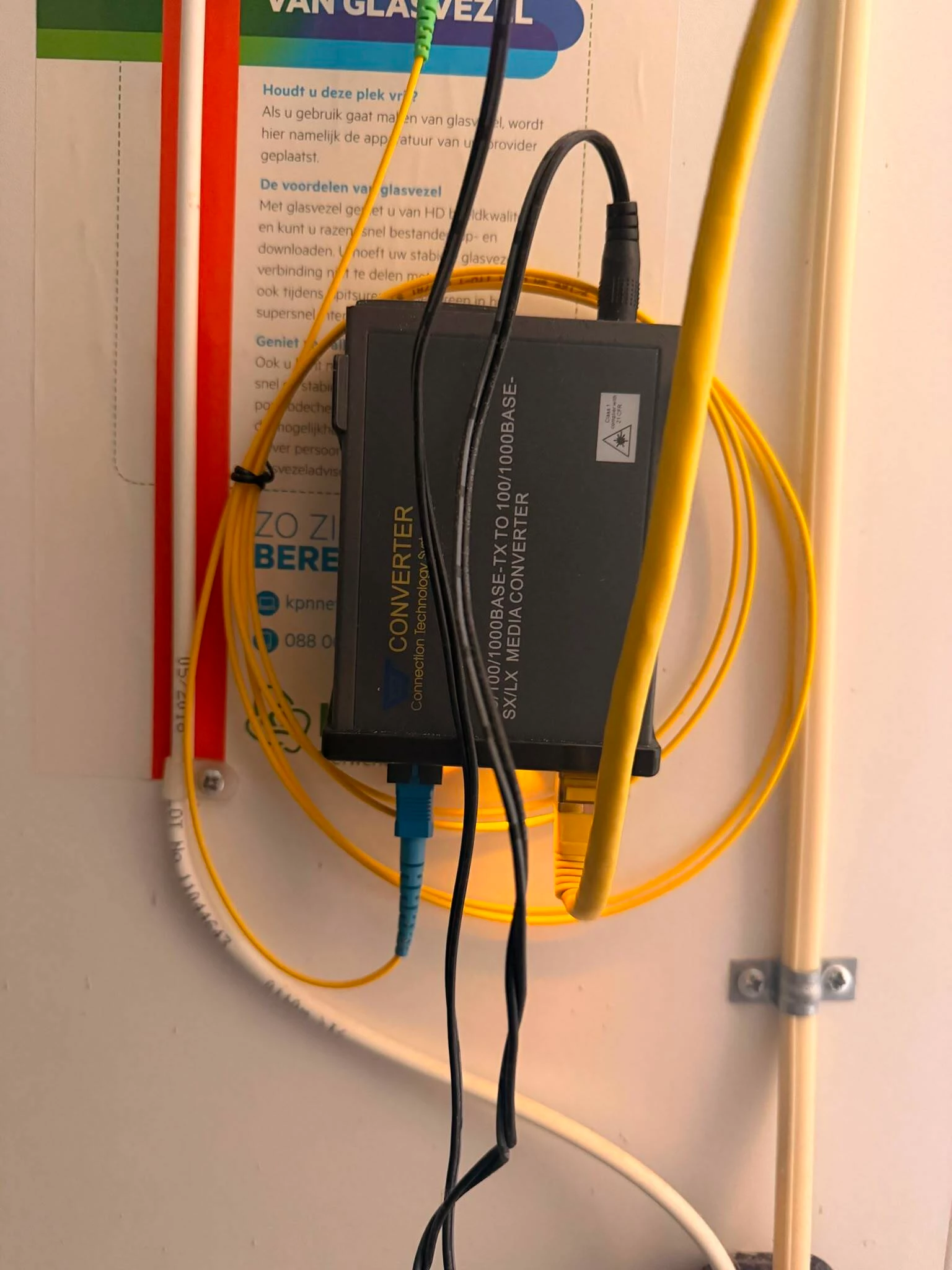
 

I have some questions:

Thanks!

Beste antwoord door guilhermemrr

The techician came and he simply replaced my old ONT converter by the Zyxel one and it started working again.

Thank you all for your support.🤞

Bekijk origineel

26 reacties

Waqqas
Super User
Forum|alt.badge.img+15
  • Odido Superuser
  • August 22, 2026

Hello ​@guilhermemrr 

Connect the cable from the black device to the WAN port of your Fritzbox, follow step 1 and 2, apply and restart the black device.

Step 3 and onwards is not needed.


Hi ​@Waqqas , thanks for replying. 

Do you mean the Cat6 (yellow, thick) or the other one that comes from the fiber box (which the tip is blue/green) ?


I read online that I can connect from the fiber directly to the Fritzbox, but I wanted to double check since I don’t know if my setup AON or GPON (for reference, I read it here )


Waqqas
Super User
Forum|alt.badge.img+15
  • Odido Superuser
  • August 22, 2026

​@guilhermemrr 

Yesi, the CAT6 cable.

You have a AON connection so you can plug the fiber cable in your Fritzbox using an AON SFP module and internet should work without registration, only choose Odido in the interface.


​@Waqqas  thank you very much.


I just received the box and I will try this tomorrow (connect the fiber cable directly into the Fritzbox, skipping the ONT)


​@Waqqas it worked! Thank you very much.


I have a question: Is it possible to go back to my old router in seamless way? Or in case I move back to it, do I need to 'onboard' it again into the Odido network? I tried today to connect the cables and use the Zyxel but it didn't work out of the box (Internet LED was blinking red).


Reasoning being is that I want to troubleshoot the speed test on my LG TV. Unfortunately I didn't have metrics from before, and after installing Fritz I noticed last night some lagging on YouTube; the Netflix app speed test report gave 50 Mbps only, which is quite low compared to the rest of my network.


Waqqas
Super User
Forum|alt.badge.img+15
  • Odido Superuser
  • August 24, 2026

​@guilhermemrr 

You can switch back without needing to do anything. Just connect the black box and router again and internet will work straight away.

Zyxel router behind the Fritzbox won't work.


Interesting, that didn't really work for me. 

I turned off completely the Fritzbox and then turned on the Zyxel along with the black box converter, and the internet LED was red after 5 min or so. 


Waqqas
Super User
Forum|alt.badge.img+15
  • Odido Superuser
  • August 24, 2026

​@guilhermemrr 

Strange, the Fritzbox does work if you connect it again?

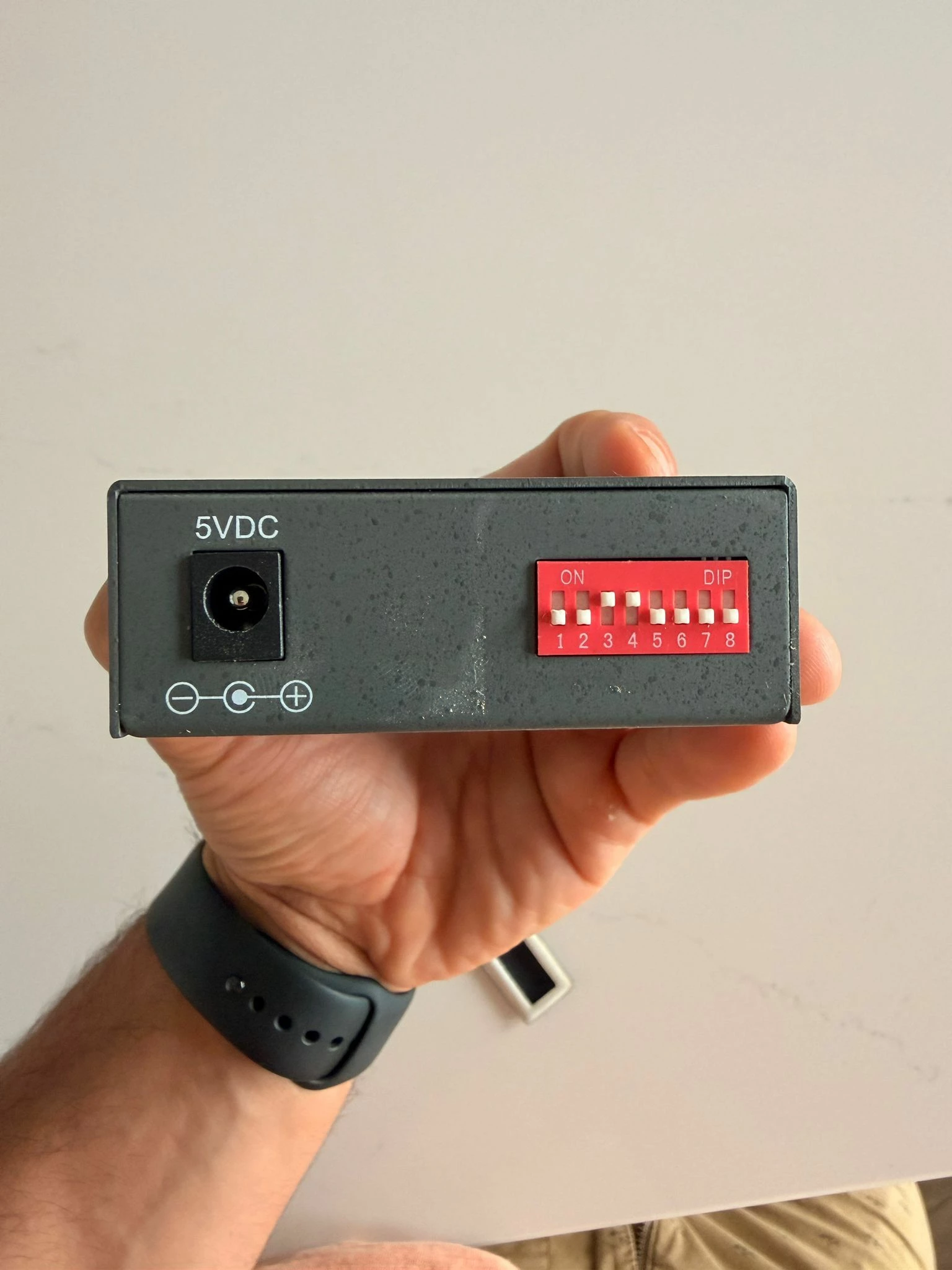
There are 6 switches on the black box maybe behind a sticker, maybe you adjusted those by accident?


Hi ​@Waqqas ,

I didn’t end up testing it again because the Fritzbox is working nicely 🙏  Thank you for your support.


Hi ​@Waqqas ,

Sorry, I am back 😅 Fritzbox is working nicely but I am facing issues with latency spikes every 10 minutes, and I would like to use the Zyxel as a back-up to perform some tests, so I am trying to use it again..

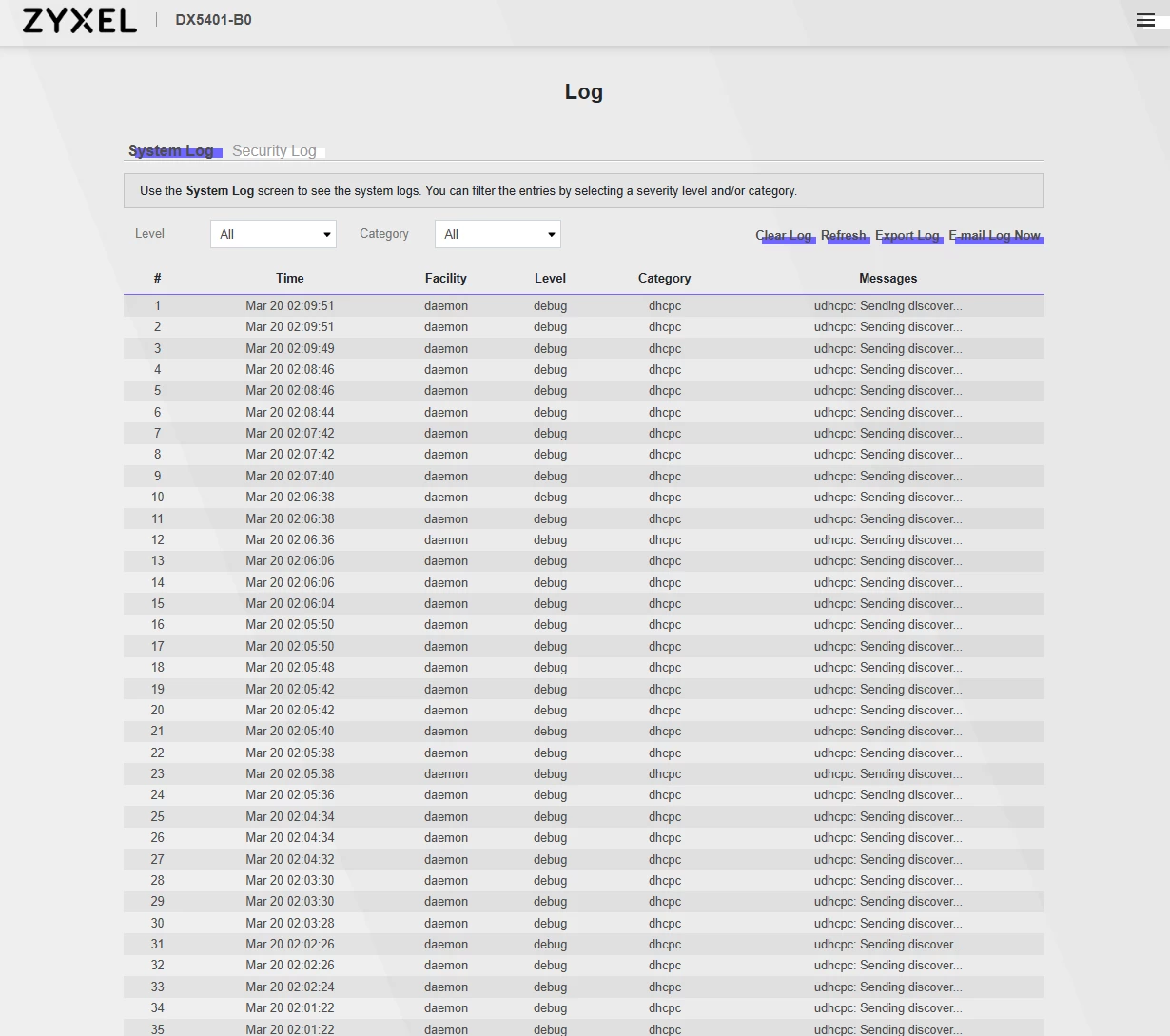
I turned the router on and made sure that all cables were connected, and It didn’t really work, the Internet LED is red and does not change. Then I performed a factory reset but no success in doing that either.

Do I need a special setting to enable the Zyxel T-54 again?

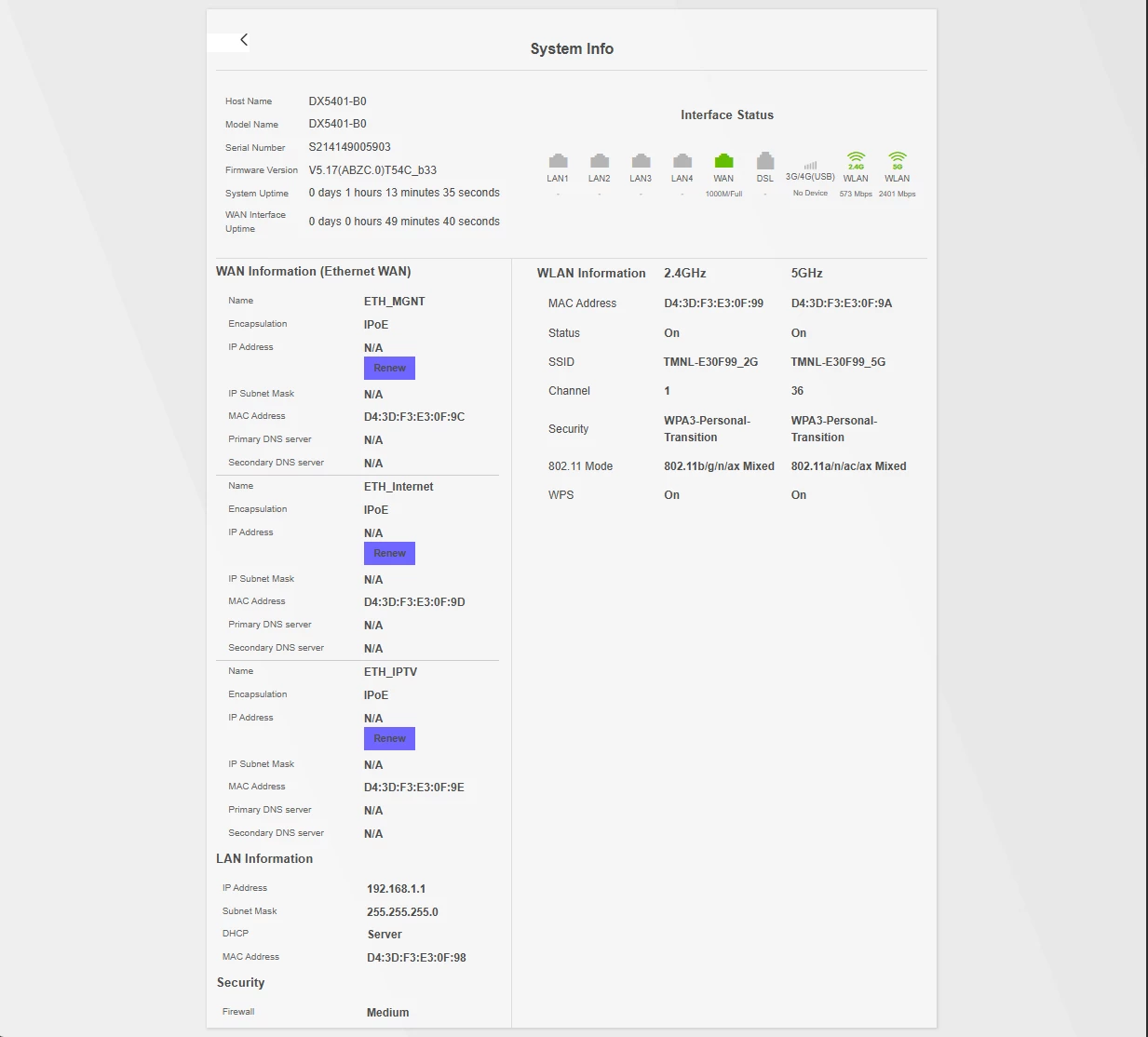
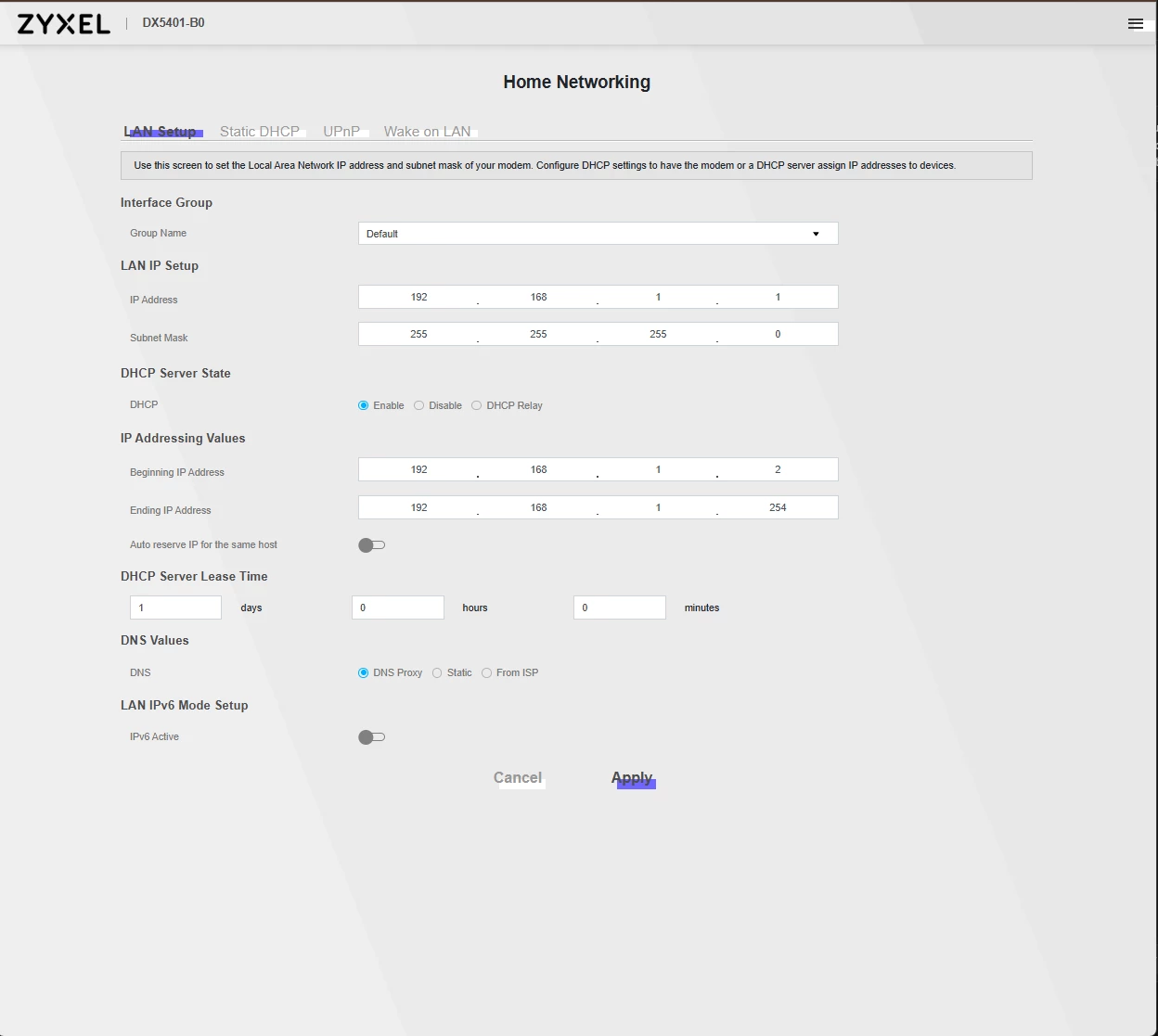
Some pictures of its configuration that might be relevant. I just use the Odido Internet, I don’t have the other services.


rvk01
  • August 30, 2026

Did you reboot the converter and then reboot the Zyxel router?


Waqqas
Super User
Forum|alt.badge.img+15
  • Odido Superuser
  • August 31, 2026

​@guilhermemrr 

Can you check those switches once? 1 and 6 need to be on or else 3 and 4.


​@rvk01 yes, I did.

​@Waqqas now I understood what you meant about the switches. They were covered with a special tape. That is how they were since the beginning, I haven’t changed them:


Waqqas
Super User
Forum|alt.badge.img+15
  • Odido Superuser
  • August 31, 2026

​@guilhermemrr 

Hmm okay, if nothing has changed than it should be good.

But to check whether this device has a fault or not can you connect the Fritzbox to this device?


​@Waqqas interesting finding - I connected the Fritzbox to the device and the internet stopped working as well. 

I am not sure if that is the device or the cable then .. I just have the one I had before (i think is this) , I don’t have another one to test . Any ideas on what could be the next steps?

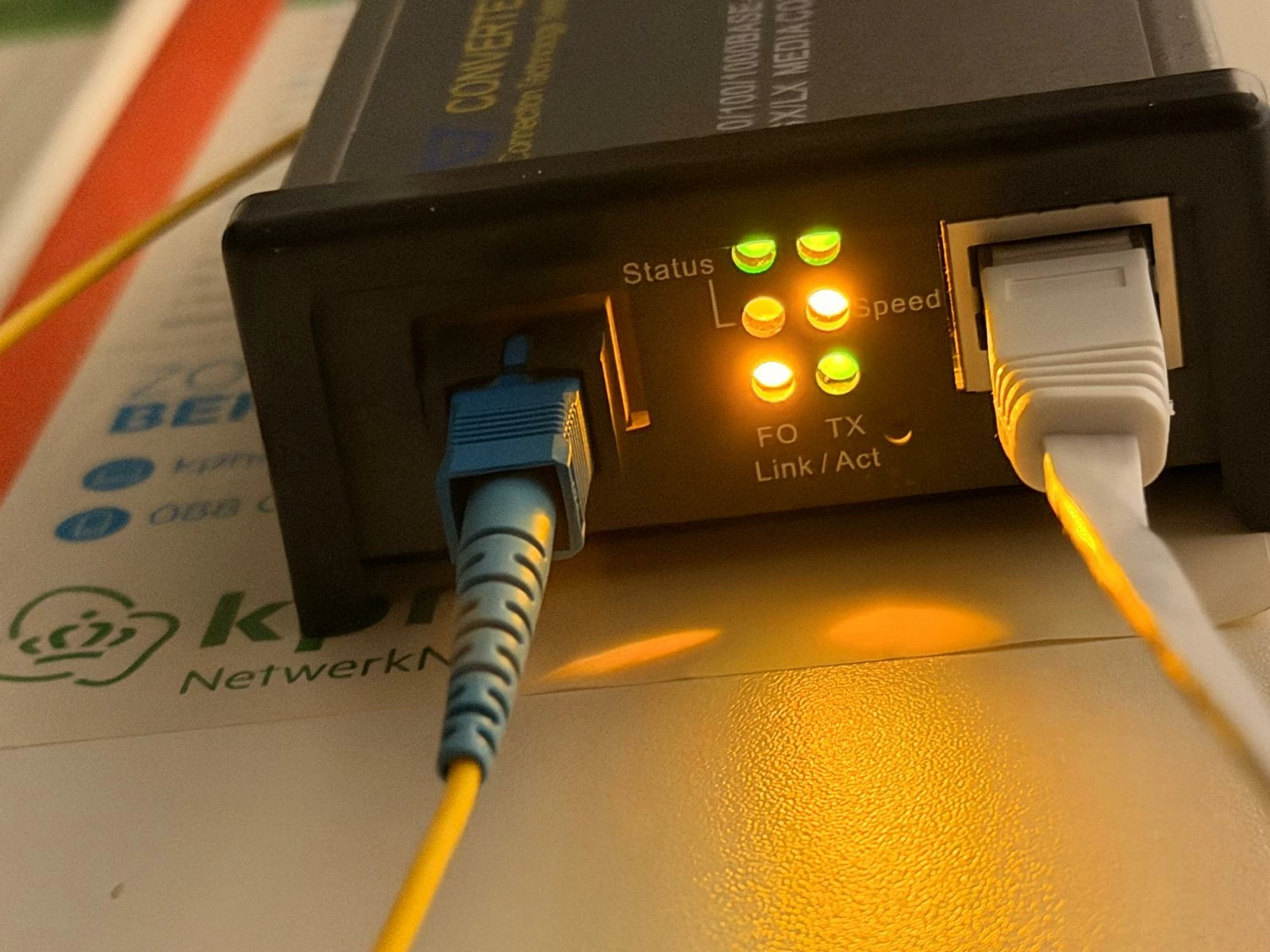
The lights on the device are on and the “FO Link / TX  Act” are blinking .


Waqqas
Super User
Forum|alt.badge.img+15
  • Odido Superuser
  • August 31, 2026

​@guilhermemrr 

Remove the power and try turning switch 3 and 4 off, 1 and 6 on.


​@Waqqas It didn’t work unfortunately. I also did a factory reset pressing the tiny button behind the Zyxel router, but no success in making it work..


​@Waqqas what is your advice? should I get a new ONT in this case? if so, any recomendations? 


Waqqas
Super User
Forum|alt.badge.img+15
  • Odido Superuser
  • September 4, 2026

​@guilhermemrr 

Its better that a moderator van send a technician so the technician can check why the ONT is not working.

A moderator should reply here automatically or you can call the customer service.


Thanks ​@Waqqas 


​@Cem van Odido any chance you can help me here?  Thanks


Webcare Moderator ITV
Moderator

Hey ​@guilhermemrr, I’d be happy to take a look with you to get you back online as soon as possible.

To do this, I’ll need some details and verification. I’ve sent you a private message about this. As soon as you’ve replied to it, I’ll carry out the verification. Once that’s done, I can take a look at your connection with you! Could you let me know here as soon as you’ve done that? Then I’ll make sure I can take a look with you as soon as possible.


​@Webcare Moderator ITV I just did it


Manouk van Odido
Moderator
Forum|alt.badge.img+4

Hi ​@guilhermemrr, it’s great that you sent it to us. I’ve sent you an email containing a code. Could you please share this with us in this thread? Then I or one of my colleagues will get back to you as soon as possible!


675272


Cheyenne van Odido
Moderator
Forum|alt.badge.img+5

Hi ​@guilhermemrr, thank you so much! I can see right away that our technical department is already working on your connection. There is an ongoing investigation. Please know that we will get back to you ASAP when there is more information to share. I can see that you already have Unlimited data from Odido, otherwise I would have offered you this to use in the meantime. Thank you so much for you patience, I am expecting you will hear from us this week!