Beantwoord

Fiber internet goes off time to time

  • sep. 26, 2022 9:41 a.m. UTC
  • 5 reacties
  • 268 Bekeken

Hello, sorry for English message but I bet your English is much better than my Dutch. 

My problem is with my Thuis-internet (fiber optic). I’m having interruptions time to time. When the problem is happening; LOS light blinks on huawei media converter (red<->off in 1 second interval) while PON is off. I restart modem, power on and off the media converter, that doesn’t help. After a while, usually when I’m waiting for someone on the support line (yes it takes long!) problem disappears, PON is solid green and LOS is off, and I’ve internet.

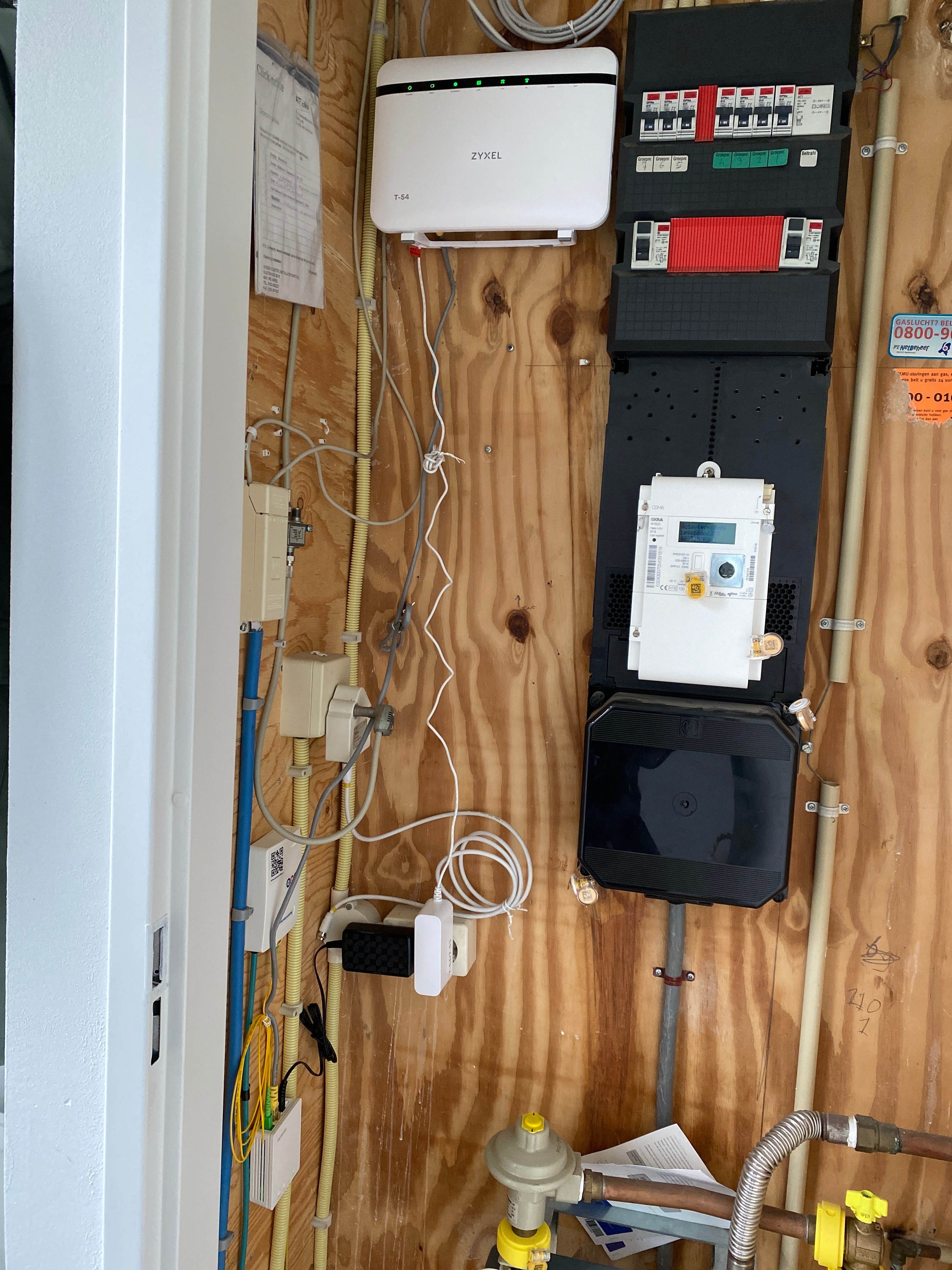
Cabling at my side is in the meterkast, relatively stable temperature and no moving stuff around. Can you perhaps deploy someone to check what the problem is?

This is a very nasty problem that I’ve to be in meetings almost all day long when I’m working at home.

Beste antwoord door Waqqas

@sonergokdogan

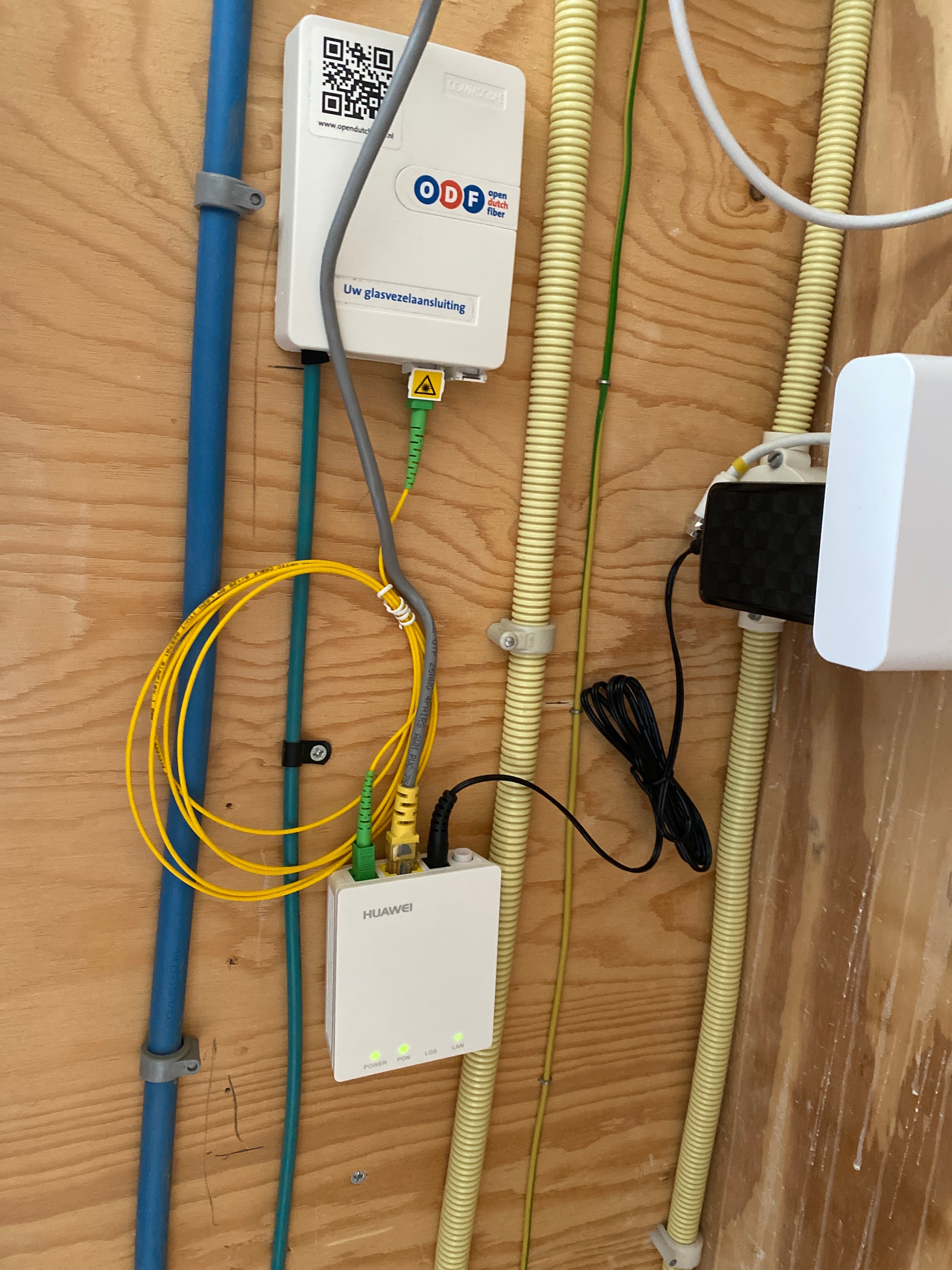
You could also straighten the yellow cable at the point where it is connected to the FTU and Huawei ONT, it may help.

Bekijk origineel

5 reacties

Waqqas
Super User
Forum|alt.badge.img+15
  • Odido Superuser
  • sep. 26, 2022 9:51 a.m. UTC

Hello @sonergokdogan 

Can you upload a picture of your Fiber connection point and Huawei ONT, maybe there is something that is causing the interruptions.


  • Auteur
  • heeft eerste post geplaatst
  • sep. 26, 2022 10:50 a.m. UTC


Above is the detail photo. Below you can see the complete setup:


Seccie
Forum|alt.badge.img+5
  • Oud-Superuser
  • sep. 26, 2022 11:15 a.m. UTC

Looks to me like a default / standard setup. 
Can you verify if the cables are properly connected?


Waqqas
Super User
Forum|alt.badge.img+15
  • Odido Superuser
  • Antwoord
  • sep. 26, 2022 12:11 p.m. UTC

@sonergokdogan

You could also straighten the yellow cable at the point where it is connected to the FTU and Huawei ONT, it may help.


  • Auteur
  • heeft eerste post geplaatst
  • sep. 26, 2022 12:28 p.m. UTC

Looks to me like a default / standard setup. 
Can you verify if the cables are properly connected?


@Seccie, they are properly tied and tightly connected to their slots.

@Waqqas, I’ll do that, thanks for suggestion.