Hi,
customer service sent me here. They didn’t understand over the phone and apparently there is no way to escalate to someone who can or get someone to contact me.
I recently got a new fiber connection with Odido using a Zyxel EX5601-T1 router, but the WAN connection has been unstable since installation. The ONT shows a stable green PON light and my local network works normally (devices receive 192.168.1.x addresses without issues), but the internet connection drops frequently or takes time to come up.
Applications that rely on stable or persistent connections are also affected. For example, online games (e.g. The Elder Scrolls Online) disconnect frequently, some applications are unable to establish or maintain connections reliably (e.g. Odido speedtest in different browsers).
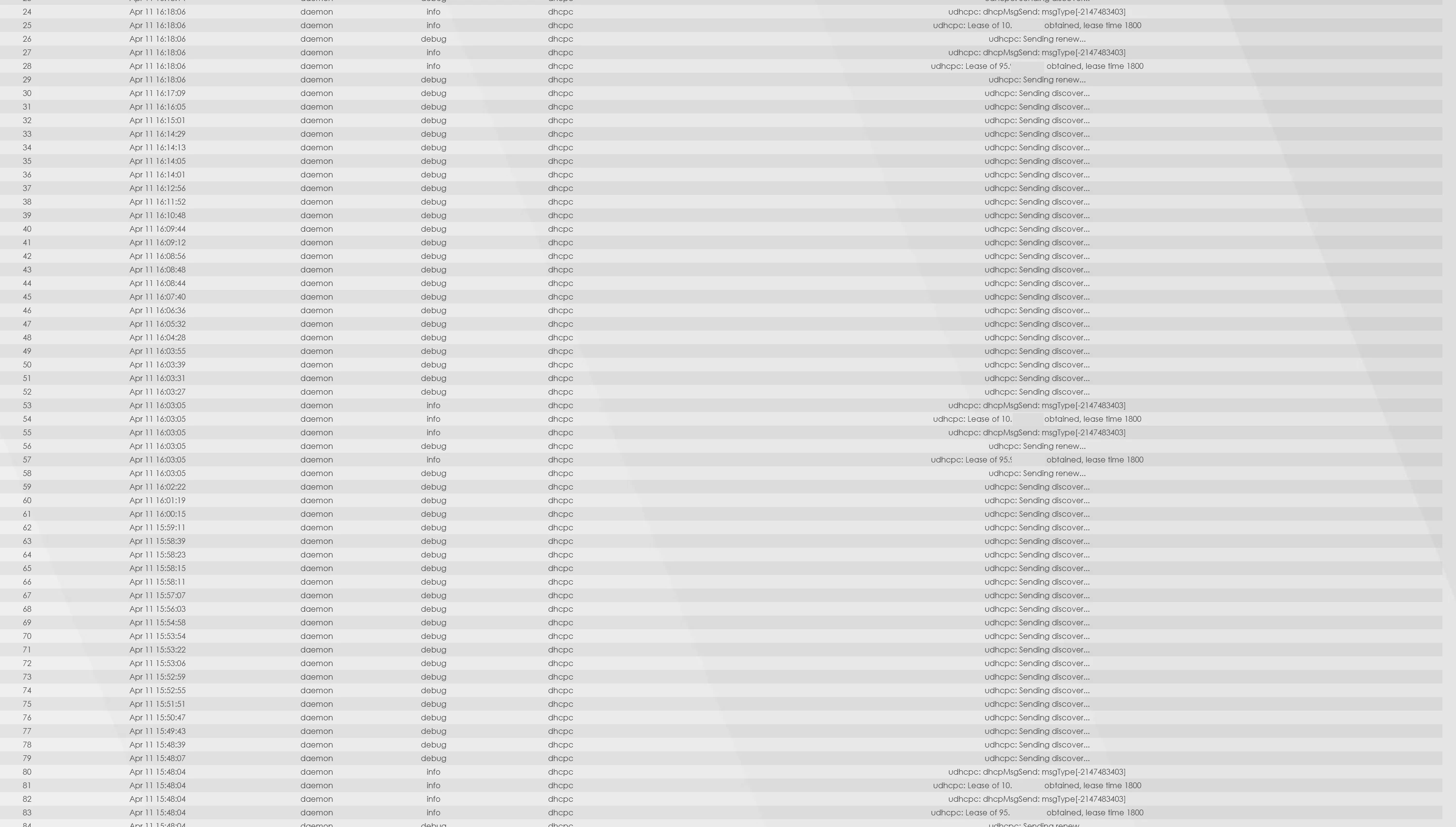
From the router logs I consistently see that the WAN interface keeps sending “udhcpc: Sending discover...”. Occasionally it briefly obtains a DHCP lease (for example 95.x.x.x and 10.x.x.x with a lease time of 1800 seconds), but immediately after that it falls back into sending discover again. This cycle repeats continuously, roughly every 10–15 minutes.
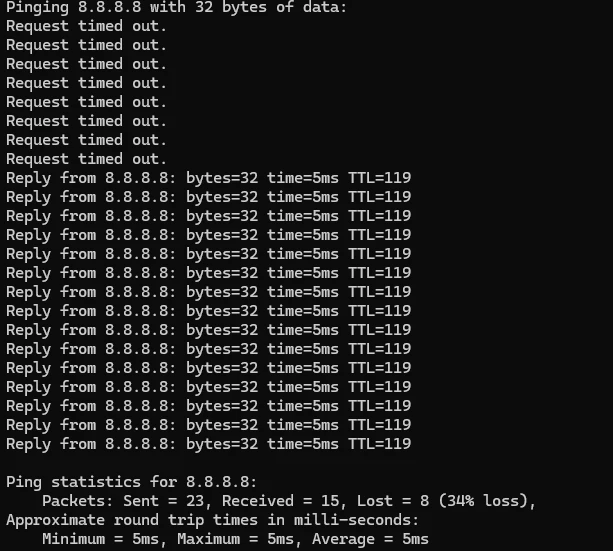
I also ran ping tests to 8.8.8.8. When starting a ping, sometimes the first several packets time out, and only after that replies become stable (~5 ms). Overall there is noticeable packet loss.
I have already rebooted both the ONT and router multiple times, and the issue also occurs when there is no heavy network load. The LAN side of the network is functioning normally, so the issue appears to be on the WAN side.
Could someone please check whether the line is correctly provisioned?
Thanks in advance.
Ben