Hi! I have the exact same issue as
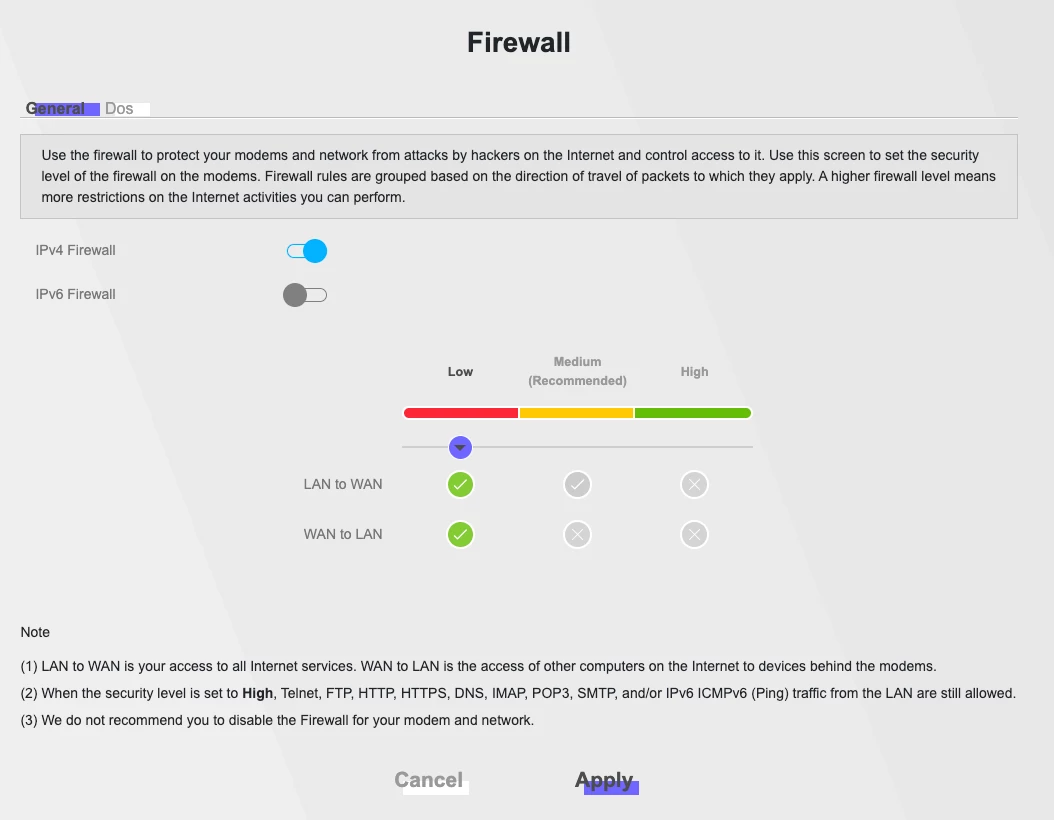
I have put the firewall to the lowest. I just got the modem out of the box and have not done any other custom settings, only enabling guest network and changing wifi names and passwords.

Hi! I have the exact same issue as
I have put the firewall to the lowest. I just got the modem out of the box and have not done any other custom settings, only enabling guest network and changing wifi names and passwords.
Beste antwoord door kaloyantanev
I did manage to find the culprit. The new router had a different local net IP, my previous one was 192.168.178.X and the new modem had 192.168.1.X.
Now, one option to solve it is to change the IPs at which your server is pointing to 192.168.1.X, however, this would have created a lot of headaches and many hours for me, as I host quite some stuff on my local network.
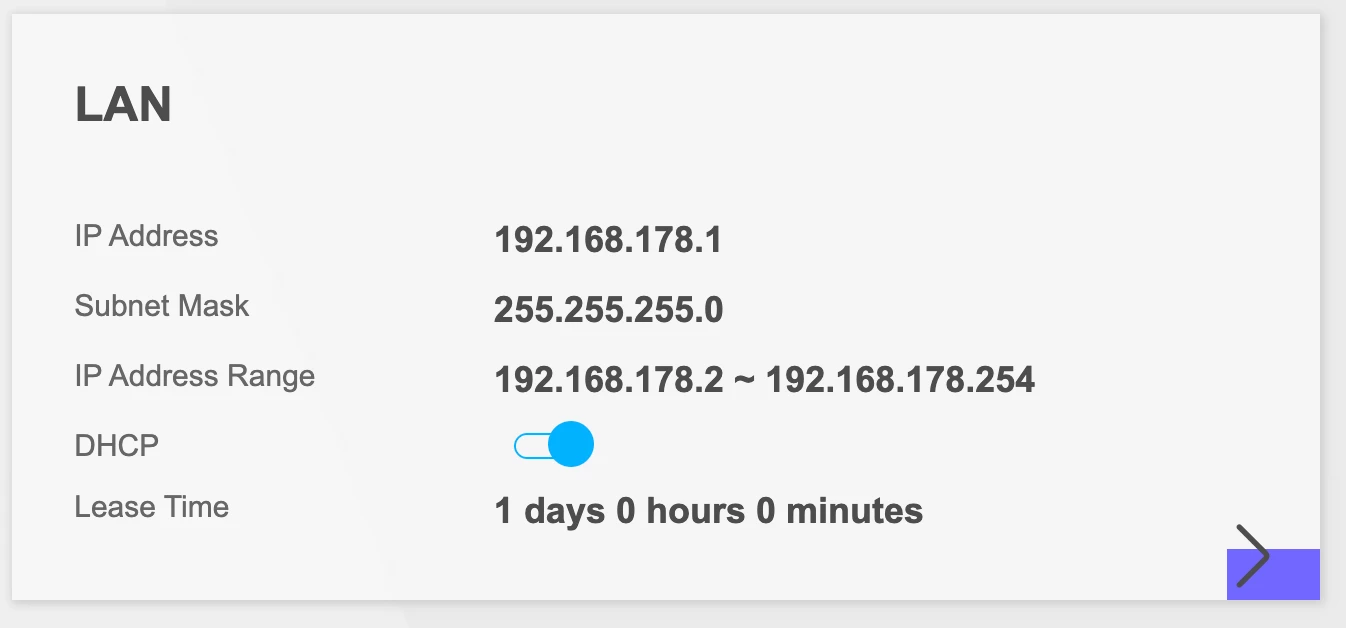
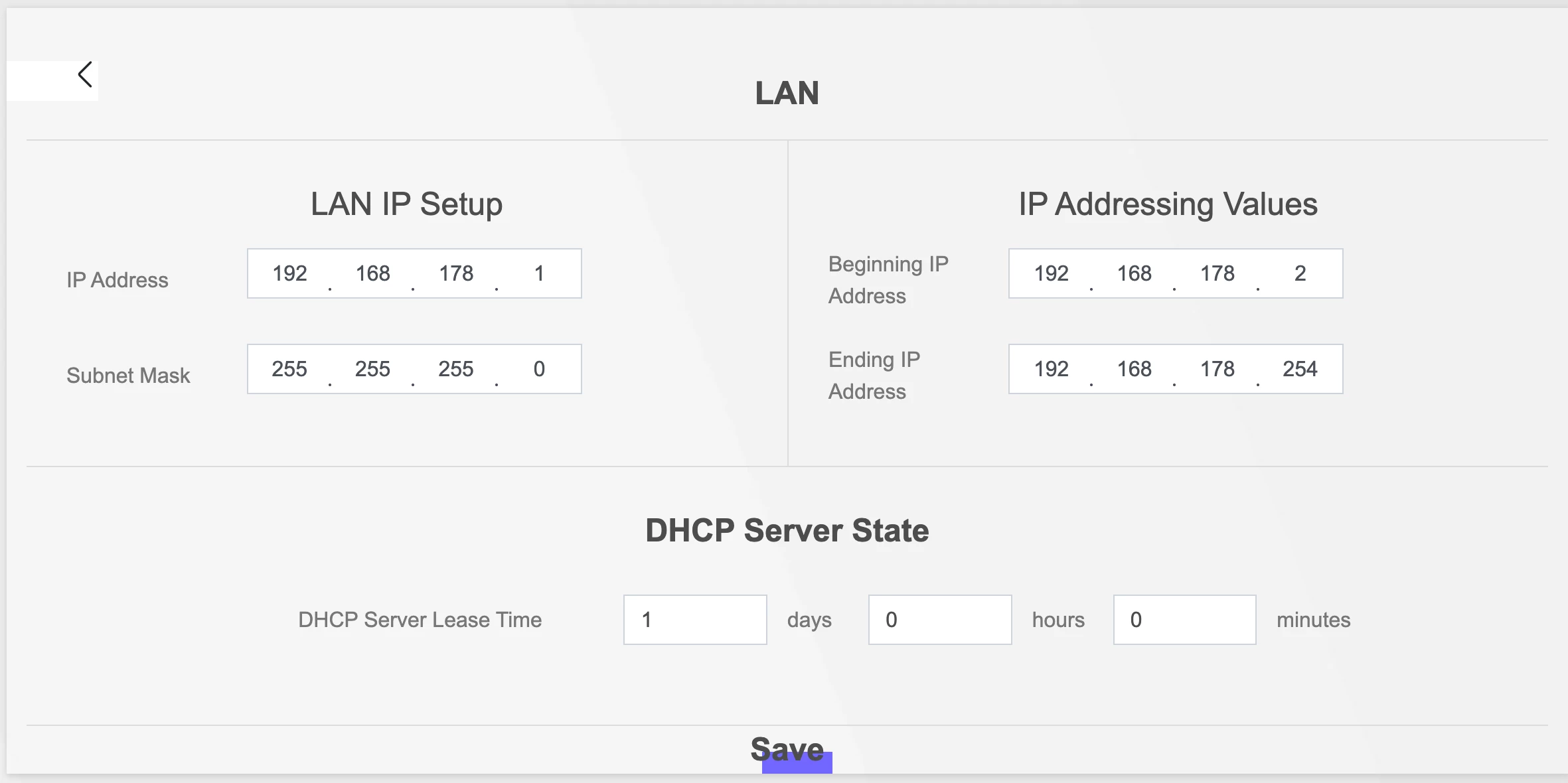
What I did was to change Zyxel’s local IP network from 192.168.1.X to 192.168.178.X. Can be done from the main menu “Connection Status” → “Lan” → “LAN IP Setup”, it should also change automatically your “IP Addressing Values”.
Enter your E-mail address. We'll send you an e-mail with instructions to reset your password.



