Beantwoord

Nieuwe Glasvezel internet verbinding valt steeds weg


Toon eerste reactie

93 reacties

Tommie van Odido
Moderator
Forum|alt.badge.img+13

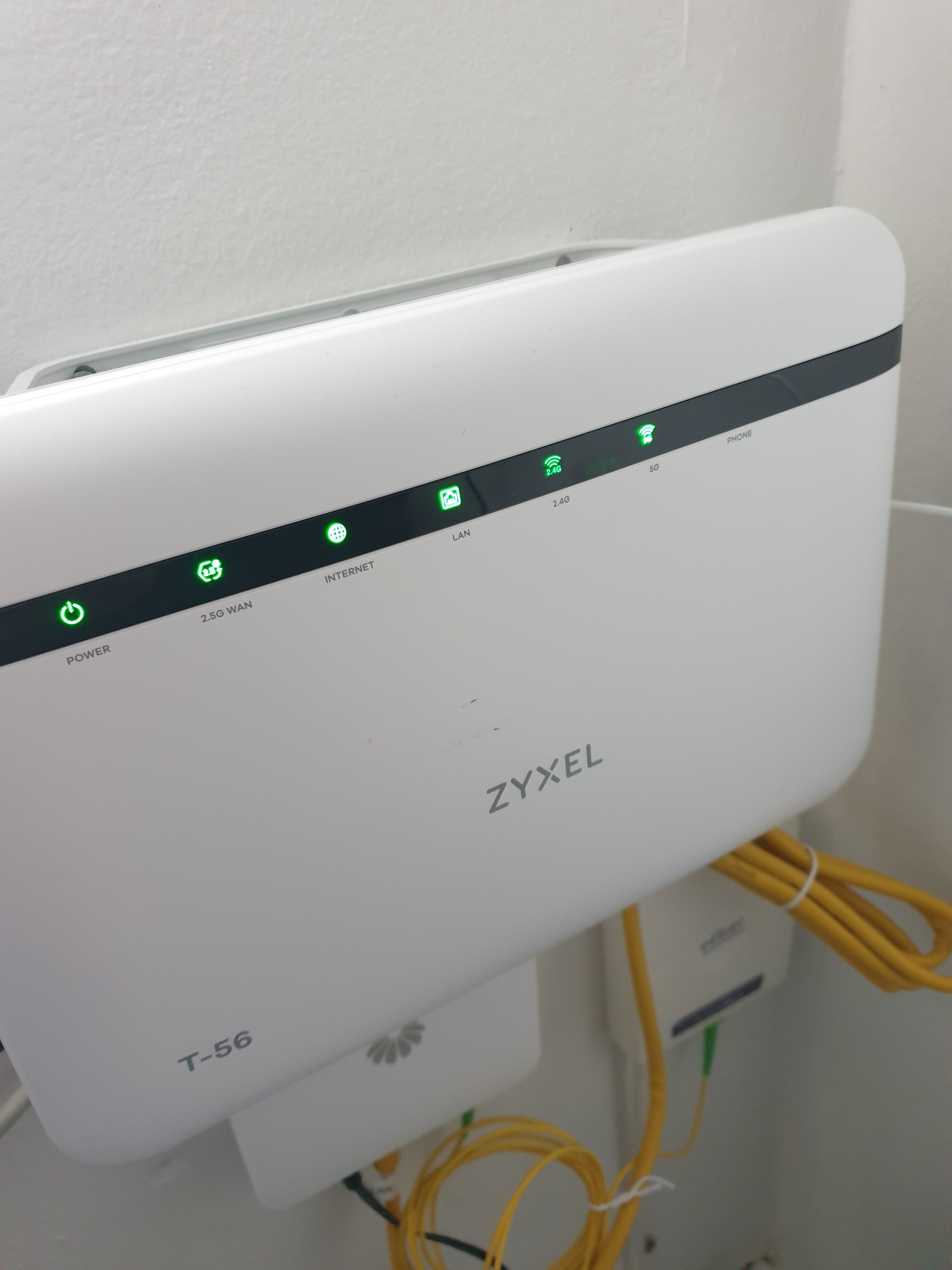
Hi @soubhi8, I can confirm that data is transmitted at all times mentioned. Could you please specify which device is affected by the outage and whether the modem indicates any issues at that time? Alternatively, please confirm whether the correct lights are simply illuminated. 


  • is een Top Poster
  • September 30, 2024

Hi @soubhi8, I can confirm that data is transmitted at all times mentioned. Could you please specify which device is affected by the outage and whether the modem indicates any issues at that time? Alternatively, please confirm whether the correct lights are simply illuminated. 

Devices affected:

via wlan: iphone xr, Samsung s9+ & Z fold 3

Via lan, msi laptop

The lights are correct i think, the Internet and lan are blinking green.


Tommie van Odido
Moderator
Forum|alt.badge.img+13

It is notable that the Galaxy S9+ and the iPhone XR are unable to support Wfii 6 @soubhi8, whereas the Z Fold 3 is designed to be compatible with this standard. Could you kindly verify whether your MSI laptop is capable of supporting Wifi 6? As a provisional measure, I am converting Wifi 6 to Wifi 5. Could you please reboot the modem and ascertain whether the issue persists with your connection?


  • is een Top Poster
  • October 1, 2024

It is notable that the Galaxy S9+ and the iPhone XR are unable to support Wfii 6 @soubhi8, whereas the Z Fold 3 is designed to be compatible with this standard. Could you kindly verify whether your MSI laptop is capable of supporting Wifi 6? As a provisional measure, I am converting Wifi 6 to Wifi 5. Could you please reboot the modem and ascertain whether the issue persists with your connection?


Hi Tommie,

the problem still persists, moreover, the laptop is connected via lan so not using wifi, and is also experiencing the same issue.


Tommie van Odido
Moderator
Forum|alt.badge.img+13

Please describe the message displayed on your laptop. It is evident that the internet is accessible at all times of the day, indicating that there are no disruptions. It is possible that a jammer is present on your network. Please provide details of the types of (smart) devices present in your residence and their connection to the network @soubhi8.


  • is een Top Poster
  • October 2, 2024

Please describe the message displayed on your laptop. It is evident that the internet is accessible at all times of the day, indicating that there are no disruptions. It is possible that a jammer is present on your network. Please provide details of the types of (smart) devices present in your residence and their connection to the network @soubhi8.

Hi @Tommie van Odido,

I don't believe a jammer is there, before switching to fiber i had dsl connection from Odido with router t-50 i think, i still had the same smart devices without this problem.

On my laptop I get no error, however the internet just drops for approx 5-13 seconds and then comes back on, i do streaming on Younow and when this happens i lose the stream for instance. 

nevertheless here is a list:

1- pet feeder

2- two smart led lights, 

3- smart camera

4- PS 5 

5-neato smart vaccumcleaner

with the older router even when connected using the fiber optics this never happened hence this is why i think it's because of the router.


Tommie van Odido
Moderator
Forum|alt.badge.img+13

We could try the T-54 if you'd like @soubhi8? I cannot see any faults in the connection from our side. Maybe there is a defect in the modem. 


  • is een Top Poster
  • October 3, 2024

We could try the T-54 if you'd like @soubhi8? I cannot see any faults in the connection from our side. Maybe there is a defect in the modem. 

let's try that


Tommie van Odido
Moderator
Forum|alt.badge.img+13

All right, I have send you a T-54, you will receive a message about this shortly @soubhi8! Would you give me feedback after testing the modem for 3 days? Please note the date and time of any outages (if this is the case). 


  • is een Top Poster
  • October 3, 2024

Beste tommie

Eindelijk na 6 manden Ik nu wifi problem met t54 opgelost ' maar niet zo Maar het wifi-signaal van T54 is fil zwakker dan T56.  Je moet een wifibunt middel hebben.  


Teresa van Odido
Moderator
Forum|alt.badge.img+5

@Gamshid Fijn om te lezen dat het T-54 modem goed werkt i.c.m. het wifipunt. 

Mocht ik in de toekomst ergens bij kunnen helpen, laat het mij dan weten. Ik doe het graag! 


  • is een Top Poster
  • October 9, 2024

All right, I have send you a T-54, you will receive a message about this shortly @soubhi8! Would you give me feedback after testing the modem for 3 days? Please note the date and time of any outages (if this is the case). 

Hoi Tommie,
na 3 dagen, alles is prima, geen dropouts meer.


  • is een Top Poster
  • October 9, 2024

Beste 😔😔😔

Eindelijk na 6 manden Ik nu wifi problem met t54 opgelost ' maar niet zo Maar het wifi-signaal van T54 is fil zwakker dan T56.  Je moet een wifibunt middel hebben.  

  •  
  •  

Teresa van Odido
Moderator
Forum|alt.badge.img+5

@Gamshid Fijn om te lezen dat de problemen met het T-54 modem zijn opgelost. Je kunt eenvoudig een wifipunt bestellen via jouw Mijn Odido omgeving. 

Laat je het mij weten of je hier hulp bij nodig hebt? Ik kijk graag met je mee!


  • is een Top Poster
  • October 12, 2024

Ja kost geld, 2,50 €per maand. 😔


Waqqas
Super User
Forum|alt.badge.img+15
  • Odido Superuser
  • October 12, 2024

Hallo @Gamshid 

Je kan ook bijvoorbeeld een TP-LINK Deco set nemen voor goede wifi in je hele woning. Je kunt ze achter de Zyxel aansluiten of direct op de mediaconverter zodat de Zyxel niet nodig is 


Hallo, hier ook elke keer het probleem dat de wifi wegvalt en niets het doet. Sinds vorig jaar oktober overgestapt van ziggo naar odido vanwege een leuk praatje en de glasvezel. Sindsdien vaker problemen dan dat het goed werkt. Router staat in de meterkast, heb 3x tp link met wifi 5 en 3x tp link met wifi 6, van deco, aangesloten voor beter internet. Maar het is nog steeds minder dan de coaxkabel van ziggo. En waar ik alleen de 3x dp link wifi 5 op aangesloten had. Nu lees ik hier dat de modem t56 zo goed als altijd het probleem is. Kunnen jullie die dan niet weg doen en terug stappen naar de t54. Graag zie ik deze dan ook toegestuurd krijgen. Want tot nu toe heb ik, en nog meer de rest van mijn gezin, spijt van de overstap. Ziggo was niet best, maar tot op heden is odido ook geen toppertje, eerder een tobbertje helaas. Guidion heeft het geplaatst en de monteur gaf al aan dat de snelheid goed was maar dat we zelf al goede wifipunten moesten neerzetten ivm slechtere ontvangst. Zegt al genoeg denk ik. Niet gelogen tot op heden. 


Hallo @Gamshid 

Je kan ook bijvoorbeeld een TP-LINK Deco set nemen voor goede wifi in je hele woning. Je kunt ze achter de Zyxel aansluiten of direct op de mediaconverter zodat de Zyxel niet nodig is 

Hallo ​@Waqqas, ben een beetje leek hierin, maar je kunt je tp link deco set rechtstreeks op dat huawei kastje plaatsen zonder de router te hoeven gebruiken (zyxel t-56)? Of zie ik dit verkeerd?