iMessage & FaceTime Doesn't Activate

  • October 16, 2025
  • 5 reacties
  • 43 Bekeken

Hello,

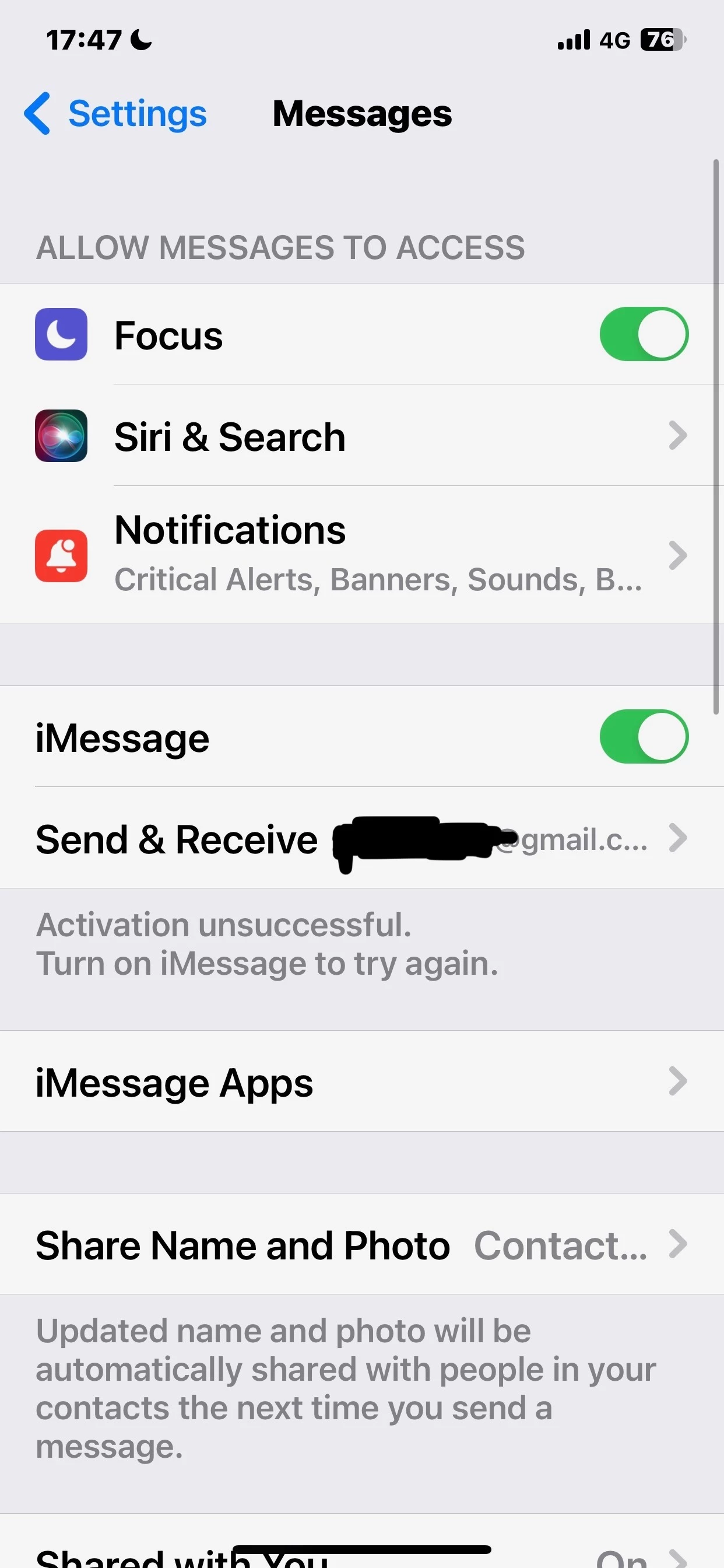
Ever since I switched my number to Odido, I cannot activate iMessage and FaceTime no matter what. I have contacted your phone number and all I am getting is either wait a few days or the common troubleshooting methods. I need this functionality ASAP and this is utterly unacceptable.


I have tried

  1. Restart Phone
  2. Turn off/on iMessage and FaceTime
  3. Reset Network Settings
  4. Set up APN again? idk why this was recommended
  5. Contact AppleSupport several times which they firmly blame you guys
  6. Complete restore of the phone with the newest iOS version


The phone works with my Lebara SIM just fine. Also the old SIM card which I ported my number from also worked perfectly fine up until I switched. Please do something about this instead of copy pasting the common troubleshooting methods. I already tried everything, the problem is on your end.

Photos:
[Removed by moderator]

 

October 20, 2025

Good afternoon, welcome to our community and thank you for completing your profile! I've removed your screenshots as I saw that your e-mail address was indeed still visible. Good to hear that you've contacted my colleagues from customer service already. I don't see any cases that were forwarded to our technical department, did they mean to ask us here on the community to create a case for you? I'm happy to do this of course. Please try the following first (again):

  • Restart your phone
  • Checken to see if your OS is up to date. If not, update it.
  • Reset network settings via the settings on your phone.

If this still doesn't work, please answer the following:

  • Since when do you experience this issue (date)?
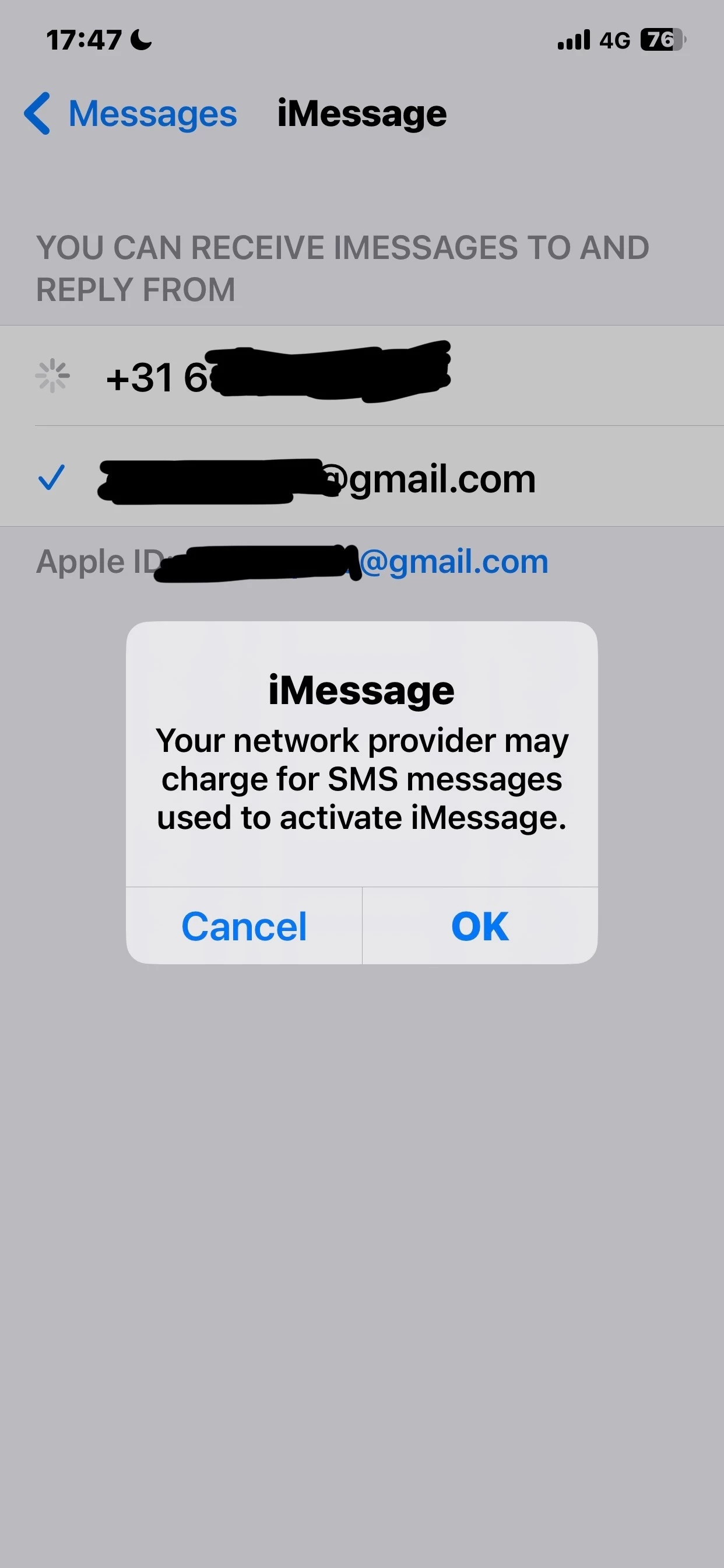
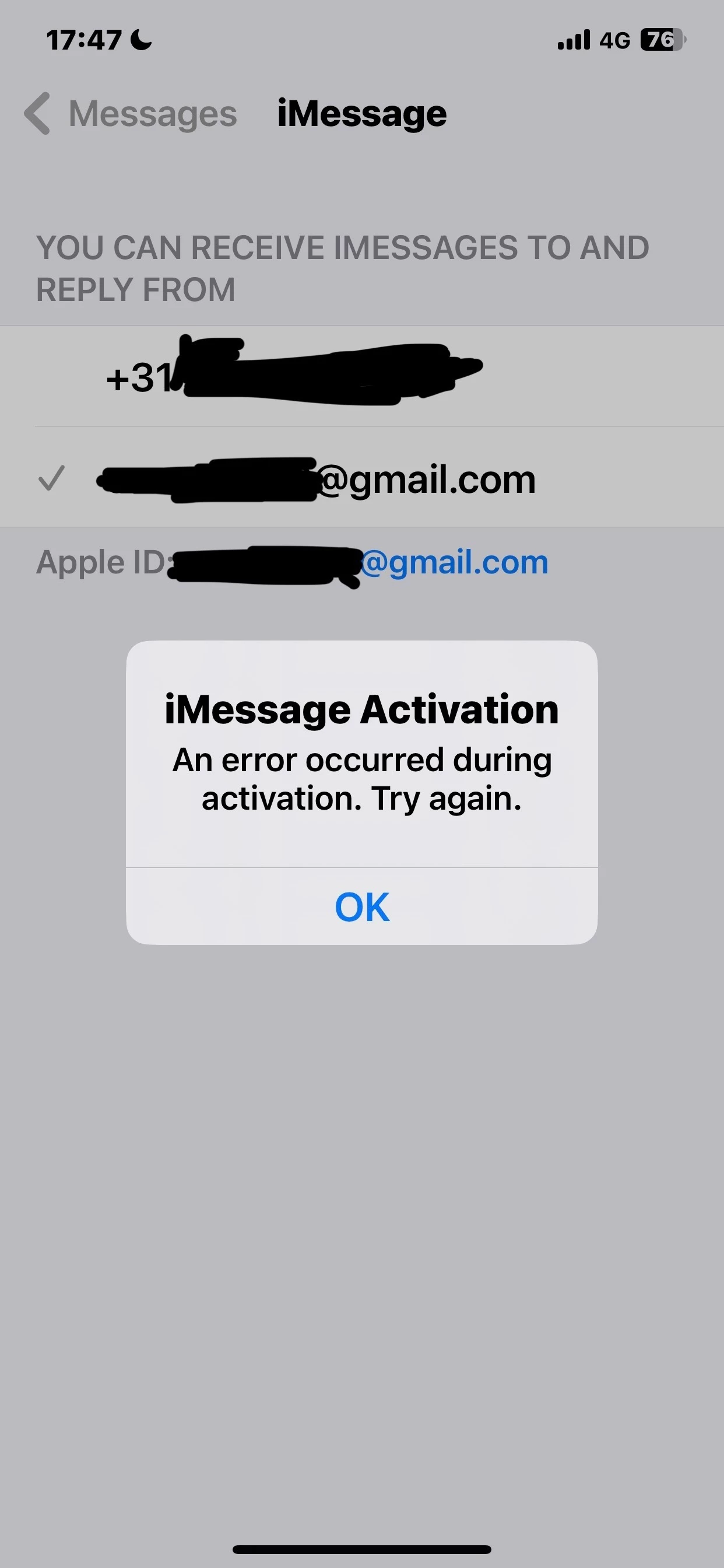
  • Which error are you getting? (Please send a screenshot without personal information) 

5 reacties

  • Auteur
  • is een nieuwe Poster
  • October 16, 2025

 ​@Pharwin van Odido Can you please check this out for me?


  • Auteur
  • is een nieuwe Poster
  • October 17, 2025

​@Pharwin van Odido I have realized that I did a terrible mistake and did a sloppy job of censoring the private information. Can you please delete the photos from this post after you see them? Or I can open a new post with correct photos after you delete this one entirely?

I have been contacted by the customer service again today to check whether the issue was fixed, they told me if I make a case from here, it would be handled much faster.


Marciano van Odido
Moderator
Forum|alt.badge.img+9

Good afternoon, welcome to our community and thank you for completing your profile! I've removed your screenshots as I saw that your e-mail address was indeed still visible. Good to hear that you've contacted my colleagues from customer service already. I don't see any cases that were forwarded to our technical department, did they mean to ask us here on the community to create a case for you? I'm happy to do this of course. Please try the following first (again):

  • Restart your phone
  • Checken to see if your OS is up to date. If not, update it.
  • Reset network settings via the settings on your phone.

If this still doesn't work, please answer the following:

  • Since when do you experience this issue (date)?
  • Which error are you getting? (Please send a screenshot without personal information) 

  • Auteur
  • is een nieuwe Poster
  • October 20, 2025

Hello ​@Marciano van Odido , they told me that if you create the case from here, it would be handled faster and easier to follow the case itself.


I had iMessage and FaceTime turned off from the settings for the past 3 days. I just tested it now and it is still not working. I have restarted the phone and rested the network settings again, unfortunately there is no change. I have ordered a new iPhone 17 but it still hasn’t arrived yet so I am using my old XS Max, which only supports iOS 18.7.1 as the latest version which I am on. I am pretty sure this issue is caused by your end because exact same phone on exact same firmware version works just fine and instantly with my Lebara phone number.

I have been experiencing this issue ever since I switched to using Odido. Exact date is from 15th of October to today.


Note: I'm expecting my new iPhone 17 on Wednesday. I'm unsure if opening a ticket now with the old device might complicate things if the issue persists on the new phone. However, I'd prefer to open the ticket now since I use this feature daily and need it fixed urgently. What do you recommend?


Error Photos:


Marciano van Odido
Moderator
Forum|alt.badge.img+9

Good morning, thank you for the information and the screenshots! No worries, I've already talked to my colleague who's in the lead for our technical department and he told me to create this case for you. My colleagues will investigate this very soon. If you receive your new iPhone 17 before my colleagues were able to fix this for you, don't hesitate to try and activate iMessage and FaceTime and let me know if this worked. My colleagues will also contact you when you're working on it. If you haven't heard from them at the end of the week, please let me know and I will check to see if there are any updates!