Beantwoord

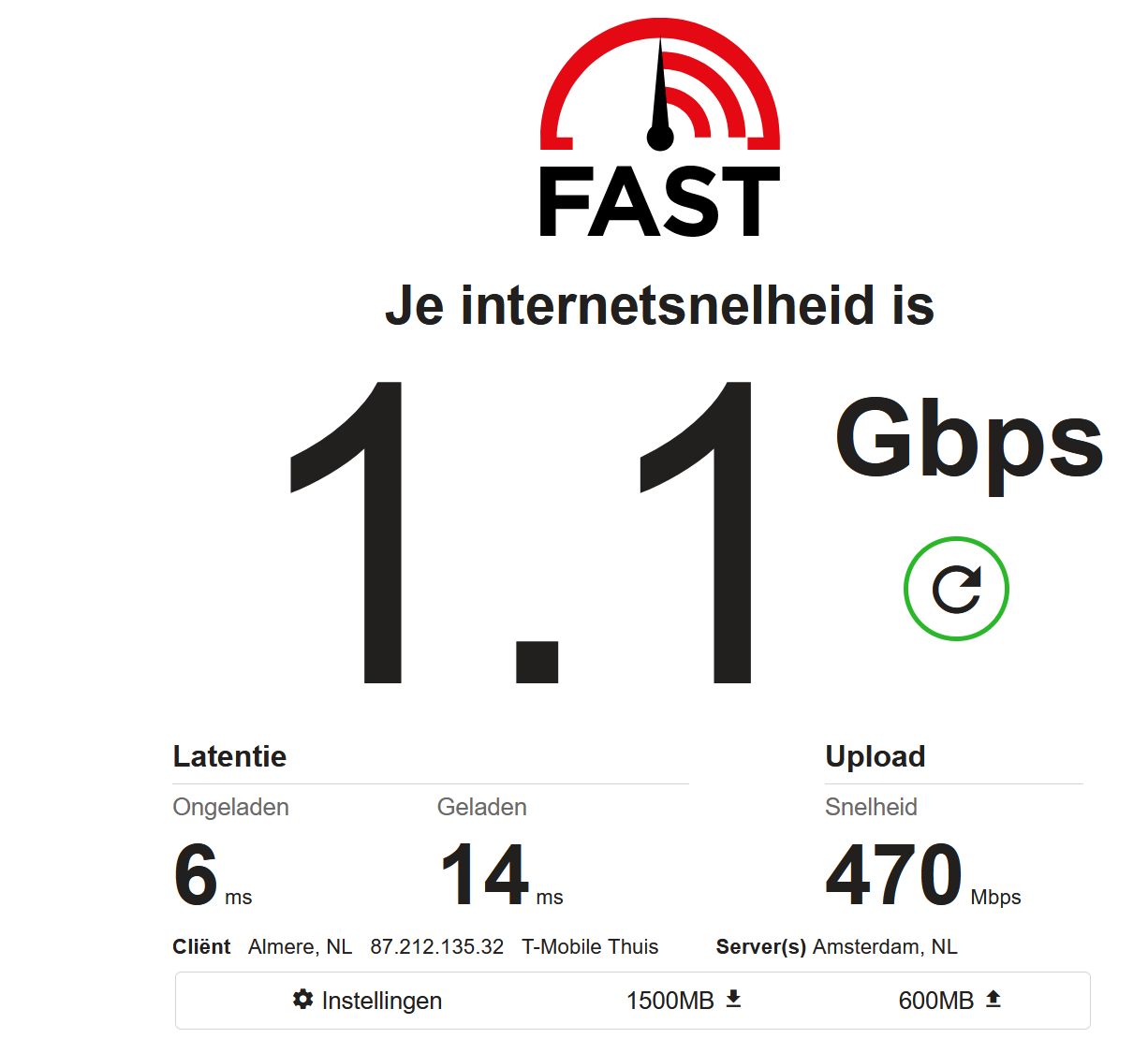
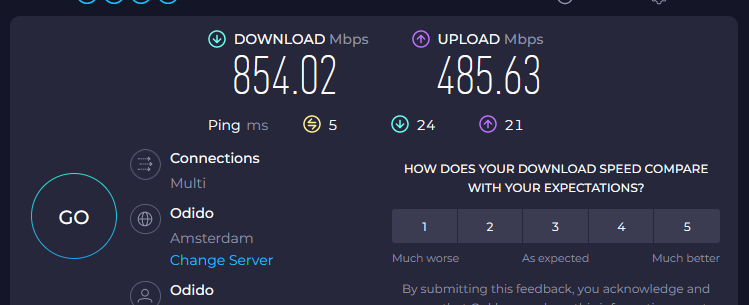
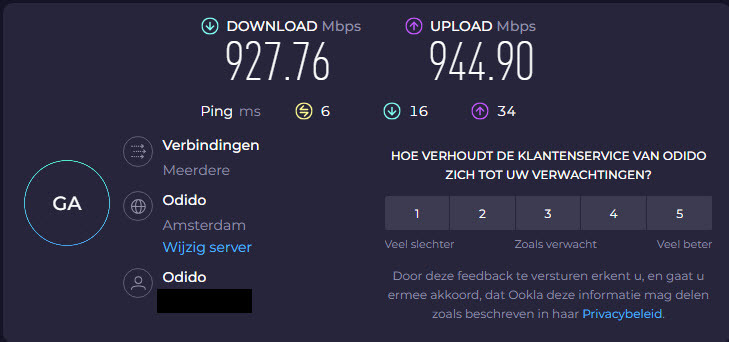
Upload 50% van beloofde snelheid

  • jun. 26, 2024 8:37 a.m. UTC
  • 54 reacties
  • 828 Bekeken

Toon eerste reactie

54 reacties

Pieter_B
Super User
Forum|alt.badge.img+4
  • Odido Superuser
  • nov. 8, 2024 5:24 p.m. UTC

Moest even zoeken, maar blijkbaar zou het een probleem kunnen zijn met ‘autotuning’ binnen Windows.

Open de CMD in Admin mode en voor het volgende eens in

netsh interface tcp show global

Kijk dan eens wat dit weergeeft; “Receive Window Auto-Tuning Level” => ENABLED of DISABLED

Als deze op ENABLED staat, verander deze dan eens in DISABLED met

netsh int tcp set global autotuninglevel=disabled

Het zou direct effect moeten hebben, maar stel voor om de PC eens te rebooten na aanpassen van deze setting.


Refs: https://www.ghacks.net/2016/08/05/windows-10-limiting-internet-speed/

https://www.technorms.com/60413/how-to-stop-windows-10-from-limiting-your-internet


Mooidan
  • is een King Poster
  • nov. 9, 2024 10:40 a.m. UTC

Hi @Pieter_B 

De setting was al disabled:

Receive Window Auto-Tuning Level    : disabled

Dus, ik dacht (lezende ghacs.net) ik doe gewoon:

netsh int tcp set global autotuninglevel=normal

En zie:

Dus het is bij mij juist andersom, is dat te verklaren ?

Ben in ieder geval happy, je bracht mij op een het goede spoor😎

Bedankt hiervoor🙏 en @Tommie van Odido ook natuurlijk👍


Pieter_B
Super User
Forum|alt.badge.img+4
  • Odido Superuser
  • nov. 9, 2024 10:52 a.m. UTC

Blij dat het i.i.g. wel werkt, maar waarom het ‘inverted’ lijkt is mij ook niet duidelijk.

Blijft het ook correct werken na een reboot?

Had deze info ook nog gevonden, hieronder een quote;

Note: Make sure to do it on the affected user

First what we will do is enable WWAN and WLAN services, these services are essential to run the Wireless and wired connection perfectly.

- Open Services (Press Windows key + R then type in services.msc then click OK)

-Look for WLAN Autoconfig and WWAN Autoconfig> Right-Click Properties and set it to automatic (If it's already set to automatic, right-click then click stop then start it again)

-Restart the PC and check


If the issue persists, run the following command in Command Prompt (Admin). Follow the steps below to do so.

These sets of commands will reset the internet connection and re-calibrate the internet settings you have.

Press Windows Key + X.
Click on Command prompt (Admin).
Type the following commands, and hit Enter after each command:

netsh int tcp set heuristics disabled
netsh int tcp set global autotuninglevel=disabled
netsh int tcp set global rss=enabled
netsh winsock reset
netsh int ip reset
ipconfig /release
ipconfig /renew
ipconfig /flushdns


Mooidan
  • is een King Poster
  • nov. 9, 2024 11:02 a.m. UTC

Blijft het ook correct werken na een reboot?

Jazeker !

Bedankt voor de extra info, ik sla deze op voor het geval….dat.

Heb ook geen idee waarom die wijziging voor mij werkt, want, ik herinner mij, dat de upload gewoon goed was toen ik overstapte naar ODIDO vorig jaar, want ja, als je van 100/100 naar 1000/1000 gaat, dan test je gelijk😂

Nogmaals bedankt !