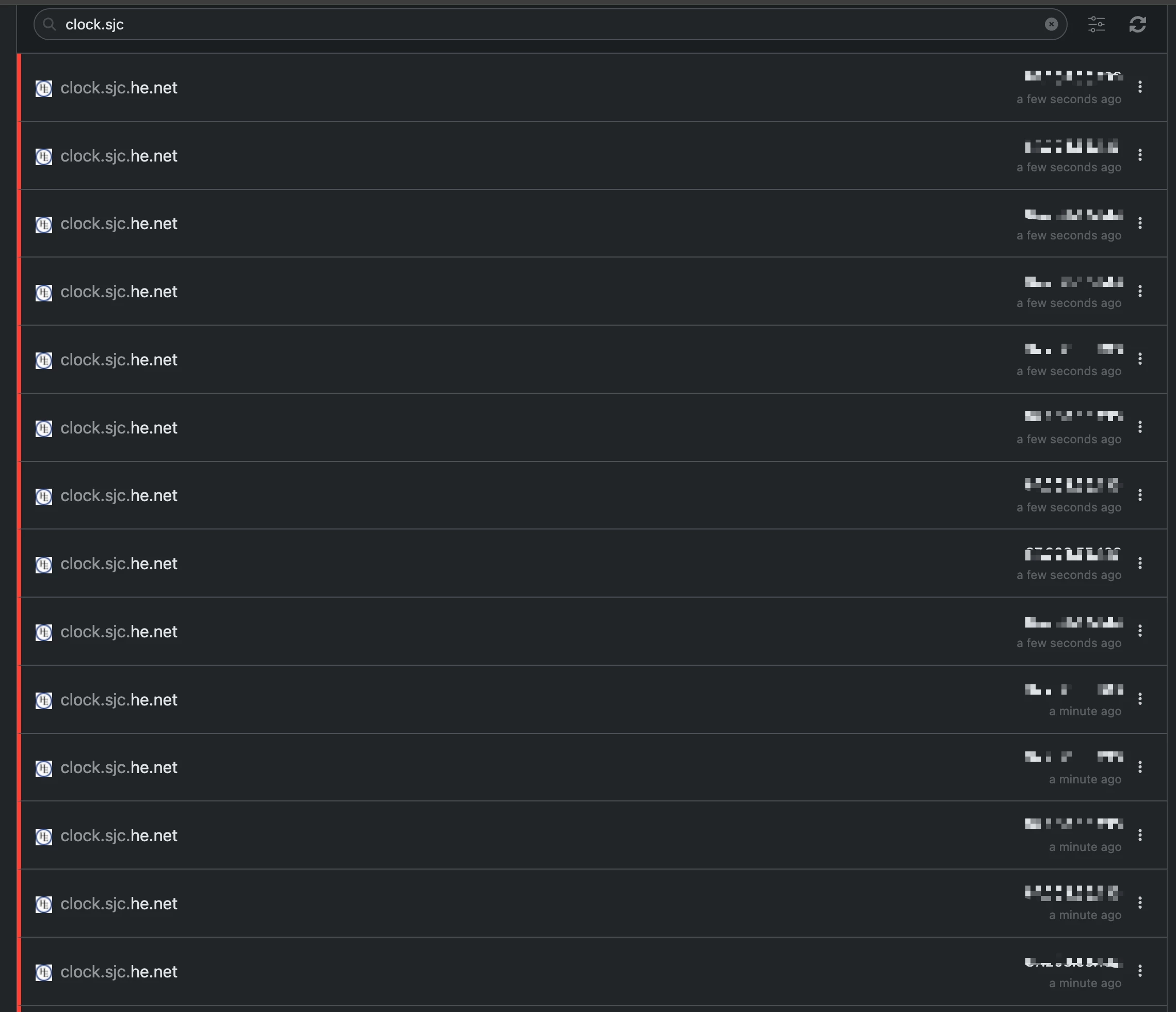
The WX5600-T0 AP repeater is DOS-ing clock.sjc.he.net

  • September 1, 2026
  • 8 reacties
  • 53 Bekeken

  • is een Master Poster

In my network (after having to isolate the devices one by one) the Zyxel WX5600-T0 (firmware V5.70(ACDW.0)b13, a beta build) is generating excessive NTP queries to clock.sjc.he.net, roughly 7-8 times per minute continuously. Neither device exposes NTP settings in the admin UI.

Is this a bug that needs a new firmware upgrade from Odido?

I cannot use ControlD as a DNS resolver basically as they blacklist my home IP as a compromised one 😢


September 3, 2026

Found out the root cause: the NTP server address at he.net is not the right one https://www.he.net/adm/ntp.html

it is supposed to be 

clock.sjc.he.net (216.218.254.202)

but it actually resolves to a totally different IP that does not serve NTP at all:
$  dig +short  clock.sjc.he.net @1.1.1.1
64.71.191.38
...

The firmware bug still exist though as this was practically blacklisting my home IP to other ISP or DNS providers.

So, it's not a firmware bug.

It's a DNS bug. That not Odido's problem. The world DNS servers resolve that address to 64.71.191.38.

It should be 216.218.254.202.

If 1.1.1.1 and 8.8.8.8 also serve the wrong address, you can't blame Odido 😉

https://platform.censys.io/hosts/64.71.191.38

https://platform.censys.io/hosts/216.218.254.202

On 216. they do serve ntp but on 64. they do not.

So Hurricane messed this up by putting clock.sjc.he.net on 64.71.191.38 in their DNS records.

 

8 reacties

  • Auteur
  • is een Master Poster
  • September 3, 2026

Found out the root cause: the NTP server address at he.net is not the right one https://www.he.net/adm/ntp.html

it is supposed to be 

clock.sjc.he.net (216.218.254.202)


but it actually resolves to a totally different IP that does not serve NTP at all:
$  dig +short  clock.sjc.he.net @1.1.1.1
64.71.191.38

$ dig +short  clock.sjc.he.net @8.8.8.8
64.71.191.38

I was able to manipulate my DNS server to redirect the queries from “clock.sjc.he.net” to “time.cloudflare.com” and the issue is gone now.

The firmware bug still exist though as this was practically blacklisting my home IP to other ISP or DNS providers.
I am pretty sure Odido’s network team is aware of this, so hope they release a new firmware that uses Odido’s own NTP servers and not Hurricane Electric ones.


  • Auteur
  • is een Master Poster
  • September 3, 2026

Confirmed with He.net support team:

Email below:

========================================
Hello,

This looks like old stale information.

Please use one of these:

% host clock.he.net
clock.he.net is an alias for ntp.he.net.
ntp.he.net has address 216.218.254.202
ntp.he.net has address 66.220.9.122
ntp.he.net has address 216.218.192.202
ntp.he.net has address 216.66.48.254
ntp.he.net has address 209.51.161.238
ntp.he.net has IPv6 address 2001:470:0:2c8::2
ntp.he.net has IPv6 address 2001:470:0:50::2
ntp.he.net has IPv6 address 2001:470:0:60f::2
ntp.he.net has IPv6 address 2001:470:0:643::2
ntp.he.net has IPv6 address 2001:470:0:5a2::2


We will move to update the page.


rvk01
  • September 3, 2026

Found out the root cause: the NTP server address at he.net is not the right one https://www.he.net/adm/ntp.html

it is supposed to be 

clock.sjc.he.net (216.218.254.202)

but it actually resolves to a totally different IP that does not serve NTP at all:
$  dig +short  clock.sjc.he.net @1.1.1.1
64.71.191.38
...

The firmware bug still exist though as this was practically blacklisting my home IP to other ISP or DNS providers.

So, it's not a firmware bug.

It's a DNS bug. That not Odido's problem. The world DNS servers resolve that address to 64.71.191.38.

It should be 216.218.254.202.

If 1.1.1.1 and 8.8.8.8 also serve the wrong address, you can't blame Odido 😉

https://platform.censys.io/hosts/64.71.191.38

https://platform.censys.io/hosts/216.218.254.202

On 216. they do serve ntp but on 64. they do not.

So Hurricane messed this up by putting clock.sjc.he.net on 64.71.191.38 in their DNS records.



  • Auteur
  • is een Master Poster
  • September 3, 2026

read my last response. Odido is using a single stale NTP server.


rvk01
  • September 3, 2026

read my last response. Odido is using a stale NTP server.

Not according to their current page (which they state still need to be changed 🙄).

They can state it's old information but the fact remains millions of devices (all Zyxel) have this address hardcoded on their firmware. It's not a good move to change it without notice. 

But ok. If they change their page, it might end up in the next firmware, which could take a while.


  • Auteur
  • is een Master Poster
  • September 3, 2026

It is just a config setting. Also it is not a good idea to rely only on one NTP server.
For this purpose, and the number of devices that Odido supports, it would make sense to host their own NTP server inhouse as one of the sources and just use ntp pool as the next servers
https://www.ntppool.org/en/use.html


TMTV
Super User
Forum|alt.badge.img+6
  • Odido Superuser
  • September 11, 2026

Odido and Zyxel are aware of this. They've changed the NTP servers from

"NTPServer1": "clock.fmt.he.net",
"NTPServer2": "clock.nyc.he.net",
"NTPServer3": "clock.sjc.he.net",

to

"NTPServer1": "nl.pool.ntp.org",
"NTPServer2": "ntp.time.nl",

in the new firmware, which will be version V5.70(ACDW.0)b27. I don't know when it will be rolled out, but a solution is on the way!


  • Auteur
  • is een Master Poster
  • September 11, 2026

that is very good to hear!