Beantwoord

Speed throttling to 90Mbps with 1000Mbps fiber internet


  • is een Top Poster

Hello all,

With my fiber internet connection with ethernet cable, I am getting 90Mbps speed when I run a speed test. This has been happening once in a while for years and it’s usually fixed after a powerflip.

However, now when I follow the below steps for the powerflip, the speed test shows 800+ Mbps right after the internet comes back on. After a few minutes though, the modem (Zyxel T-50) restarts itself. When it’s back online, the speed is back to 90Mbps. Any help is appreciated.

Powerflip

  1. Haal de stekker van het modem en Media Converter/ONT uit het stopcontact.
  2. Wacht minimaal 10 seconden
    • Sluit eerst je Media converter/ONT weer aan en laat die 30 seconden opstarten. Sluit daarna pas het modem weer aan op de stroom.
  3. Doe de stekker terug in het stopcontact van het modem en laat alles volledig opstarten
  4. Controleer of de verbinding stabiel is.

 

Beste antwoord door Cem van Odido

Hi ​@atnc, your verification is complete, and the modem swap is all arranged!

Your Zyxel T-50 will be replaced with a Zyxel T-56. You will receive the new modem within the next couple of days, since the weekend is right around the corner I predict the delivery will take place on monday or tuesday. You can find the installation instructions in this topic. Once it’s connected, please let me know whether the tethered connection remains at 1000Mbits after a restart and if your speed stays stable. Then I’ll know if the swap has fully resolved the issue!

Bekijk origineel

12 reacties

rvk01
  • August 17, 2026

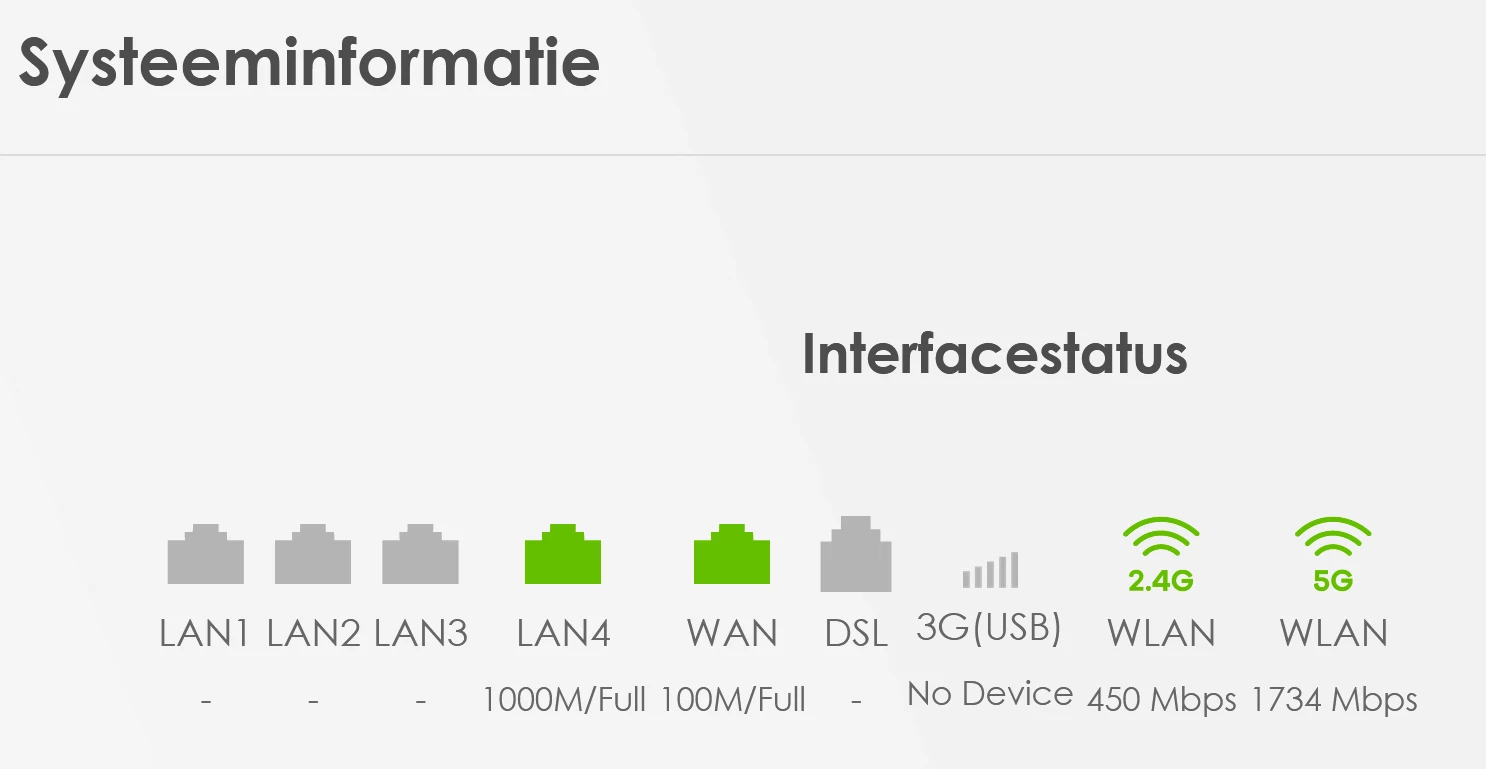
Looks like your link speed drops back to 100Mbps (from 1000Mbps).

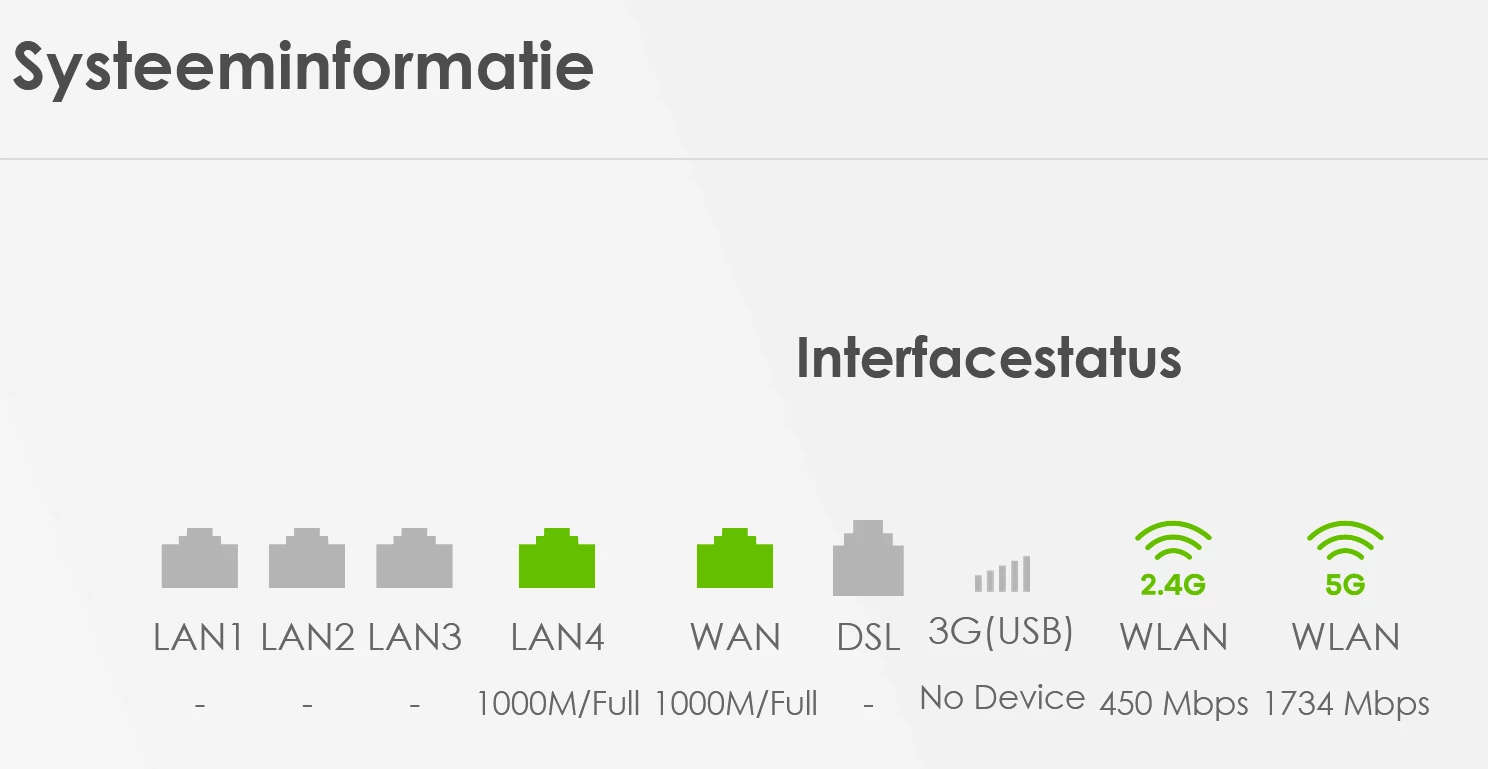
When this happens, login into the router (login credentials are on the back) and look in Systeeminformatie. You'll see the 4 LAN ports and a WAN port. What link speed is the LAN port at on which you connected your computer? 

If it's 100M/Full, just pull out that cable and put it back. Does it jump back up to 1000 for a moment. Then you probably have a bad cable or the connectors are bad (not crimped correctly).

Above is under the assumption you don't have an extra switch in between router and computer. If you do, that one could also be the cause.


  • Auteur
  • is een Top Poster
  • August 17, 2026
LAN is 1000M/Full but WAN is 100M/Full when there is low speed.


After unplugging and re-plugging the power cable to the converter, WAN is again at 1000M/Full (for now)

Do you think the instability might be because of the cable connecting the converter and the router? It seems securely in place on both sides but I can try replacing it.

Thanks for the tip!


rvk01
  • August 17, 2026

Yes, then that's the problem. Replacing the cable between router and ONT is indeed the first you can try.

Ultimately it could also be a hardware problem with either the router of ONT but the cable is the easiest to rule out.


Waqqas
Super User
Forum|alt.badge.img+15
  • Odido Superuser
  • August 18, 2026

Hello ​@atnc 

The T50 is also an old router, a moderator van replace the router for you.

You'll receive a Zyxel-T56 with WiFi 6.


Cem van Odido
Moderator
Forum|alt.badge.img+4

Hi ​@atnc, that's some seriously good troubleshooting you already did. I'll gladly take a closer look at this with you!

​@Waqqas is right, your Zyxel T-50 is due for an upgrade, so let's tackle that. I'd like to arrange a new Zyxel T-56 with WiFi 6 for you. I've just sent you a private message via our Moderator account to verify your details. Once the verification is done, we'll continue here in this topic. We do this so there's always a colleague ready to help you. I look forward to your private message!


  • Auteur
  • is een Top Poster
  • August 19, 2026

Hi ​@Cem van Odido , I have sent you the details in reply to your private message.


Waqqas
Super User
Forum|alt.badge.img+15
  • Odido Superuser
  • August 19, 2026

​@atnc 

Has the problem been solved by changing the cable between ONT and router?


  • Auteur
  • is een Top Poster
  • August 19, 2026

​@Waqqas I did not change the cable yet but the speed did not drop to 100Mbps yesterday or today.


Manouk van Odido
Moderator
Forum|alt.badge.img+4

Hi ​@atnc, thank you for all the information you sent. I just sent you another email with a code in it. Could you please share that code with us in this thread?


  • Auteur
  • is een Top Poster
  • August 20, 2026

Hi ​@Manouk van Odido, the code is: 453654


Cem van Odido
Moderator
Forum|alt.badge.img+4

Hi ​@atnc, your verification is complete, and the modem swap is all arranged!

Your Zyxel T-50 will be replaced with a Zyxel T-56. You will receive the new modem within the next couple of days, since the weekend is right around the corner I predict the delivery will take place on monday or tuesday. You can find the installation instructions in this topic. Once it’s connected, please let me know whether the tethered connection remains at 1000Mbits after a restart and if your speed stays stable. Then I’ll know if the swap has fully resolved the issue!


  • Auteur
  • is een Top Poster
  • August 23, 2026

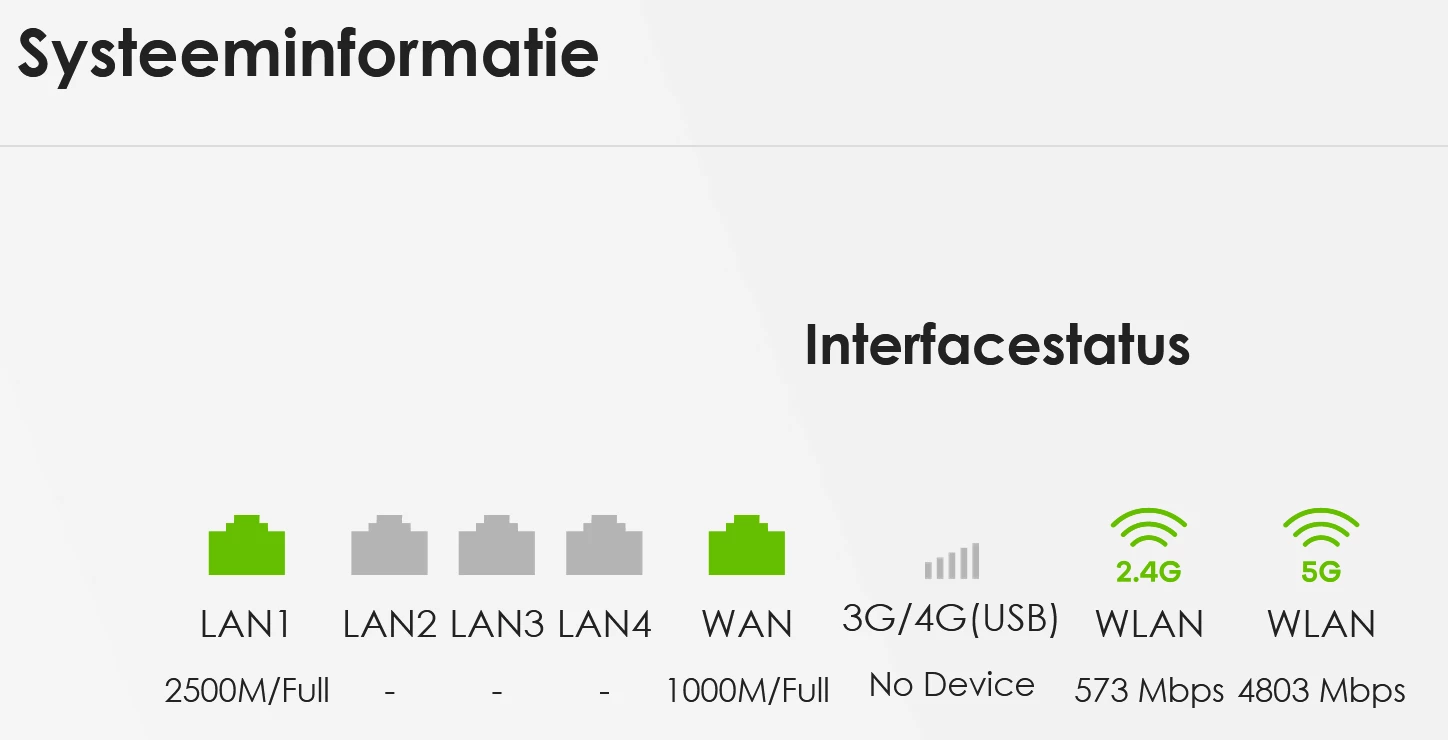
I have received the modem yesterday and installed it and also exchanged the WAN cable with the one that came in the box. I had no issues with the speed since yesterday and everything feels a bit faster. Thanks everyone for your support!