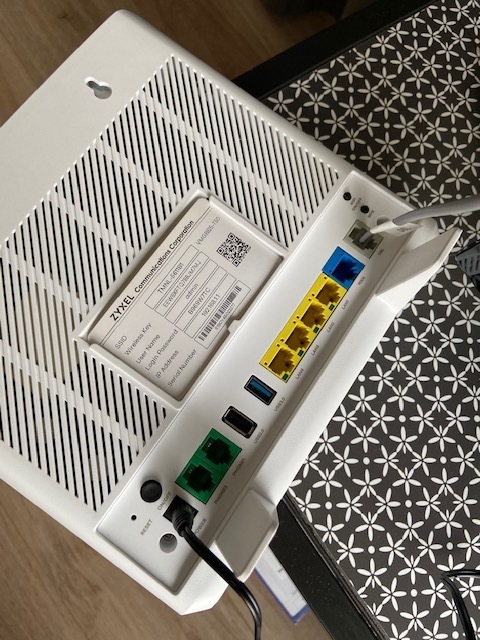
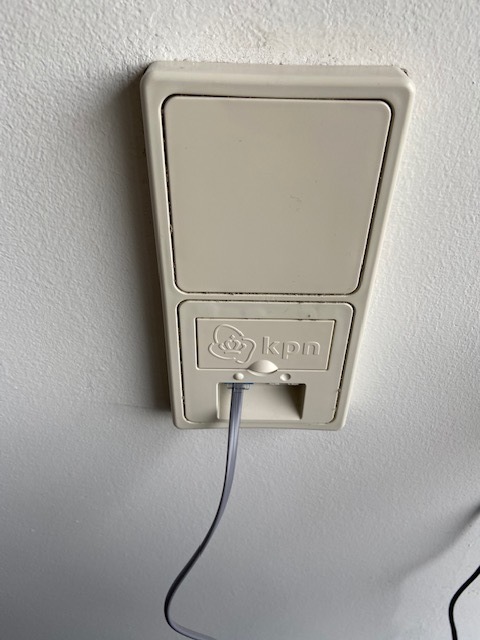
I subscribed to a home internet from T-Mobile, which I installed yesterday (14-Feb-2020 : installation date). But the internet light on the modem does not switch on and the internet is not working.
Can you please confirm if my connection is Active and how can I resolve this issue?
Thanks!
Beste antwoord door Piotr
Hey @divjotmokha,
I see that you've contacted my colleague about this issue. As far I can see now the network administrator (KPN) needs to come to your place. My colleague requested them to contact you as soon as possible. The network administrator will call you with an anonymous number. Help is on the way!
You installed the modem yourself so you have a dsl connection? Have you made sure you are using the grey DSL cable that came with the modem and is it straight connected to you ISRA which goes to your main KPN line without any cables that go to other rooms for example?
Yes, its a dsl connection. I did use the Grey DSL cable and it is connected to the main KPN line. I could not find any other cables. Here are the pictures. I tried both of the slots.
I see that you've contacted my colleague about this issue. As far I can see now the network administrator (KPN) needs to come to your place. My colleague requested them to contact you as soon as possible. The network administrator will call you with an anonymous number. Help is on the way!