Beantwoord

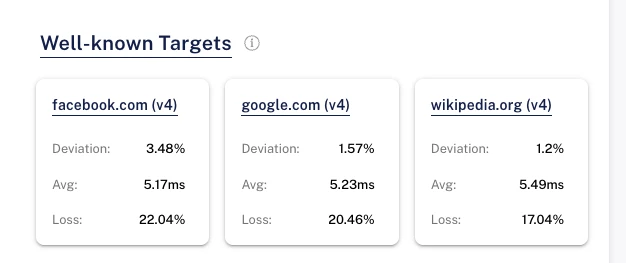
Package loss looks pretty high at 20%


  • is een Master Poster

At home in rotterdam when I switched to Odido with 1Gpbs fiber symmetric, my atlas RIPE probe started to get some weird numbers. The atlas probe is connected with LAN to the modem.

I also have a software probe and it reports the same numbers.

Is there a way to report this properly at odido customer care for them to do a fiber check?


Beste antwoord door bzan

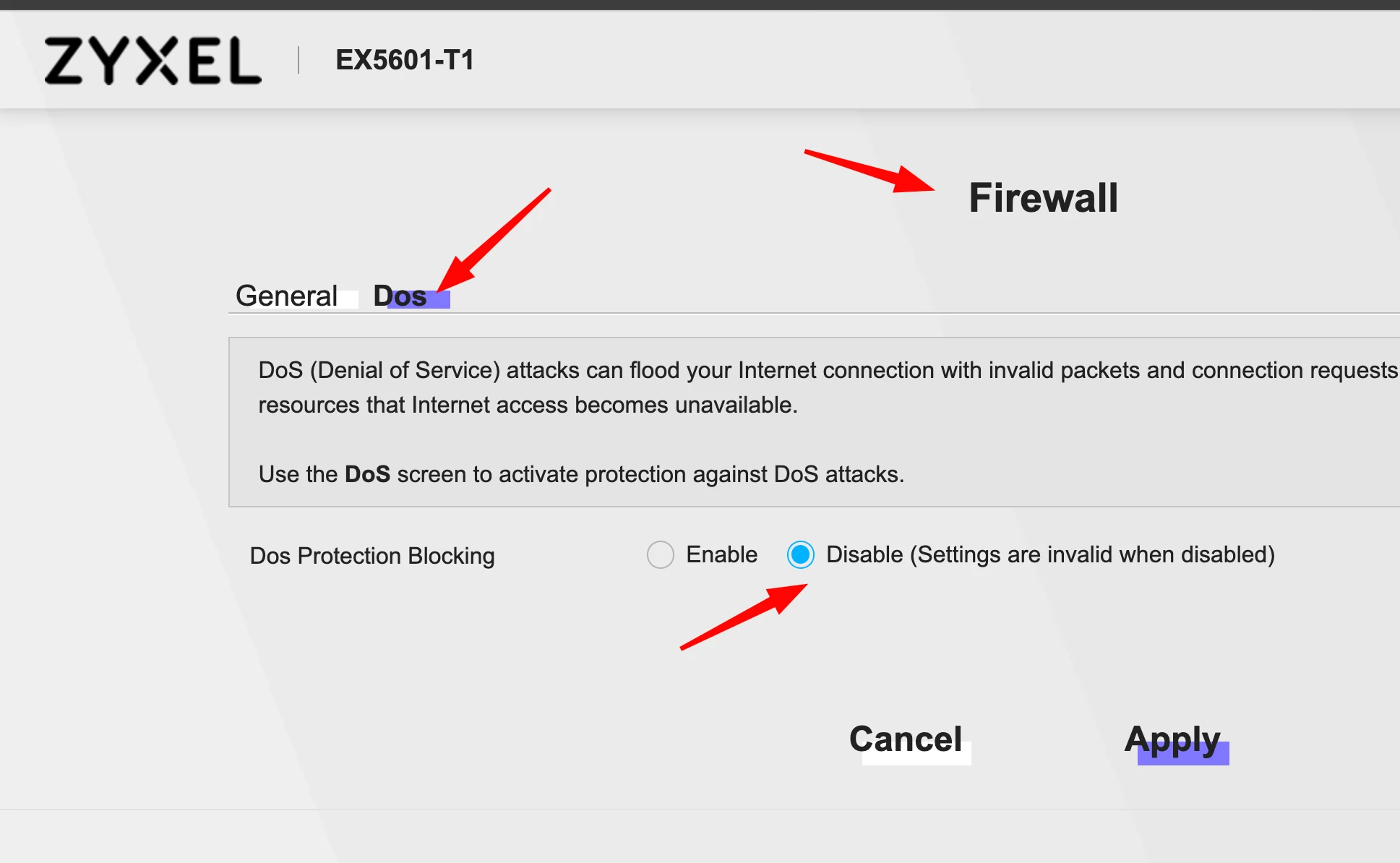
As well you might want to turn off the DOS protection in the Zyxel. If the Probe does a lot of testing with ICMP the Zyxel will drop it if one device is pinging to often.


I restored the Zyxel router and disabled DOS, thank you ​@svenvg93 
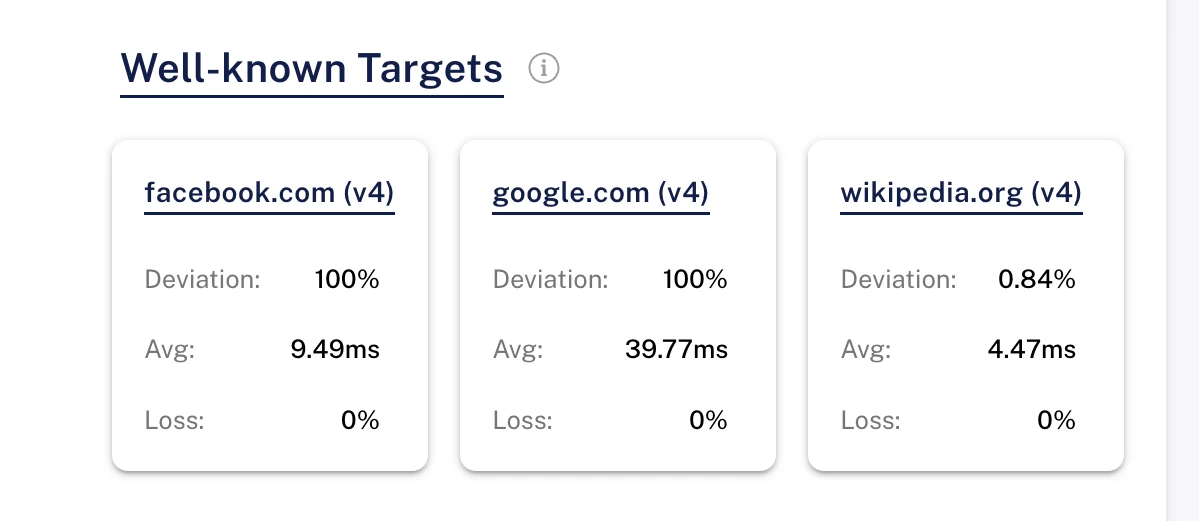
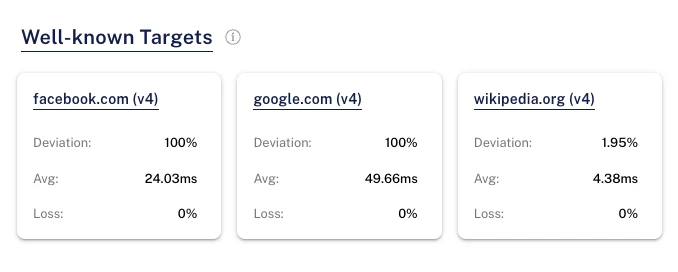
no packet loss on the atlas ripe probe now:


how to:


Bekijk origineel

8 reacties

  • Auteur
  • is een Master Poster
  • May 12, 2026

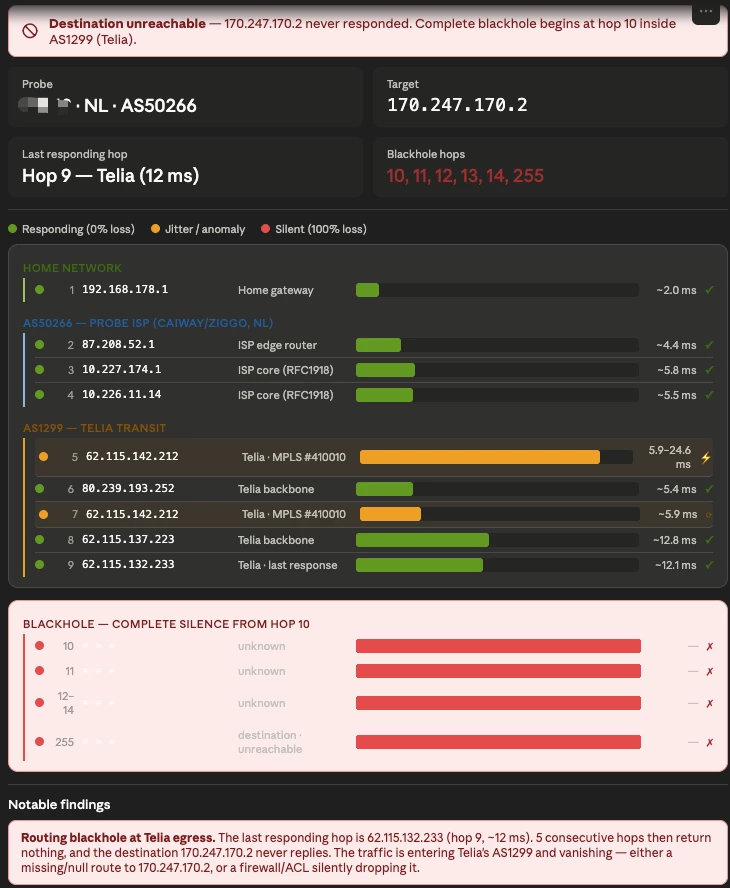
From analyzing these logs with Claude I got some results:

The most likely causes, in order of probability:

  1. Null/missing route in Telia — 170.247.170.2 may not have a route in Telia's table for this anycast instance, so packets hit a null route and are silently dropped. This is the most common cause of deep blackholes like this.
  2. Firewall/ACL on the destination — if 170.247.170.2 is a DNS root server instance, it could be filtering UDP traceroute probes entirely (though it would typically still send ICMP unreachables).
  3. MPLS label switched path ends without a delivery route — the LSP from Telia's edge into the destination network may have no exit point for this prefix.


Logs: https://atlas.ripe.net/api/v2/probes/<PROBE_ID>/ and https://atlas.ripe.net/api/v2/measurements/5010/latest/?probe_ids=


rvk01
  • May 13, 2026

You might want to add some extra tests from a computer. Not just the RIPE probe.

Run the following commands in a cmd prompt (Windows console) and show the last 10 lines.

ping -n 1000 www.facebook.com

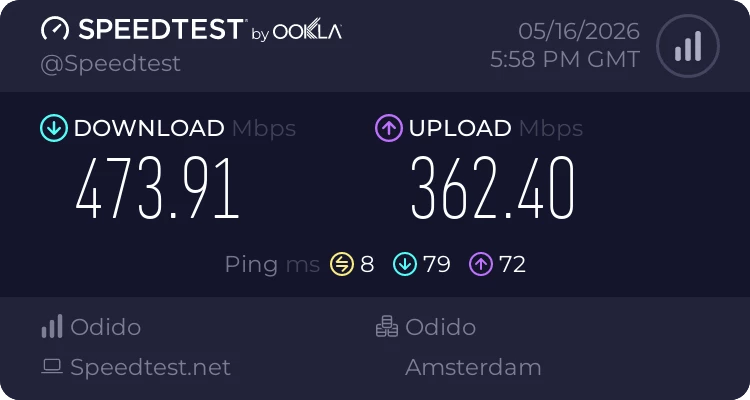
Also… on the computer, run the https://www.speedtest.net/ test and show the result.


  • Auteur
  • is een Master Poster
  • May 16, 2026

here you go:

--- star-mini.c10r.facebook.com ping statistics ---

1000 packets transmitted, 998 packets received, 0.2% packet loss

round-trip min/avg/max/stddev = 5.659/9.428/142.598/7.998 ms


speedtest: 


rvk01
  • May 16, 2026

here you go:

--- star-mini.c10r.facebook.com ping statistics --- 1000 packets transmitted, 998 packets received, 0.2% packet loss round-trip min/avg/max/stddev = 5.659/9.428/142.598/7.998 ms

That doesn't really show a 20% packet loss like your RIPE probe did. So I wonder if that RIPE probe doesn't need a reset or something.

Do you experience other problems with your connection or is it only that RIPE probe that has a poor connection? 


  • is een Top Poster
  • May 18, 2026

As well you might want to turn off the DOS protection in the Zyxel. If the Probe does a lot of testing with ICMP the Zyxel will drop it if one device is pinging to often.


  • Auteur
  • is een Master Poster
  • June 1, 2026

ok, changed to another router I had around and the packet drops are gone. Definitely an issue with the Zyxel router 


  • Auteur
  • is een Master Poster
  • June 4, 2026

testing now back the Zyxel EX5601-T1 without DOS


  • Auteur
  • is een Master Poster
  • Antwoord
  • June 4, 2026

As well you might want to turn off the DOS protection in the Zyxel. If the Probe does a lot of testing with ICMP the Zyxel will drop it if one device is pinging to often.


I restored the Zyxel router and disabled DOS, thank you ​@svenvg93 
no packet loss on the atlas ripe probe now:


how to: