My Fiber connection of 1 GBPS drops frequently on daily basis


My 1 Gbps fiber connection drops frequently, almost daily for 1–2 minutes at a time, and my internet speed never goes beyond 400 Mbps.

I stopped using the Odido-provided router and instead connected a LAN cable to my TP-Link Deco X50/X20 mesh system to create a home mesh network. However, despite having a 1 Gbps fiber connection, my speeds still do not exceed 400 Mbps for both download and upload.

Could you please help me improve the speed and resolve the frequent connection loss issues?

Thanks in advance!

May 17, 2026

Thank you. Unfortunately, I do not have any other device and I cannot disable the VPN client on current laptop.
What would you recommend that I do - possibly request a odido technician to come and troubleshoot all this?  

Why would a Odido technician be able to troubleshoot this? He or she will determine that you are doing a speedtest over a VPN and determine that that is the cause of the speed limitation. The dropped connection could also be due to the VPN.

Why can’t you disable the VPN yourself?
(and if it’s a corporate laptop, contact your technical department and let them look at the problem)

Anyway… using a VPN almost always limits your speed. So if you have to use that VPN, then you are stuck using that speed. Then there is really no advantage for you to have a 1Gbps subscription.

The maximum speed of a Palo Alto GlobalProtect VPN connection is not fixed; it is primarily limited by the corporate firewall's capacity and your employer's configuration. While GlobalProtect software itself can support theoretical gigabit+ speeds, practical limits range from 50 Mbps to 500+ Mbps per user!


17 reacties

Waqqas
Super User
Forum|alt.badge.img+15
  • Odido Superuser
  • May 16, 2026

Hello ​@nandam

Can you connect the Zyxel router, do a speedtest and check if the issue with stability also persists?


  • Auteur
  • is een Top Poster
  • May 16, 2026

Hi@Waqqas, many thanks for your prompt response. The issue existed with Zyxel router as well and then I bought the Deco's hoping to solve the problem but the connection drops never got resolved. 


Waqqas
Super User
Forum|alt.badge.img+15
  • Odido Superuser
  • May 16, 2026

​@nandam 

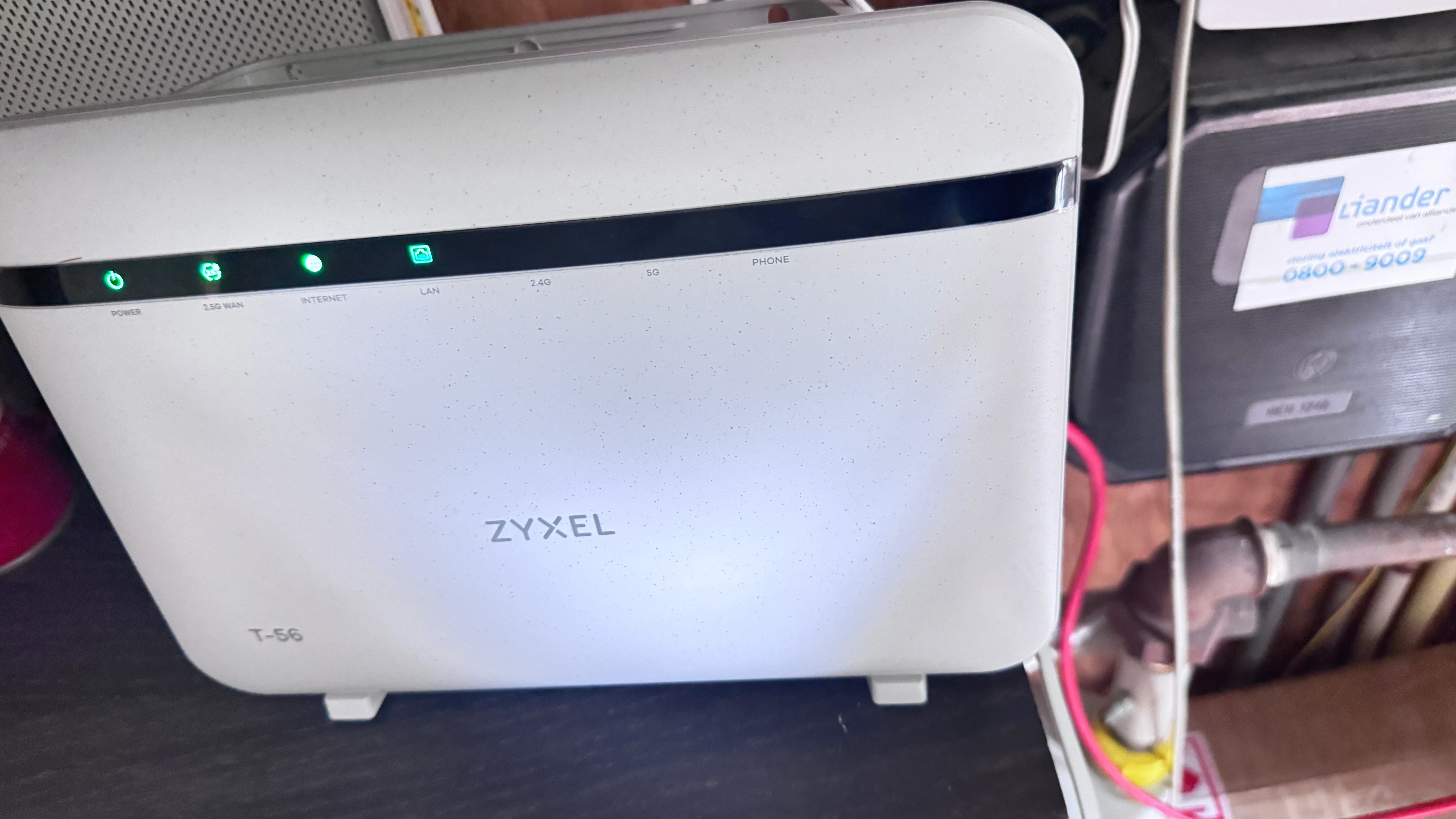
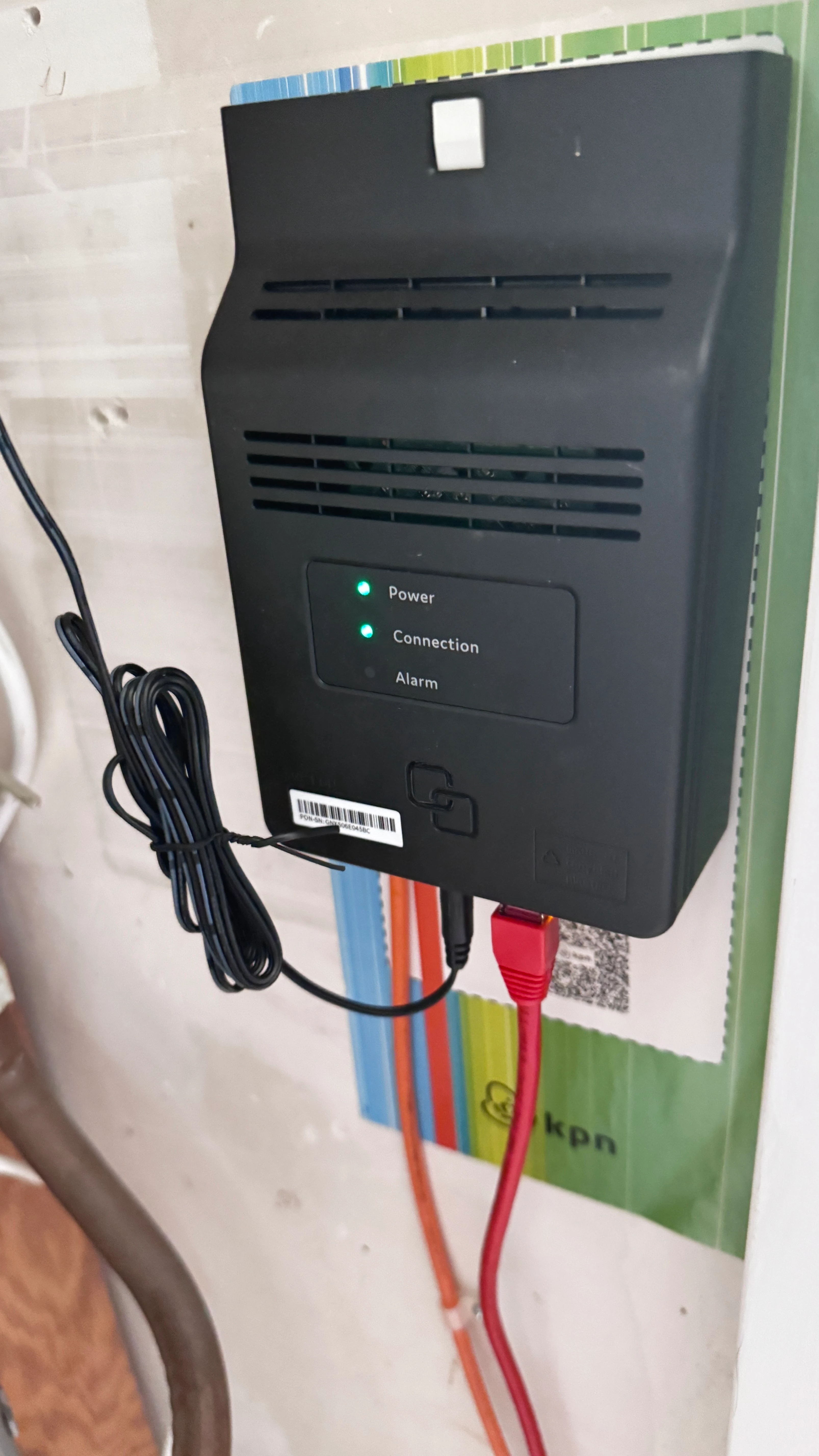
Does the globe on the router turn red? Which lights are on or blinking on the ONT when there is an interruption?


  • Auteur
  • is een Top Poster
  • May 16, 2026

At the moment, the LAN cable from fiber box is directly connected to Deco X20 mesh system.
When the Zyxel router was connected to the LAN cable from fiber box, the globe turns red and comes back on, to green, therefore I thought it a router problem and changed it to Deco’s but the condition never improved.

Network drop should not impact the speed all the time. I never saw anywhere close to 1GBPS since I upgraded my speeds.


Waqqas
Super User
Forum|alt.badge.img+15
  • Odido Superuser
  • May 16, 2026

​@nandam 

Connect the Zyxel again and when the globe turns red, check which lights are on or blinking on the fiber box.


  • Auteur
  • is een Top Poster
  • May 16, 2026

okay, are you trying to ascertain if its the connection issue or a CAT5 cable issue between fiber box and Router? 
The connection drops are intermittent like when I am in a work meeting or something, it drops immediately. This happens at randoms times of the day. 

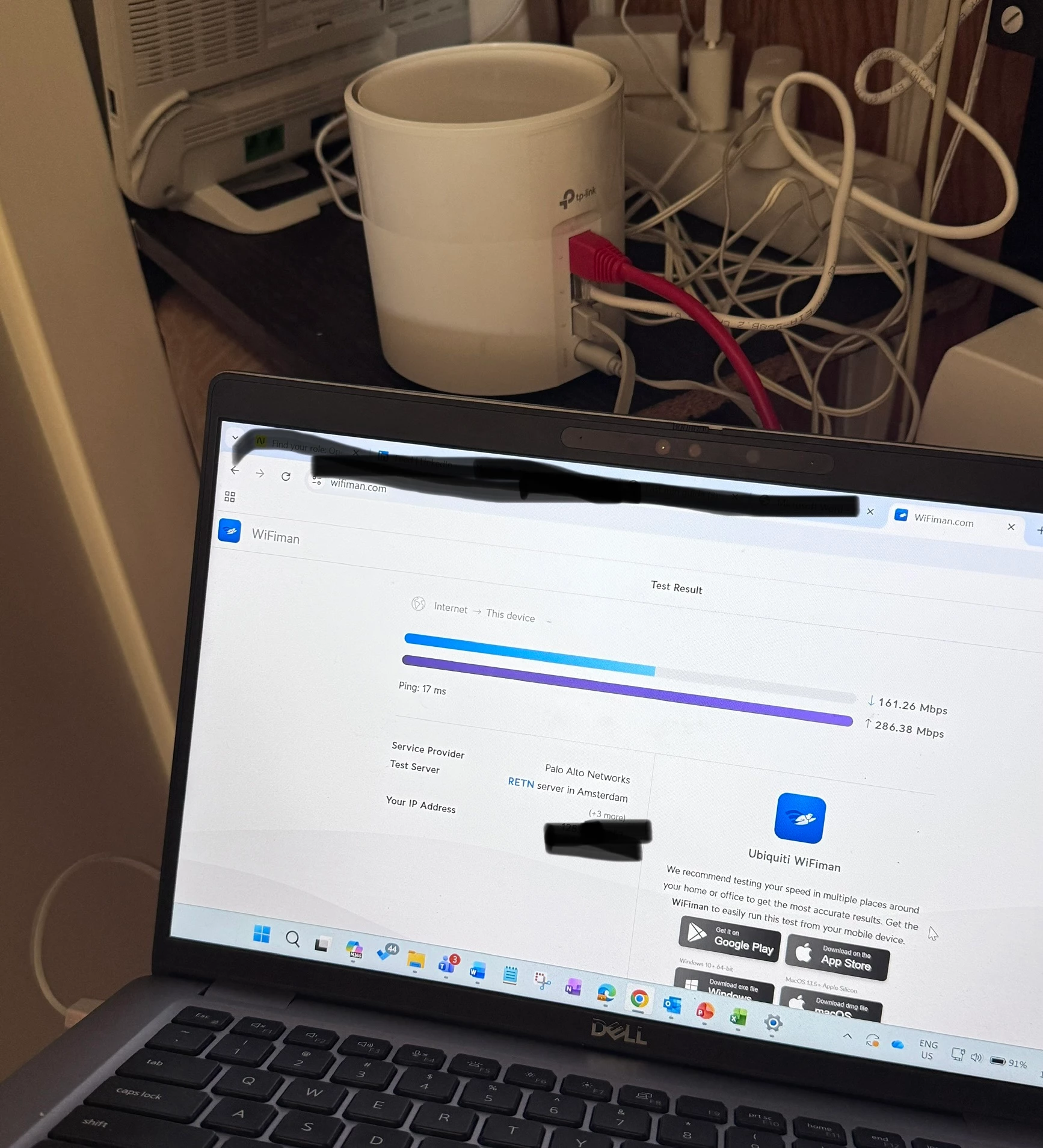
Do you also think this connection drops has something to do with not getting the speed above 400MBPS? Right now I checked the speed with wifiman app (suggested by odido technican before), it shows 145MBPS.


rvk01
  • May 16, 2026

Hi@Waqqas, many thanks for your prompt response. The issue existed with Zyxel router as well and then I bought the Deco's hoping to solve the problem but the connection drops never got resolved. 

Did you connect a PC to the router via cable? Always first do a speedtest with a device with cable to the router so you can eliminate wifi problems (or determine the problem is wifi).


  • Auteur
  • is een Top Poster
  • May 17, 2026

Hi, Yes I did as suggested and I still see lower speeds. I am subscribed to 1GBPS line


rvk01
  • May 17, 2026

Connect the Zyxel again to the ONT. Completely disconnect the Deco. Then connect you laptop directly to the Zyxel and run the test again.

What speed do you get then?

(And use speedtest.net as speedtest site)

I also see a weird cable at the left of the laptop. Is that a standard UTP cable or are you using an usb dongle?


  • Auteur
  • is een Top Poster
  • May 17, 2026

​@rvk01  ​@Waqqas Done as advised

its a usual LAN cable connected from router to laptop. 


  • Auteur
  • is een Top Poster
  • May 17, 2026

Additional pictures for reference ​@Waqqas ​@rvk01 


rvk01
  • May 17, 2026

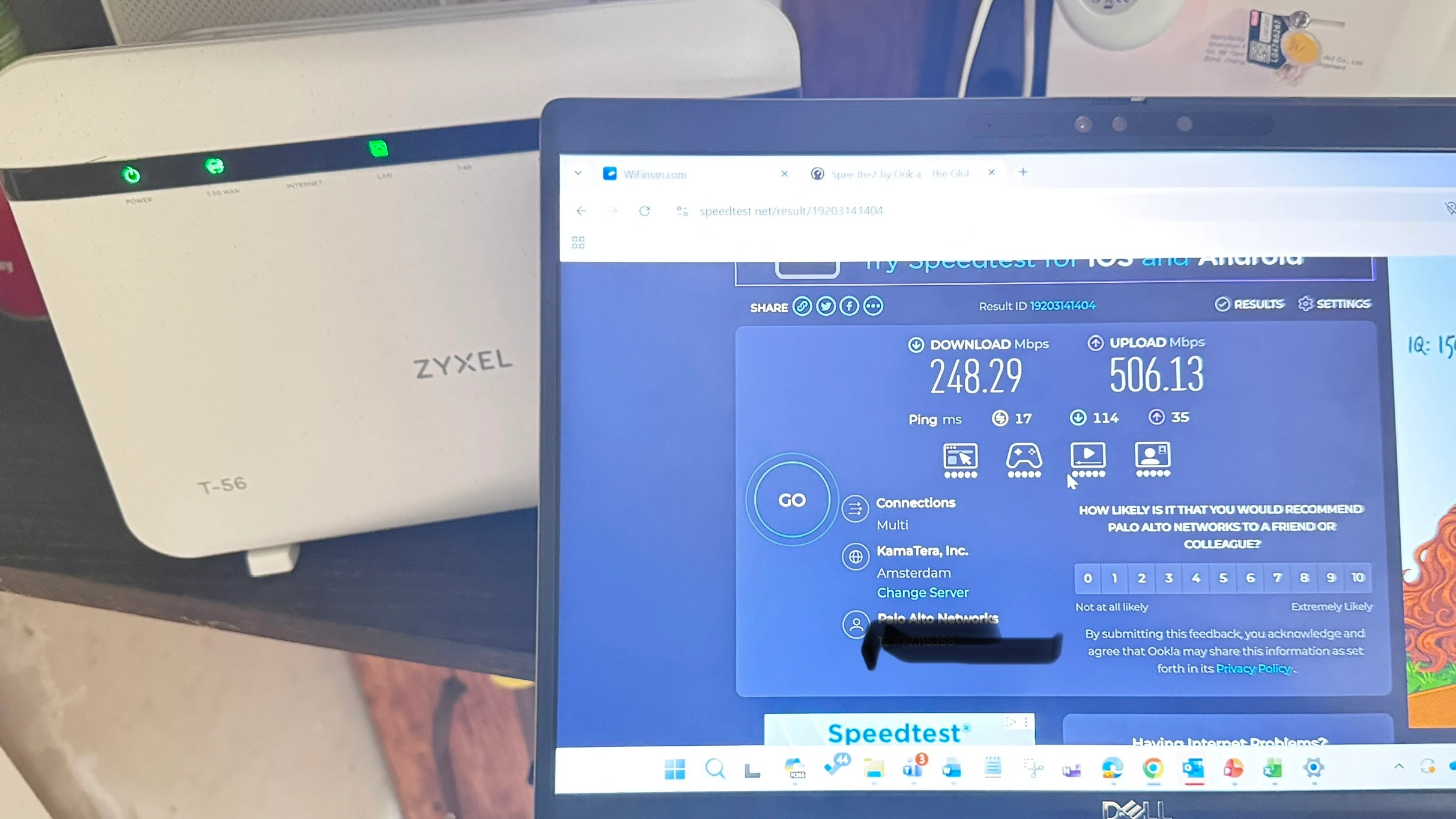
In that first foto with the speedtest, the internet led of the router isn't lit up. Why not? Are you sure that test is done when being connected to the Zyxel?

In the second foto the LED is on.

Did you use a USB dongle for the laptop? Or does it have a dedicated netwerk connection?


  • Auteur
  • is een Top Poster
  • May 17, 2026

In that first foto with the speedtest, the internet led of the router isn't lit up. Why not?

In the second foto it is.

Did you use a USB dongle for the laptop? Or does it have a dedicated netwerk connection?

That light blinks, when I captured it - it could have been blinking and shows as its off. Its definitely blinking all the time. I connected Laptop using a LAN cable and I am sure this could also clarify something.


rvk01
  • May 17, 2026

PANGP Virtual Ethernet Adapter seems to be a virtual VPN adapter. Are you using a VPN client???

I think so because your external IP seems to be a Palo Alto IP (seeing your speed image).

Using a VPN and then doing a speedtest isn’t really fair. You are not measuring your connection speed, you are measuring the VPN speed !!

The PANGP Virtual Ethernet Adapter is a component of the GlobalProtect VPN client by Palo Alto Networks. It facilitates a secure VPN connection as a virtual network interface, encrypting internet traffic and ensuring safe remote access to a protected network.


Do the speedtest without VPN or anything else in between. You need to see your own external IP in the tests. Not that of a VPN.


  • Auteur
  • is een Top Poster
  • May 17, 2026

Thank you. Unfortunately, I do not have any other device and I cannot disable the VPN client on current laptop.
What would you recommend that I do - possibly request a odido technician to come and troubleshoot all this?  


rvk01
  • May 17, 2026

Thank you. Unfortunately, I do not have any other device and I cannot disable the VPN client on current laptop.
What would you recommend that I do - possibly request a odido technician to come and troubleshoot all this?  

Why would a Odido technician be able to troubleshoot this? He or she will determine that you are doing a speedtest over a VPN and determine that that is the cause of the speed limitation. The dropped connection could also be due to the VPN.

Why can’t you disable the VPN yourself?
(and if it’s a corporate laptop, contact your technical department and let them look at the problem)

Anyway… using a VPN almost always limits your speed. So if you have to use that VPN, then you are stuck using that speed. Then there is really no advantage for you to have a 1Gbps subscription.

The maximum speed of a Palo Alto GlobalProtect VPN connection is not fixed; it is primarily limited by the corporate firewall's capacity and your employer's configuration. While GlobalProtect software itself can support theoretical gigabit+ speeds, practical limits range from 50 Mbps to 500+ Mbps per user!



Waqqas
Super User
Forum|alt.badge.img+15
  • Odido Superuser
  • May 17, 2026

​@nandam 

I was just making sure wether the issues lies within your network or is it an issue with the fiber?

When the globe on the Zyxel router is red, is alarm on the ONT also red or does connection blink?

For the speed issue follow the steps in this document using the Zyxel router with a laptop or pc (no VPN active). Share the screenshots in this topic.