Beantwoord

Orbi-router aansluiten op mediaconverter

  • jul. 24, 2023 5:43 p.m. UTC
  • 8 reacties
  • 1420 Bekeken

(Excuses. Dit is Google vertaald van Engels naar Nederlands)

Hallo, ik ga me aanmelden voor een glasvezelverbinding en ik wil graag mijn eigen Orbi RBR50-router gebruiken. Ik belde de technische ondersteuning van T-mobile en ze zeiden dat ik mijn router misschien rechtstreeks op de mediaconverter kon aansluiten (de glasvezel-naar-ethernetbox die zal worden geïnstalleerd). Ik wil niet de modem gebruiken die T-mobile levert, maar de mijne gebruiken.

Ik zal ook geen T-mobile tv-box gebruiken. Zo is mijn vraag of ik VLAN 300 in de router moet toelaten. Ik las in de Orbi-handleiding:

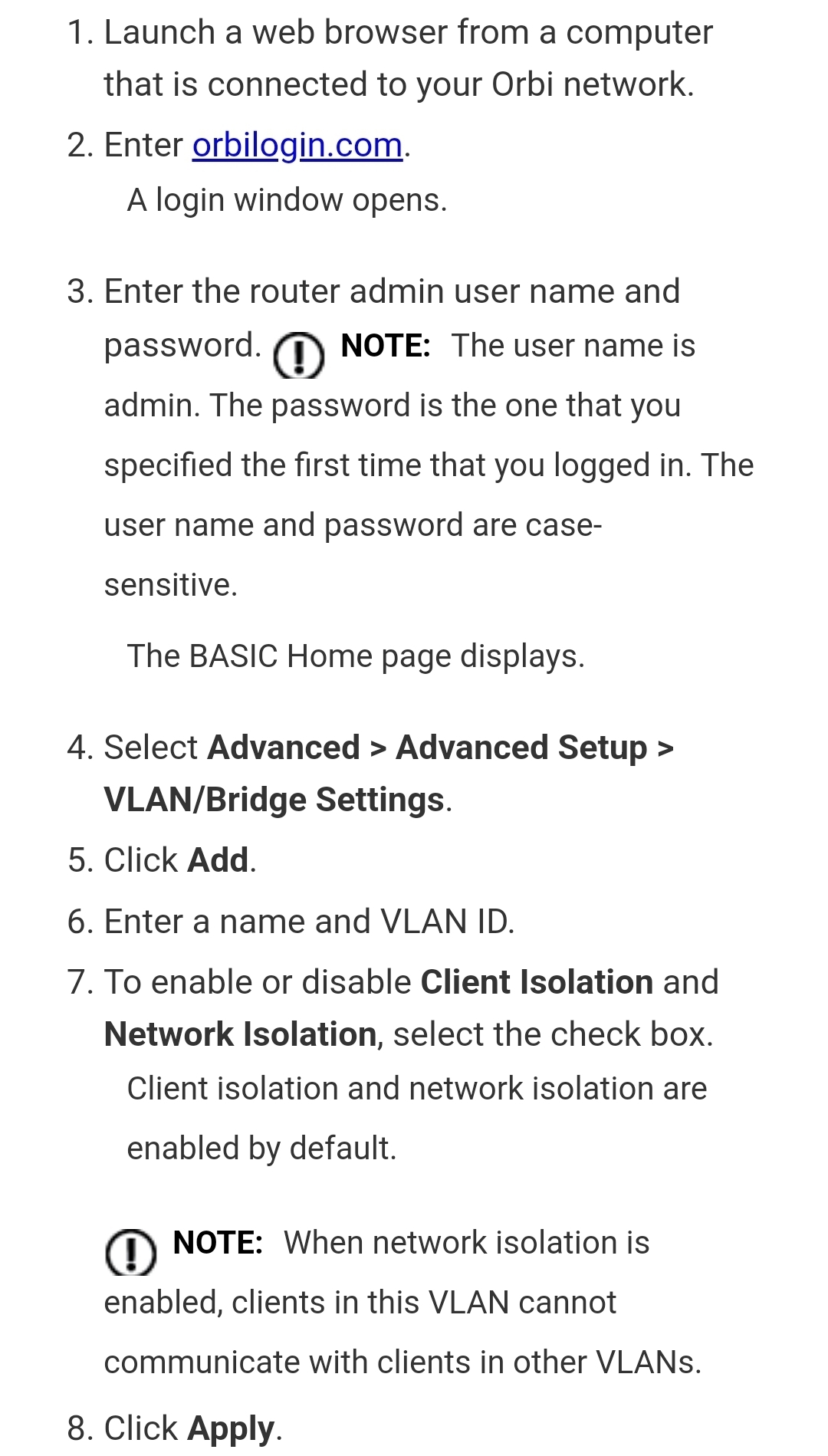
“Als de apparaten die zijn aangesloten op de Ethernet LAN-poort van de router een IPTV-apparaat bevatten, kan uw ISP u vragen een brug in te stellen voor een poortgroep voor de internetinterface van de router.
Een bridge met een poortgroep voorkomt dat pakketten die tussen het IPTV-apparaat en de internetpoort van de router worden verzonden, worden verwerkt via de Network Address Translation (NAT)-service van de router. “

Ik neem aan dat de "IPTV" de T-mobile TV-box is die ik niet zal gebruiken. Als ik VLAN 300 moet instellen, heb ik nog een paar vragen aan de groep.

Beste antwoord door MilesAB

@MilesAB

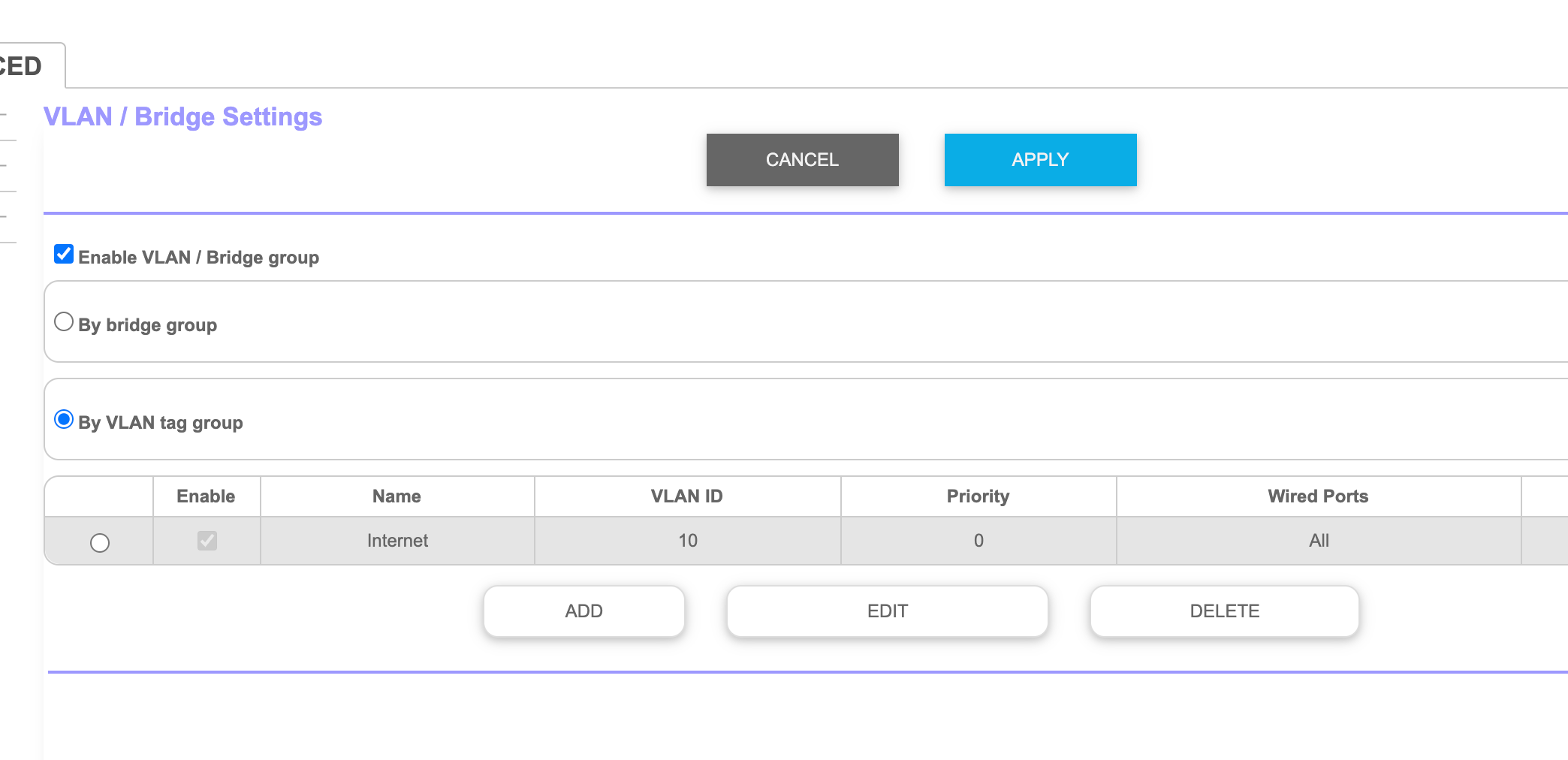
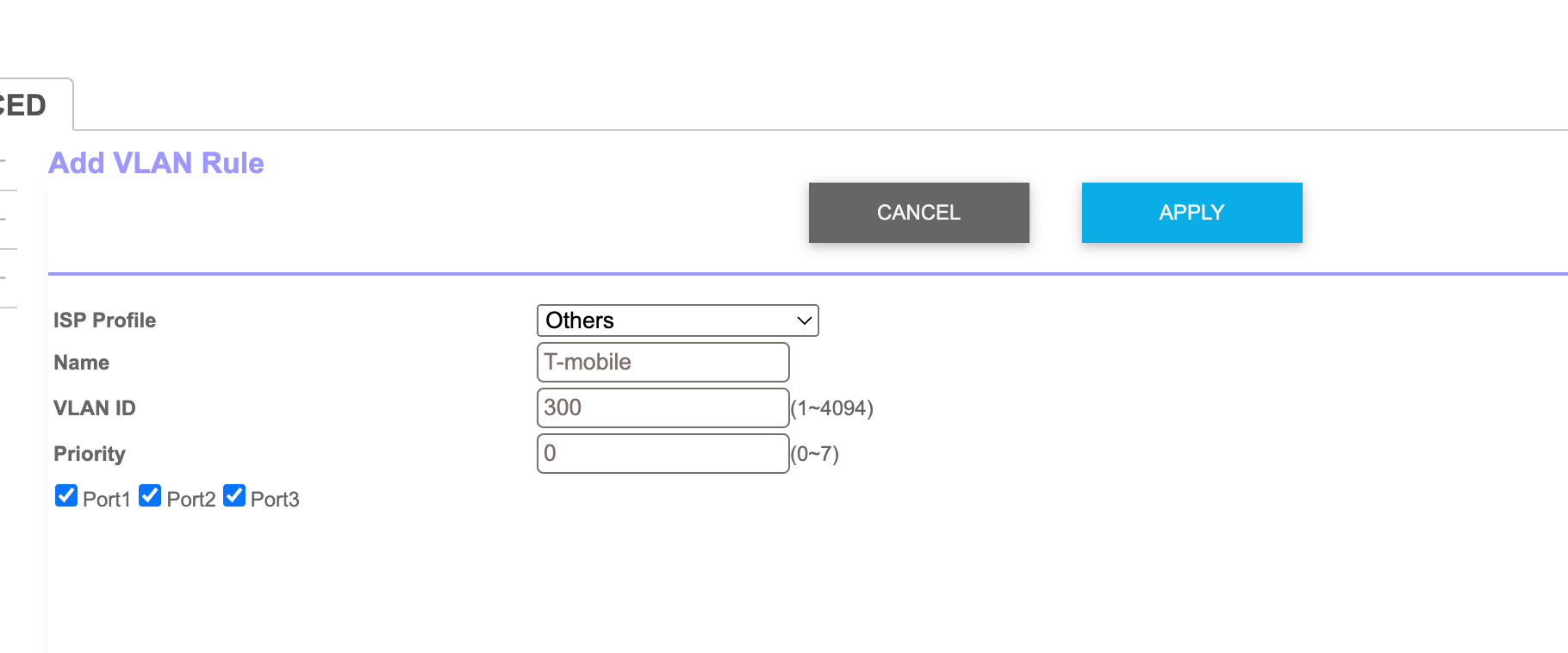
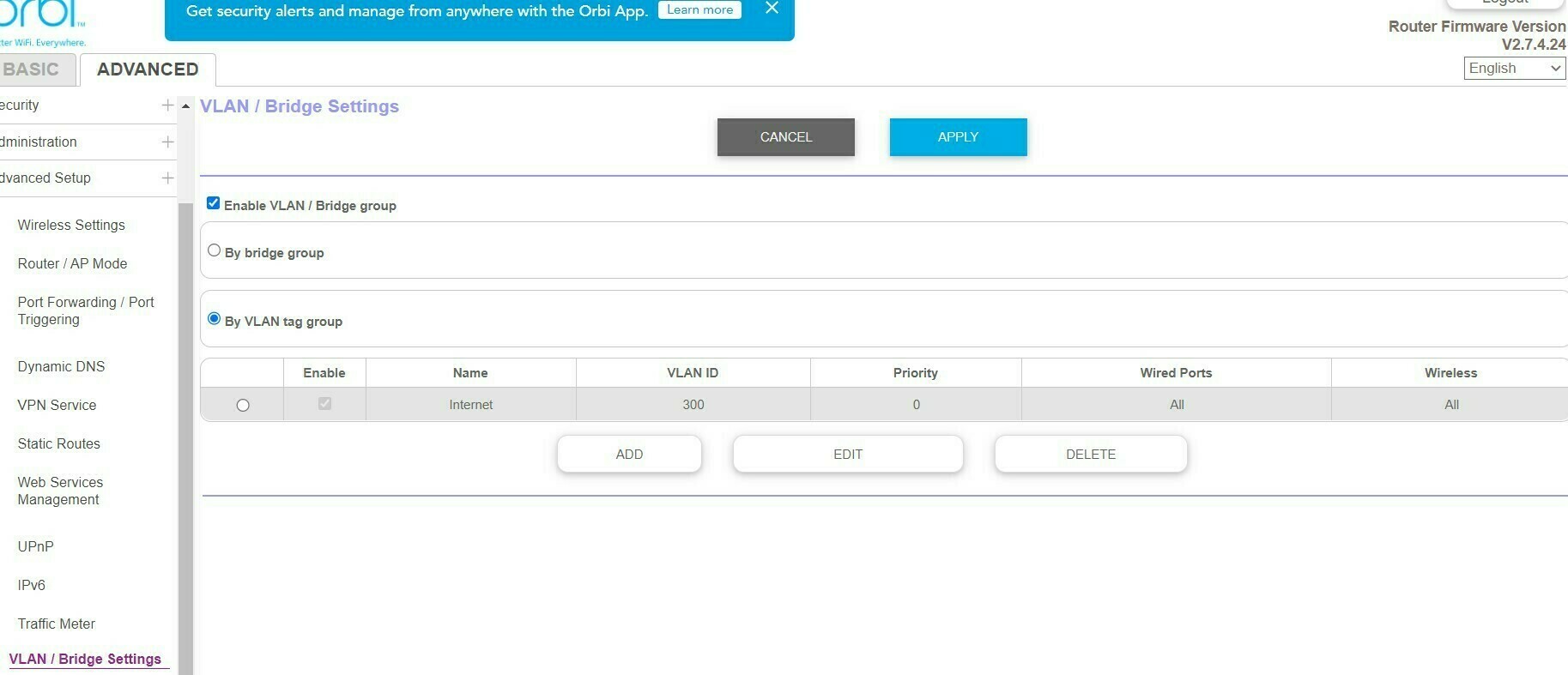
By VLAN tag group and can you edit the default rule VLAN 300 so there is only 1 rule? Then apply and restart.


Thank you.

Bekijk origineel

8 reacties

Waqqas
Super User
Forum|alt.badge.img+15
  • Odido Superuser
  • jul. 24, 2023 6:05 p.m. UTC

Hello @MilesAB 

After following these steps your router should work when connected to the mediaconverter :

You can enter VLAN 300 with priority on 0 (default) after saving the settings restart the mediaconverter.


  • Auteur
  • is een nieuwe Poster
  • jul. 24, 2023 6:21 p.m. UTC

Thank you. So I do need to enable VLAN even though I won’t be using a t-mobile TV box? Also, does the VLAN ID = 300? 

I presume I choose the option “By VLAN Tag group” first.

Then fill out the VLAN configuration as per below screen shot?


Waqqas
Super User
Forum|alt.badge.img+15
  • Odido Superuser
  • jul. 24, 2023 7:01 p.m. UTC

@MilesAB

By VLAN tag group and can you edit the default rule VLAN 300 so there is only 1 rule? Then apply and restart.


  • Auteur
  • is een nieuwe Poster
  • Antwoord
  • jul. 24, 2023 7:14 p.m. UTC

@MilesAB

By VLAN tag group and can you edit the default rule VLAN 300 so there is only 1 rule? Then apply and restart.


Thank you.


  • Auteur
  • is een nieuwe Poster
  • jul. 25, 2023 9:28 a.m. UTC

Would still be useful to know whether the VLAN configuration is needed even if I don’t use T-mobile TV. 


Waqqas
Super User
Forum|alt.badge.img+15
  • Odido Superuser
  • jul. 25, 2023 9:53 a.m. UTC

@MilesAB 

VLAN 300 is always needed to configure T-Mobile internet, for tv nothing else is needed so VLAN 300 is enough for internet and tv.

If you don't subscribe to tv, tv will not work.


  • Auteur
  • is een nieuwe Poster
  • jul. 25, 2023 10:16 a.m. UTC

When I receive the T-mobile modem I read somewhere that I need to first configure the connection with the T-mobile modem and then I can use my own modem or router. Is that the case or can I just follow the steps above without first configuring with the t-mobile modem?


Waqqas
Super User
Forum|alt.badge.img+15
  • Odido Superuser
  • jul. 25, 2023 10:26 a.m. UTC

@MilesAB

Youre right, first th T-Mobile router is installed so T-Mobile can see your connection, afterwards you can connect your own router.